Need exact pricing after reading? Jump straight to the AI API pricing table, the AI cost estimator, or the AI model cost comparison to price the workflow in this article with your own traffic and token counts.
Compare per-token prices across OpenAI, Claude, Gemini, DeepSeek, Mistral, and more.
Turn token counts and request volume into cost per request, daily spend, and monthly spend.
See which model is cheaper for the exact workload this article is talking about.
OpenAI’s GPT-Live changes the product surface area for AI. Instead of asking users to stop, type a prompt, upload a screenshot, and wait for a response, live multimodal interaction lets an AI system observe, listen, speak, reason over context, and guide the user while the work is happening. That turns AI from a static chat box into an active collaborator for walkthroughs, demos, troubleshooting, training, and operator workflows.
The market cares because the highest-value AI use cases are not always document generation or chatbot Q&A. They are moments where a person is stuck inside a workflow: a customer cannot configure a product, a sales engineer is running a live demo, a QA analyst is reproducing a bug, a technician is looking at equipment, or a researcher is conducting an interview. GPT-Live makes those moments programmable.
This post breaks down what changed, why live multimodal AI matters now, and 7 workflows founders, developers, and ops teams can copy immediately: onboarding walkthroughs, live product support, QA triage, sales demo copilots, training simulations, field ops guidance, and research interviews. We will also cover model stacks, cheaper fallbacks, cost estimates, and when premium live interaction is worth the bill.
💡 Key Takeaway: GPT-Live is not just “voice chat with AI.” The practical unlock is real-time context: screen state, spoken intent, visual cues, tool outputs, and user behavior can all feed one guided workflow.
What changed with GPT-Live
GPT-Live introduces a live multimodal interaction mode for situations where latency, context, and continuous guidance matter more than a single perfect answer. Traditional AI chat works like a request-response loop: user sends text, model responds, user clarifies, model responds again. That pattern is acceptable for writing an email or summarizing a file. It breaks down when the user is actively operating software, presenting to a customer, fixing a device, or walking through a complex process.
The new mode matters because it compresses several interactions into one continuous session:
| Capability | Static chat workflow | GPT-Live-style workflow |
|---|---|---|
| User input | Typed prompt or uploaded file | Voice, screen, video, app state, events |
| Timing | Turn-based | Real-time guidance |
| Best use | Content, Q&A, analysis | Walkthroughs, demos, troubleshooting |
| Context updates | Manual | Continuous or event-driven |
| UX pattern | Chat window | Copilot, coach, operator assistant |
| Failure mode | Bad answer | Wrong timing, interruption, context drift |
For builders, the important shift is architectural. A live AI workflow usually combines:
- Realtime capture: audio, screen, video, browser state, app events, or device telemetry.
- Session memory: what the user is trying to do, what has already happened, and where they are stuck.
- Tool access: CRM, ticketing system, product analytics, docs, feature flags, logs, or knowledge base search.
- Model routing: premium live model for in-session reasoning, cheaper models for summaries, tagging, follow-up emails, and batch analysis.
- Human override: escalation when confidence is low, policy boundaries are hit, or the workflow touches money, safety, or compliance.
OpenAI’s current pricing pages in our database list GPT-family models such as GPT-5, GPT-5 mini, GPT-5.2, and GPT-5.2 pro. GPT-Live may be packaged as a mode or product layer rather than a simple text-only model SKU, so teams should calculate budgets using the underlying model pricing available to their account and then add any realtime, audio, video, or platform fees OpenAI exposes.
⚠️ Warning: Do not budget live multimodal AI like a chatbot. Long sessions can accumulate much more context than a single prompt, and voice/screen workflows often trigger retries, tool calls, transcripts, and post-session summaries.
Why live multimodal AI matters now
The biggest constraint in AI adoption has shifted from “can the model answer?” to “can the model help at the exact moment work happens?” For many teams, the answer has been no. Users still have to copy context into a chat window, explain what they see, paste error logs, and interpret the model’s advice.
Live multimodal AI removes that friction. A support agent can share a customer’s screen and get suggested next steps. A founder can run a guided onboarding experience that watches where new users hesitate. A QA engineer can narrate a bug while the model captures reproduction steps. A field technician can point a camera at a panel and get procedural guidance. A researcher can conduct a live interview while AI extracts themes and follow-up questions.
The timing also matters because model context windows and pricing have improved. GPT-5 supports a 1,000,000-token context window at $1.25 input / $10 output per 1M tokens, while GPT-5 mini offers 500,000 tokens at $0.25 input / $2 output per 1M tokens. On the Google side, Gemini 3 Pro supports 2,000,000 tokens at $2 input / $12 output per 1M tokens, and Gemini 3 Flash gives a cheaper 1,000,000-token option at $0.50 input / $3 output per 1M tokens.
Those context sizes make live workflows more realistic because a session can include transcript snippets, UI state, documentation chunks, logs, tool outputs, and memory without constantly dropping important context.
[stat] 1,000,000 tokens GPT-5 and GPT-5.2-class models can carry long live sessions, product docs, transcripts, and tool outputs in one context budget.
7 GPT-Live workflows teams can copy immediately
1. Onboarding walkthroughs
The clearest startup use case is interactive onboarding. Instead of a fixed checklist or product tour, GPT-Live can guide a user through setup while observing where they are in the app. The assistant can explain why a step matters, detect hesitation, answer questions, and adapt the walkthrough based on role, plan, or workspace state.
A B2B SaaS onboarding flow could use GPT-Live to help a new admin connect integrations, invite teammates, configure permissions, import data, and create the first report. The product can send structured app events to the model: integration_connected, user_invited, import_failed, report_created. The assistant then gives real-time guidance without needing pixel-perfect screen interpretation for every step.
Best fit: complex B2B products with high activation value. Avoid it for: simple consumer onboarding where a static checklist converts well.
2. Live product support
GPT-Live can turn support from “describe your issue” into “show me what is happening.” A user shares screen state or app context, the assistant checks docs, account settings, known incidents, and logs, then walks the user through the fix.
This is especially useful for support teams that handle configuration issues, permission problems, billing setup, API integration debugging, or workflow automation failures. The assistant can generate a transcript, classify the issue, create a ticket if needed, and summarize what was tried before escalation.
Best fit: support queues with repetitive troubleshooting and high handle time. Avoid it for: legal, medical, or high-risk account actions without human approval.
3. QA triage and bug reproduction
QA workflows are a natural fit because live context is usually the missing piece. A tester can reproduce a bug while narrating what they expected, what happened, and which environment they are using. GPT-Live can watch the steps, capture console logs, map the flow to a known feature area, and draft a clean bug report.
The model can also ask clarifying questions in real time: “Can you repeat that with the account set to admin?” or “This looks related to the billing permissions change from yesterday. Should I pull the latest deploy logs?”
Best fit: software teams with fast release cycles and noisy bug reports. Avoid it for: security-sensitive screens unless redaction and access controls are implemented.
4. Sales demo copilots
A sales demo copilot can monitor the demo flow, listen to buyer questions, retrieve relevant proof points, and suggest the next screen or feature to show. For founders and sales engineers, this solves a real problem: live demos require product knowledge, competitive positioning, objection handling, and note-taking at the same time.
The assistant can stay invisible to the buyer and feed private prompts to the seller: “They asked about SOC 2. Mention audit logs, role-based access, and the enterprise plan.” After the call, it can summarize objections, update CRM fields, and draft a follow-up email.
Best fit: technical sales motions and founder-led sales. Avoid it for: highly scripted transactional demos where a static deck is enough.
5. Training simulations
GPT-Live can act as a simulated customer, patient, incident commander, warehouse operator, or compliance reviewer. The difference from a text roleplay is that the trainee can speak, share screen activity, react to visual prompts, and receive real-time coaching.
This is valuable for support training, sales onboarding, incident response, safety procedures, and manager coaching. The model can score the session against a rubric, identify missed steps, and generate targeted practice drills.
Best fit: repeatable human workflows where mistakes are costly. Avoid it for: certification-critical domains unless a human-approved rubric and audit trail are in place.
6. Field ops guidance
Field operations are one of the highest-value live multimodal categories. A technician can point a camera at equipment, read labels aloud, and get guided procedures. The AI can cross-reference manuals, maintenance history, error codes, and parts inventory.
This does not require the model to “magically know” every machine. The practical implementation is retrieval-heavy: equipment manuals, SOPs, safety rules, and asset records are retrieved and injected into the live session. The assistant then guides the technician step by step and escalates when uncertainty is high.
Best fit: maintenance, logistics, healthcare operations, utilities, and industrial teams. Avoid it for: safety-critical actions without verification checkpoints.
7. Research interviews
User researchers, product managers, and analysts can use GPT-Live during interviews to capture themes, generate follow-up questions, flag contradictions, and tag evidence in real time. Instead of waiting until the interview ends to discover a missed thread, the assistant can suggest prompts while the conversation is still happening.
A research assistant can also maintain a structured evidence layer: pain points, quotes, feature requests, willingness-to-pay signals, competitor mentions, and workflow descriptions. After the session, cheaper models can summarize the transcript and compare it against prior interviews.
Best fit: discovery calls, churn interviews, market research, and customer advisory boards. Avoid it for: sensitive interviews without explicit consent and data retention controls.
✅ TL;DR: The best first GPT-Live use cases are moments where the user is already doing something complex: onboarding, troubleshooting, demoing, testing, training, operating, or interviewing.
Workflow blueprint 1: Live onboarding walkthrough
A live onboarding assistant is one of the fastest ways to turn GPT-Live into measurable business value. The metric is simple: activation rate. If a new customer must complete five configuration steps before seeing value, a live assistant can reduce abandonment and support tickets.
Recommended stack
| Layer | Recommendation |
|---|---|
| Live interaction | GPT-Live using GPT-5-class realtime capability |
| Main reasoning model | GPT-5 for balanced cost and quality |
| Cheaper fallback | GPT-5 mini for low-stakes walkthroughs |
| Long-doc alternative | Gemini 3 Pro when large docs dominate context |
| Retrieval | Product docs, setup guides, billing rules, integration docs |
| Tools | User account API, integration status API, analytics events, ticket creation |
| Guardrails | Never change billing, permissions, or data deletion without confirmation |
Step-by-step implementation
Step 1: Define the activation path. Pick one onboarding path with a clear success event. Example: “Connect Slack, invite 3 users, import 1 CSV, create first dashboard.” Do not start with your entire product.
Step 2: Emit structured app events. Send event payloads to the live session so the model does not rely only on screen interpretation:
{
  "event": "integration_connection_failed",
  "provider": "slack",
  "error_code": "missing_workspace_permission",
  "user_role": "admin",
  "step": "connect_integration"
}
Step 3: Give the model a state machine.
Define the allowed onboarding states: intro, connect_integration, invite_team, import_data, create_dashboard, complete. This keeps the assistant focused and prevents wandering explanations.
Step 4: Add retrieval over setup docs. Index product documentation, common errors, permissions requirements, and integration-specific instructions. Retrieve only the top chunks for the current step.
Step 5: Use real-time voice guidance sparingly. The assistant should speak when the user is stuck, asks a question, or reaches a decision point. Constant narration creates fatigue.
Step 6: Log friction points. Capture where users pause, ask questions, encounter errors, or abandon. These logs become product roadmap input.
Step 7: Route post-session work to a cheaper model. After the live session, use GPT-5 mini, Gemini 3 Flash, or DeepSeek V4 Flash to summarize the session, tag friction points, and update CRM fields.
Cost estimate
Assume a 12-minute onboarding session with a rolling transcript, app events, retrieved docs, and assistant responses. A reasonable planning estimate is 120,000 input tokens and 12,000 output tokens for the live reasoning portion, excluding any separate audio/video platform fees.
| Model | Input cost | Output cost | Estimated session cost | 1,000 sessions |
|---|---|---|---|---|
| GPT-5 | $1.25 / 1M | $10 / 1M | $0.27 | $270 |
| GPT-5 mini | $0.25 / 1M | $2 / 1M | $0.054 | $54 |
| Gemini 3 Flash | $0.50 / 1M | $3 / 1M | $0.096 | $96 |
| DeepSeek V4 Flash | $0.14 / 1M | $0.28 / 1M | $0.020 | $20 |
The calculation for GPT-5 is: 120,000 input tokens × $1.25 / 1M = $0.15, plus 12,000 output tokens × $10 / 1M = $0.12, for $0.27 per session.
📊 Quick Math: If live onboarding increases activation for a $500/month B2B product by even one extra customer per 1,000 sessions, a $270 GPT-5 session cost can be profitable.
Use GPT-5-level quality for enterprise onboarding, complex integration setup, and high-value accounts. Use GPT-5 mini or Gemini 3 Flash for self-serve trials, simple walkthroughs, and post-session summaries. Use DeepSeek V4 Flash for classification, tagging, and internal analytics, not for premium customer-facing live guidance unless quality is validated.
Workflow blueprint 2: Live product support assistant
Support is the second strongest GPT-Live workflow because the ROI is measurable: deflected tickets, reduced handle time, better escalation summaries, and fewer repeated troubleshooting steps.
Recommended stack
| Layer | Recommendation |
|---|---|
| Live interaction | GPT-Live for voice/screen troubleshooting |
| Main reasoning model | GPT-5.2 for high-context support |
| Premium escalation | GPT-5.2 pro for complex enterprise incidents |
| Cheaper fallback | Claude Haiku 4.5 or GPT-5 mini for summaries and ticket routing |
| Retrieval | Help center, runbooks, status page, known incidents, account docs |
| Tools | Logs API, billing API read-only, ticketing system, CRM, feature flags |
| Guardrails | Read-only by default; require explicit confirmation for account changes |
Step-by-step implementation
Step 1: Start with one support category. Choose a high-volume category such as login issues, integration failures, import errors, permissions, or billing setup. Avoid starting with all support.
Step 2: Create a troubleshooting decision tree. Give the model a compact flow: identify account, confirm user role, check incident status, inspect logs, test configuration, suggest fix, escalate if unresolved.
Step 3: Connect read-only tools first. Start with status, logs, account configuration, plan limits, and documentation search. Do not let the live assistant modify settings in version one.
Step 4: Add confidence thresholds. If the model sees conflicting signals, missing permissions, payment issues, legal language, security concerns, or repeated failure after two attempts, it escalates.
Step 5: Generate support artifacts automatically. At the end of the session, produce a ticket summary with user goal, observed issue, reproduction steps, logs checked, actions taken, and recommended next step.
Step 6: Measure deflection and escalation quality. Track resolved sessions, escalated sessions, average time to resolution, customer satisfaction, and human agent edits to AI-generated summaries.
Cost estimate
Assume an 8-minute support session with 80,000 input tokens and 8,000 output tokens. This includes transcript, retrieved docs, logs, and assistant guidance.
| Model | Input cost | Output cost | Estimated session cost | 10,000 sessions |
|---|---|---|---|---|
| GPT-5.2 | $1.75 / 1M | $14 / 1M | $0.252 | $2,520 |
| GPT-5.2 pro | $21 / 1M | $168 / 1M | $3.024 | $30,240 |
| GPT-5 mini | $0.25 / 1M | $2 / 1M | $0.036 | $360 |
| Claude Haiku 4.5 | $1 / 1M | $5 / 1M | $0.120 | $1,200 |
| DeepSeek V4 Flash | $0.14 / 1M | $0.28 / 1M | $0.013 | $126 |
The premium model is worth it when one support resolution protects a large contract, avoids engineer escalation, or reduces churn risk. GPT-5.2 pro is overkill for password resets, basic setup questions, and known error messages. For those, route the live session to GPT-5 mini or use a hybrid approach: cheap model first, premium escalation only when uncertainty rises.
Model choice and cost: when premium live AI is worth it
Live AI costs are driven by session length, context volume, output verbosity, tool calls, and retries. The model price per token is only one part of the budget, but it is the part teams can control immediately.
Here are the current model prices from AI Cost Check’s model database:
| Model | Provider | Input / 1M tokens | Output / 1M tokens | Context | Best use |
|---|---|---|---|---|---|
| GPT-5 | OpenAI | $1.25 | $10 | 1,000,000 | Primary live reasoning |
| GPT-5.2 | OpenAI | $1.75 | $14 | 1,000,000 | Higher-context support and ops |
| GPT-5.2 pro | OpenAI | $21 | $168 | 1,000,000 | Premium escalations |
| GPT-5 mini | OpenAI | $0.25 | $2 | 500,000 | Cheaper live fallback |
| Gemini 3 Pro | $2 | $12 | 2,000,000 | Large-doc workflows | |
| Gemini 3 Flash | $0.50 | $3 | 1,000,000 | Budget multimodal-style workflows | |
| Claude Sonnet 5 | Anthropic | $2 | $10 | 1,000,000 | Strong general agentic workflows |
| Claude Haiku 4.5 | Anthropic | $1 | $5 | 200,000 | Summaries and support routing |
| DeepSeek V4 Flash | DeepSeek | $0.14 | $0.28 | 1,000,000 | Low-cost tagging and batch tasks |
For teams comparing OpenAI options to alternatives, start with a task-level comparison instead of a brand-level comparison. You can also review GPT-5 vs Gemini 3 Pro, GPT-5 vs DeepSeek V3.2, and GPT-5 vs GPT-5 mini for broader routing decisions.
Cost scenarios by workflow
| Workflow | Planning tokens | Recommended model | Estimated cost/run | Cheaper fallback |
|---|---|---|---|---|
| Onboarding walkthrough | 120k in / 12k out | GPT-5 | $0.27 | GPT-5 mini at $0.054 |
| Product support | 80k in / 8k out | GPT-5.2 | $0.252 | GPT-5 mini at $0.036 |
| QA triage | 60k in / 6k out | GPT-5 | $0.135 | DeepSeek V4 Flash at $0.010 |
| Sales demo copilot | 100k in / 10k out | GPT-5 | $0.225 | Gemini 3 Flash at $0.080 |
| Training simulation | 150k in / 20k out | Claude Sonnet 5 | $0.500 | GPT-5 mini at $0.078 |
| Field ops guidance | 180k in / 15k out | GPT-5.2 | $0.525 | Gemini 3 Flash at $0.135 |
| Research interview | 200k in / 20k out | Gemini 3 Pro | $0.640 | GPT-5 mini at $0.090 |
These estimates cover text-token pricing for the reasoning portion. If your GPT-Live deployment includes separate realtime audio, video, transcription, storage, or session fees, add those line items before committing to a production budget.
Recommended routing pattern
Use a three-tier routing strategy:
- Premium live model for the session. Use GPT-5, GPT-5.2, Claude Sonnet 5, or Gemini 3 Pro when the user is active and mistakes are expensive.
- Cheap model for background tasks. Use GPT-5 mini, Gemini 3 Flash, Claude Haiku 4.5, or DeepSeek V4 Flash for summaries, tags, CRM updates, and ticket drafts.
- Premium escalation only on uncertainty. Route to GPT-5.2 pro or a human when the session hits compliance, security, enterprise account risk, or repeated failure.
This pattern keeps the user experience strong while preventing every transcript, summary, and classification job from running on the most expensive model.
⚠️ Warning: The easiest way to overspend is leaving full transcripts, retrieved docs, logs, and screen descriptions in context for the entire session. Use rolling summaries and state objects to compress history.
Implementation patterns developers should use
Use state, not just pixels
A live multimodal assistant should not rely only on screenshots or screen video. The best systems send structured state from the application: page name, selected object, user role, error code, feature flag state, account tier, and recent events. This reduces ambiguity and token waste.
For example, instead of asking the model to infer that the user is on the “Data Import” page and that a CSV failed because of a missing header, send:
{
  "page": "data_import",
  "import_status": "failed",
  "missing_columns": ["customer_id", "created_at"],
  "account_tier": "growth",
  "user_role": "workspace_admin"
}
The assistant can then respond with direct guidance instead of wasting context on visual interpretation.
Separate live guidance from post-processing
Do not use the live model for everything. During the session, optimize for responsiveness, confidence, and user experience. After the session, run cheaper batch jobs:
- Summarize the transcript.
- Extract action items.
- Create a ticket.
- Update CRM fields.
- Tag product friction.
- Generate coaching feedback.
- Compare the session against a rubric.
This is where models like GPT-5 mini, Gemini 3 Flash, and DeepSeek V4 Flash save money.
Build interruption and silence rules
Live assistants can become annoying if they talk too much. Set explicit rules:
- Do not interrupt while the user is typing unless there is a critical error.
- Ask before taking over a demo or support call.
- Use short guidance by default.
- Switch to detailed explanation only when asked.
- Pause during customer conversations unless the assistant is explicitly in coach mode.
Add privacy controls from day one
Live multimodal systems may process screens, voices, documents, customer names, account metadata, and sensitive operational details. Every implementation should include consent, redaction, retention limits, access controls, and audit logs.
For support and sales use cases, make it clear when AI is listening, what is stored, and how the data is used. For field ops and training, define which recordings are retained and who can review them.
Risks, limits, and when not to use GPT-Live
GPT-Live-style workflows create new product possibilities, but they also add operational risk. The assistant is closer to the user’s real work, which means bad guidance has a larger blast radius.
Do not use live AI as the sole decision-maker for:
- Deleting customer data.
- Changing billing terms.
- Approving refunds above policy thresholds.
- Giving medical, legal, or safety-critical instructions without approved procedures.
- Making irreversible configuration changes.
- Handling regulated interviews without consent.
- Operating machinery without human confirmation.
The practical rule is simple: live AI can guide, explain, observe, summarize, and recommend. It should request confirmation or escalate before taking actions that affect money, safety, security, compliance, or customer trust.
Model limits still matter. Live systems can misread visual context, overfit to the latest user statement, miss hidden app state, or produce confident but wrong instructions. You reduce those risks with structured state, retrieval, tool verification, confidence thresholds, and human escalation.
✅ TL;DR: Use GPT-Live where timing and context create value. Do not use it as an unchecked operator for irreversible or regulated decisions.
Hero image direction
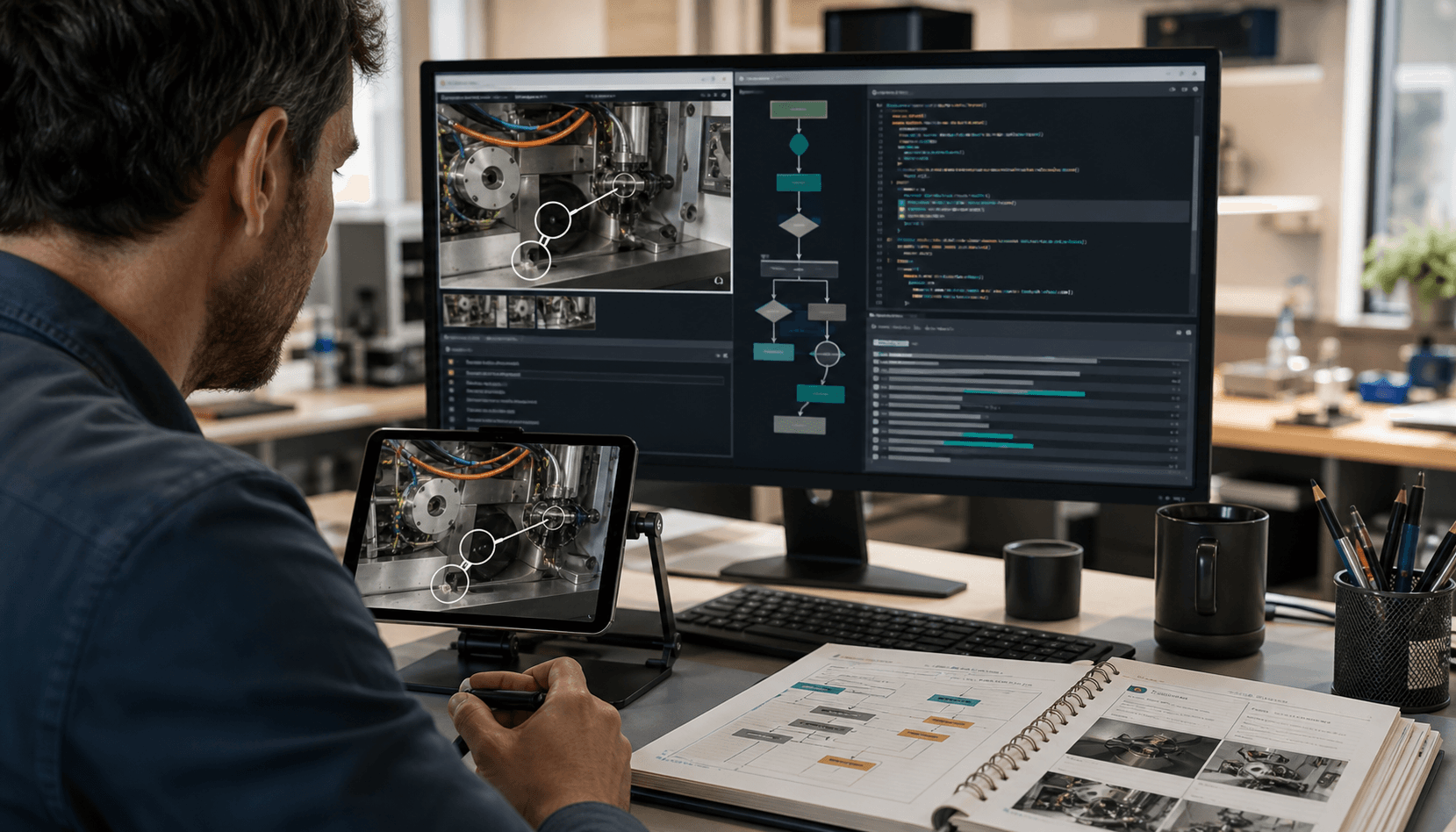
Use an editorial product-workflow image showing a founder or operator at a workstation with a live AI guidance layer: a product screen, task cards, transcript snippets, support ticket panel, and visual context frames. The focal point should be the real-time collaboration workflow, not an abstract AI symbol. Avoid text, logos, glowing brains, or generic dashboards.
Frequently asked questions
What is GPT-Live?
GPT-Live is OpenAI’s live multimodal interaction mode for real-time AI collaboration. Instead of a static chat exchange, it can support workflows where voice, screen context, video, app events, and tool outputs guide an ongoing session such as onboarding, support, demos, QA, or field operations.
How much does GPT-Live cost?
Budget live GPT-Live workflows by estimating session tokens and applying the underlying model price. For example, a 12-minute onboarding session with 120,000 input tokens and 12,000 output tokens costs about $0.27 on GPT-5 or $0.054 on GPT-5 mini, before any separate realtime audio, video, or platform fees. Use AI Cost Check to model your own token volume.
What workflows should teams build first with GPT-Live?
Start with workflows where real-time context changes the outcome: onboarding walkthroughs, live product support, QA triage, sales demo copilots, training simulations, field ops guidance, and research interviews. The strongest first bets are onboarding and support because activation rate, ticket deflection, and handle time are easy to measure.
When is a premium model worth it for live multimodal AI?
Use premium models for high-value accounts, complex troubleshooting, enterprise demos, field operations, and workflows where a wrong answer is expensive. Use cheaper models such as GPT-5 mini, Gemini 3 Flash, or DeepSeek V4 Flash for summaries, tagging, routing, and low-risk sessions.
What is the safest way to implement GPT-Live?
Start read-only, connect structured app events, retrieve approved documentation, and require confirmation before account changes. Add confidence thresholds, escalation rules, transcript summaries, redaction, consent, and audit logs before expanding to customer-facing production use.
Next steps
If you are building with GPT-Live, start with one workflow where timing matters and ROI is measurable: onboarding completion, support resolution, QA report quality, demo conversion, training scores, field task completion, or research throughput.
Use AI Cost Check to estimate your session costs before launch. Compare likely routing options such as GPT-5 vs GPT-5 mini, GPT-5 vs Gemini 3 Pro, and GPT-5 vs DeepSeek V3.2. For model-specific pricing, review GPT-5, GPT-5.2, GPT-5 mini, and Gemini 3 Flash.
The winning pattern is not “put live AI everywhere.” It is: use premium live interaction when the user is stuck in a valuable workflow, then route everything else to cheaper models.
Related Cost Guides
Keep going with the closest pricing and optimization guides in this cluster.
What Gemini 3.8 Live Makes Possible: 6 Real-Time Multimodal Workflows to Build Now
Gemini 3.8 Live pricing and workflow guide for voice-and-screen AI in support, sales, incidents, meetings, and QA with practical cost estimates.
OpenAI Enterprise Signals: 7 Agentic Workflows Teams Should Copy Before the Frontier Gap Widens
OpenAI's August 12 enterprise report shows AI moving from assistance to execution. Here are 7 workflows, model picks, and cost bands teams can copy.
GPT-5.6 Price-Performance Frontier: Workflows Builders Can Ship Now
GPT-5.6 brings Sol, Terra, and Luna tiers for faster agents, document synthesis, code review, support ops, and smarter model routing.