Need exact pricing after reading? Jump straight to the AI API pricing table, the AI cost estimator, or the AI model cost comparison to price the workflow in this article with your own traffic and token counts.
Compare per-token prices across OpenAI, Claude, Gemini, DeepSeek, Mistral, and more.
Turn token counts and request volume into cost per request, daily spend, and monthly spend.
See which model is cheaper for the exact workload this article is talking about.
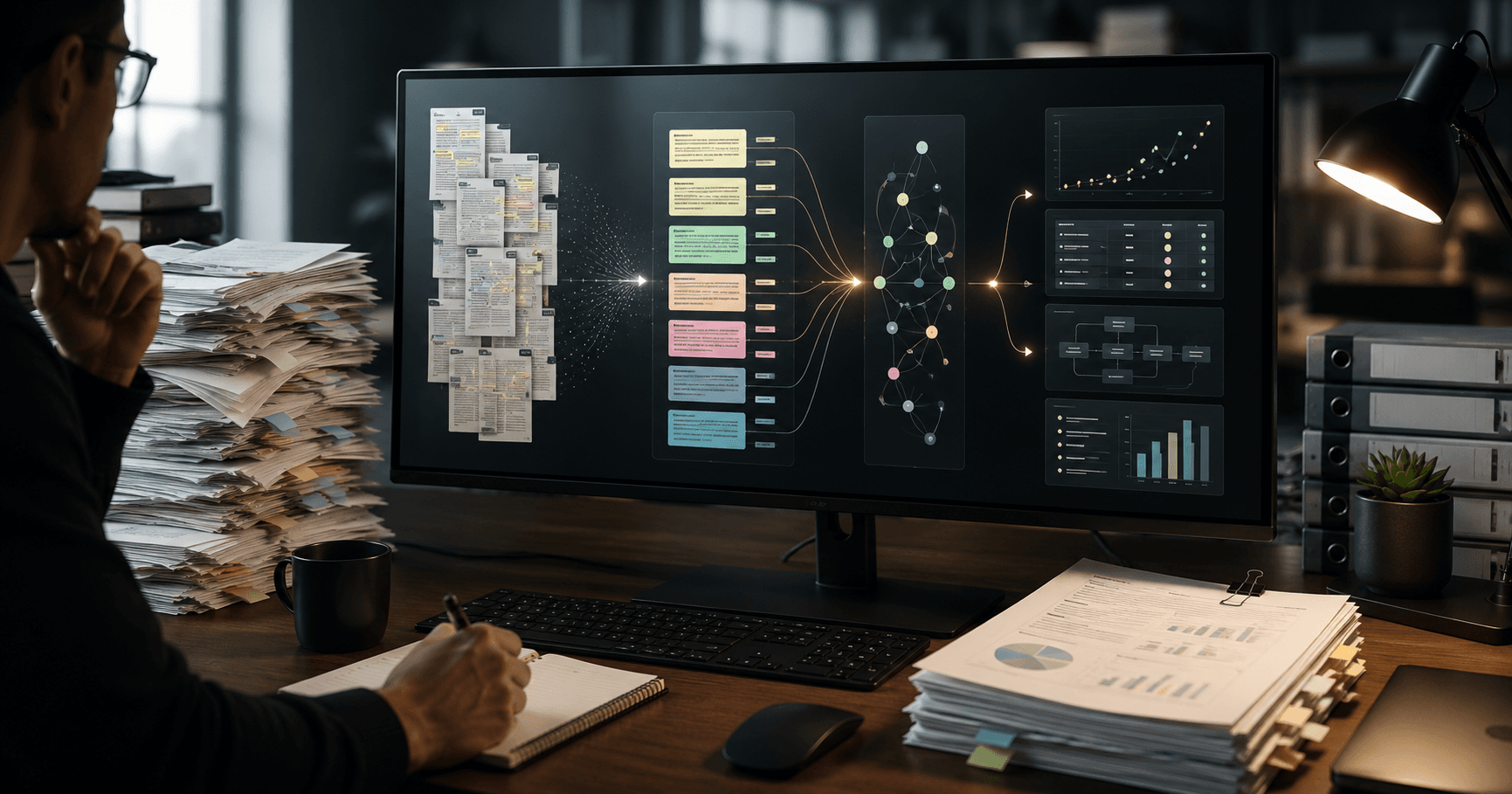
Anthropic’s Claude Science launch matters because it moves AI for research away from “paste a paper into chat” and toward a customizable, auditable AI workbench. The important change is not only that Claude can reason over scientific material. It is that research teams can connect domain tools, common computational packages, flexible compute, and traceable artifacts into a single agentic environment where outputs can be reviewed, reproduced, and handed off.
That is a bigger market signal than another benchmark jump. Biotech startups, technical operators, academic labs, and R&D teams do not need a prettier chatbot. They need systems that can inspect a dataset, run statistical checks, cite intermediate artifacts, call trusted packages, generate a protocol draft, and leave behind an audit trail. Claude Science points to the next phase of AI adoption in high-stakes work: domain-specific workbenches that combine models, tools, provenance, and compute.
This post breaks down what changed, why specialized AI workbenches are becoming urgent, and what teams can build now. You will get 7 practical workflows, two step-by-step implementation outlines, a recommended model stack, cheaper fallback models, concrete cost estimates, and the risks that matter when AI touches scientific decisions.
💡 Key Takeaway: Claude Science is best understood as an agentic research operating layer, not a single model update. The value is in reproducible workflows: connected tools, auditable outputs, compute execution, and model routing for scientific tasks.
What changed with Claude Science
Claude Science is Anthropic’s domain-specific AI workbench for scientists. The launch brings together four capabilities that generic chat interfaces usually separate:
- Research tool connectivity — the workbench can connect to scientific tools, internal knowledge bases, research environments, document stores, and analysis systems.
- Common package support — teams can use familiar computational packages instead of relying only on natural-language reasoning.
- Auditable artifacts — analyses can produce traceable outputs, intermediate files, explanations, code, tables, and reviewable evidence.
- Flexible compute — workflows can move beyond chat completion into execution: parsing data, running code, iterating analyses, and generating deliverables.
For technical operators, the shift is architectural. A generic chat workflow usually looks like this:
- User asks a question
- Model answers
- User copies output elsewhere
- User manually checks assumptions
- Any reproducibility depends on human discipline
A Claude Science-style workbench looks different:
- User defines a scientific objective
- Agent retrieves relevant internal and external material
- Agent runs package-backed analysis
- Agent produces artifacts with references and intermediate steps
- Human reviewers inspect outputs before downstream action
- Workflow can be repeated, versioned, or adapted
The main product implication: AI becomes part of the research system of record, not a side channel.
Why domain-specific AI workbenches matter now
Generic chat is good for summarization, brainstorming, and light coding. It breaks down when the work requires reproducibility, traceability, tool execution, and domain constraints. Scientific organizations have all four problems at once.
Research teams operate under stricter failure modes than marketing or content teams. A hallucinated citation in a blog draft is embarrassing. A hallucinated assay interpretation, statistical claim, or compound-screening decision can waste weeks of lab time or create regulatory risk.
Domain-specific workbenches matter because they solve the workflow gap between “a model can answer” and “a team can rely on the process.” For biotech and research operators, the market cares for five reasons:
| Market pressure | Why generic chat struggles | Why a scientific workbench helps |
|---|---|---|
| Reproducibility | Chat history is not a formal artifact trail | Outputs can include code, data lineage, and reviewable artifacts |
| Data complexity | Large files, tables, PDFs, assays, and notebooks are hard to manage manually | Tool-connected workflows can parse, transform, and analyze data |
| Regulatory scrutiny | Unverified model claims are unacceptable | Audit trails and human approvals become part of the process |
| Team handoff | Chat outputs are hard to operationalize | Artifacts can move into notebooks, reports, repositories, and ELNs |
| Cost control | Researchers often use premium models for every task | Workbenches can route simple steps to cheaper models |
[stat] 1,000,000-token context Claude Opus 4.8 and Claude Sonnet 4.6 both support 1M-token context windows, making full-study, multi-document, and long-protocol workflows more practical than older 200K-token systems.
The context window matters, but it is not the whole story. Long context without tools can become expensive summarization. Tools without auditability can create hidden errors. Claude Science is timely because it bundles these pieces into a domain workflow layer.
7 practical workflows Claude Science unlocks
Below are seven workflows technical operators and research teams can build around a Claude Science-style workbench. The strongest candidates are repeatable, evidence-heavy, and currently stuck between manual review and brittle scripts.
1. Literature-to-hypothesis workbench
A research analyst can ingest papers, patents, preprints, clinical trial notes, and internal memos, then produce a ranked hypothesis map.
The workbench should output:
- Paper summaries with citation anchors
- Extracted mechanisms, assays, targets, and contradictions
- Evidence tables grouped by confidence
- Proposed experiments with required controls
- A “what would falsify this?” section for each hypothesis
This is stronger than generic paper summarization because the agent can create structured artifacts that are reviewable by a scientist. The output is not “here is what the paper says.” It is a decision package.
2. Assay data quality and anomaly triage
Biotech teams can connect raw assay exports, plate maps, notebooks, and statistical packages. Claude Science can inspect the data, flag anomalies, and generate a QC report before a scientist spends hours debugging.
Useful checks include:
- Missing wells or duplicated sample IDs
- Plate edge effects
- Outlier replicates
- Unexpected dose-response curves
- Batch effects across runs
- Protocol deviations mentioned in notes
This is a strong fit for agentic AI because the model can combine structured data checks with unstructured lab notes. A script may catch missing values. A workbench agent can connect that failure to a protocol note that says the incubator temperature drifted.
3. Reproducible computational biology notebooks
A team can ask the workbench to generate a notebook for RNA-seq, single-cell analysis, proteomics, or other computational workflows using approved packages.
The value is not fully automated discovery. The value is a faster first-pass notebook that includes:
- Environment assumptions
- Package imports
- Data validation cells
- Parameter explanations
- Plots
- Interpretation notes
- Human review checkpoints
For teams with junior computational staff, this can reduce setup time while keeping senior scientists in control.
4. Protocol drafting and deviation analysis
Claude Science can turn internal SOPs, prior protocols, vendor documents, and experimental objectives into a protocol draft with explicit deviations from previous runs.
Strong outputs include:
- Step-by-step protocol draft
- Required reagents and equipment
- Timing and temperature table
- Risk points
- Differences from previous protocol versions
- Review checklist for signoff
This is useful for research operations because many protocol errors are not caused by lack of knowledge. They come from version drift, omitted constraints, or unclear handoffs.
5. Grant, IND, and technical report assembly
Scientific writing is evidence assembly. A workbench can help compile background sections, methods summaries, figure captions, and evidence tables from approved sources.
The critical difference from generic writing tools is traceability. Every claim should map back to a source document, dataset, or analysis artifact. Teams can use the model for structure and synthesis while keeping human experts responsible for final claims.
6. Vendor and CRO analysis assistant
Biotech startups often work with CROs, sequencing vendors, assay providers, and specialized consultants. Claude Science can compare proposals, reconcile deliverables, inspect technical assumptions, and generate vendor questions.
The workflow can score vendors across:
- Scientific fit
- Required sample volume
- Turnaround time
- Data format compatibility
- Statistical support
- Hidden cost risks
- IP and data handling constraints
This can save founder and operator time because vendor documents are long, inconsistent, and packed with implied assumptions.
7. Research decision memo generator
The most valuable workflow for leadership is a decision memo that converts research evidence into an action recommendation.
A strong decision memo includes:
- Recommendation
- Evidence summary
- Uncertainties
- Cost and timeline impact
- Alternative paths
- Required next experiment
- Stop/go criteria
This is where Claude Science can replace scattered chat threads. Instead of asking a model “what should we do?” the team builds a repeatable memo workflow that pulls evidence, runs checks, and produces an artifact for review.
⚠️ Warning: Do not let a research workbench become an invisible decision maker. Use it to generate evidence packages, QC reports, notebooks, and memos. Keep experimental design approval, clinical interpretation, and regulatory claims under named human owners.
Workflow implementation 1: assay QC and anomaly triage
This workflow is a practical starting point for biotech operators because it is bounded, repeatable, and easy to measure. The goal is to turn assay exports and lab notes into a standardized QC report.
Step 1: Define the input contract
Create a folder or data connector with a consistent structure:
- Raw assay CSV or XLSX export
- Plate map
- Sample metadata
- Protocol version
- Lab notes
- Expected positive and negative controls
- Prior run baseline if available
Require the user to specify assay type, control wells, and acceptance criteria. Do not let the model infer critical thresholds from vague notes.
Step 2: Connect approved packages
Configure the workbench to use trusted Python or R packages for statistical work. The model should generate and execute analysis code, but package-backed calculations should produce the numbers.
For example:
- pandas or polars for table handling
- scipy or statsmodels for statistical tests
- matplotlib, seaborn, or plotnine for plots
- domain-specific packages where relevant
- internal utility functions for plate layout validation
Step 3: Run deterministic validation checks
Before any model interpretation, run hard checks:
- File schema validation
- Required columns present
- Missing values
- Duplicate sample IDs
- Control wells present
- Replicate counts
- Expected plate dimensions
- Concentration units
The model should summarize these results, not invent them.
Step 4: Generate anomaly candidates
Ask the agent to identify anomalies with code-backed evidence:
- Outlier replicates
- Control drift
- Edge effects
- Non-monotonic dose response
- Batch differences
- Signal saturation
- Unexpected variance
Each anomaly should include row IDs, plot references, and an explanation.
Step 5: Cross-check against lab notes
Have the agent retrieve unstructured notes and look for explanations:
- Instrument issues
- Reagent lot changes
- Timing deviations
- Operator notes
- Temperature or storage anomalies
- Sample handling problems
This is the agentic part: combining numeric evidence with human notes.
Step 6: Produce an auditable QC artifact
The final output should be a PDF, notebook, or markdown report with:
- Data files used
- Code version
- Package versions
- Validation checklist
- Plots
- Anomaly table
- Recommended action
- Human reviewer section
Step 7: Route follow-up actions
Use the workbench to create downstream tasks:
- Re-run required
- Accept with caveat
- Exclude specific wells
- Request clarification from lab team
- Update SOP
- Escalate to scientist
A good implementation produces fewer Slack debates and more standardized review packets.
✅ TL;DR: Start Claude Science with bounded QC workflows. They have clear inputs, measurable outputs, and high operational value. Use code for calculations, Claude for synthesis, and humans for approval.
Workflow implementation 2: literature-to-experiment decision memo
This workflow helps research teams move from scattered papers to an experiment plan. It is especially useful for startups evaluating targets, indications, mechanisms, or assay strategies.
Step 1: Define the research question
Do not start with “summarize these papers.” Use a decision-oriented prompt:
Objective: Evaluate whether Target X is a credible intervention point for Disease Y.

Produce:
1. Evidence table by mechanism
2. Contradictory findings
3. Assay systems used
4. Translational risk factors
5. Proposed next experiment
6. Stop/go criteria
7. Source-linked claims only
The model should know that unsupported claims are not allowed.
Step 2: Ingest sources in tiers
Separate source quality:
- Tier 1: internal experimental data and reviewed reports
- Tier 2: peer-reviewed papers
- Tier 3: preprints
- Tier 4: patents, press releases, and vendor material
The workbench should label evidence by tier. This reduces the common failure where a model treats a vendor claim and a replicated study as equal.
Step 3: Extract structured entities
Ask the agent to extract:
- Targets
- Pathways
- Model systems
- Assays
- Species
- Intervention type
- Effect size
- Limitations
- Conflicts or contradictions
Store this as a table, not only prose.
Step 4: Build an evidence map
Have the workbench group findings into claims:
- Strong support
- Mixed support
- Weak support
- Contradictory
- Not enough evidence
Every row should include source links and quoted snippets. This makes review faster and reduces hallucination risk.
Step 5: Generate experiment options
Ask for 3 experiment designs:
- Fast validation experiment
- Higher-confidence mechanistic experiment
- Negative-control-focused falsification experiment
Each option should include cost drivers, required materials, expected timeline, and interpretation logic.
Step 6: Create the decision memo
The final memo should be structured:
- Executive recommendation
- Evidence basis
- Key uncertainties
- Recommended next experiment
- Why alternatives were rejected
- Stop/go criteria
- Reviewers and open questions
Step 7: Human review and versioning
Route the memo to a scientist, computational reviewer, and operator. The workbench should preserve source sets, prompts, generated tables, and final edits.
This is how a specialized workbench replaces generic chat: the output is not a one-off answer. It is a reusable research decision pipeline.
Recommended model and tool stack
Claude Science is Anthropic’s workbench, so the natural premium model choices are Claude’s latest high-capability models. The right stack, however, should route tasks by difficulty.
| Layer | Recommended model/tool | Why use it | Cheaper fallback |
|---|---|---|---|
| High-stakes reasoning and synthesis | Claude Opus 4.8 | Strong fit for complex scientific reasoning, long documents, and high-quality memos | Claude Sonnet 4.6 |
| Routine extraction and classification | Claude Haiku 4.5 | Lower cost for tagging, metadata extraction, and short summaries | GPT-5 mini |
| Long-context cross-document review | Claude Sonnet 4.6 | 1M-token context at lower cost than Opus | Gemini 3 Flash |
| Code-heavy notebook generation | GPT-5.3 Codex | Strong coding-specialized model for notebooks and analysis scripts | Codex Mini |
| Large-scale low-cost summarization | DeepSeek V4 Flash | Very low output price for batch processing | Gemini 2.5 Flash-Lite |
| Embeddings and retrieval | Gemini Embedding 2 | Low-cost embedding layer for source retrieval | Cohere or internal embeddings |
For teams already committed to Anthropic, a simple model stack is:
- Claude Opus 4.8 for final memos, difficult reasoning, and high-stakes synthesis
- Claude Sonnet 4.6 for long-context document review and most research workflows
- Claude Haiku 4.5 for extraction, tagging, triage, and cheap preprocessing
For multi-provider teams, a cost-optimized stack is:
- Claude Opus 4.8 only for final review and hard reasoning
- GPT-5.3 Codex or Codex Mini for code generation
- DeepSeek V4 Flash or Gemini 2.5 Flash-Lite for batch summarization
- Gemini Embedding 2 for retrieval
You can compare premium general-purpose options in GPT-5 vs Claude Opus 4.6, or benchmark budget choices in GPT-5 vs DeepSeek V3.2.
Model choice and cost estimates
Claude Science is a workbench, but model economics still determine whether a team can run it across every research workflow or only for premium analysis. The biggest budget mistake is using the most capable model for every step.
Here are the relevant model prices from current AI Cost Check data:
| Model | Input price / 1M tokens | Output price / 1M tokens | Context |
|---|---|---|---|
| Claude Opus 4.8 | $5.00 | $25.00 | 1,000,000 |
| Claude Sonnet 4.6 | $3.00 | $15.00 | 1,000,000 |
| Claude Haiku 4.5 | $1.00 | $5.00 | 200,000 |
| GPT-5.2 | $1.75 | $14.00 | 1,000,000 |
| GPT-5 mini | $0.25 | $2.00 | 500,000 |
| Gemini 3 Flash | $0.50 | $3.00 | 1,000,000 |
| DeepSeek V4 Flash | $0.14 | $0.28 | 1,000,000 |
| Codex Mini | $1.50 | $6.00 | 200,000 |
Example cost: assay QC report
Assume one assay QC run uses:
- 80,000 input tokens from data summaries, metadata, notes, and prompts
- 12,000 output tokens across analysis notes, report text, and code comments
Estimated model-only cost:
| Model | Cost per run | Cost per 1,000 runs |
|---|---|---|
| Claude Opus 4.8 | $0.70 | $700 |
| Claude Sonnet 4.6 | $0.42 | $420 |
| Claude Haiku 4.5 | $0.14 | $140 |
| GPT-5 mini | $0.044 | $44 |
| DeepSeek V4 Flash | $0.0146 | $14.56 |
For this workflow, use Claude Sonnet 4.6 for review-heavy runs and Claude Haiku 4.5 or GPT-5 mini for routine extraction. Opus is overkill unless the assay result directly affects a major program decision.
Example cost: literature-to-decision memo
Assume a more complex run uses:
- 450,000 input tokens across papers, notes, tables, and prior memos
- 35,000 output tokens for evidence tables, summaries, and decision memo
Estimated model-only cost:
| Model | Cost per memo | Cost per 100 memos |
|---|---|---|
| Claude Opus 4.8 | $3.13 | $313 |
| Claude Sonnet 4.6 | $1.88 | $187.50 |
| GPT-5.2 | $1.28 | $127.75 |
| Gemini 3 Flash | $0.33 | $33.00 |
| DeepSeek V4 Flash | $0.073 | $7.28 |
These model-only costs are low compared with scientist time, CRO spend, and wet-lab budgets. But they scale quickly when teams run multi-step agents with retries, retrieval, code execution, and repeated drafts. Use the AI Cost Check calculator to model your own token assumptions before rolling the workbench out broadly.
The right conclusion is not “always use the cheapest model.” The right conclusion is route aggressively:
- Use cheap models for ingestion, extraction, clustering, and first-pass summaries
- Use Sonnet-class models for long-context synthesis
- Use Opus-class models for final decisions, contradiction analysis, and high-stakes memos
- Use coding-specialized models for notebook and pipeline generation
- Cache intermediate artifacts so the same papers are not reprocessed repeatedly
📊 Quick Math: A 450K-input, 35K-output literature memo costs about $3.13 on Claude Opus 4.8 and $1.88 on Claude Sonnet 4.6. Running 500 memos per month would be roughly $1,565 on Opus or $937.50 on Sonnet before compute, storage, and orchestration costs.
When the premium model is overkill
Claude Opus 4.8 is the premium choice when the task demands deep synthesis, high ambiguity handling, and careful reasoning across many sources. It is not the default for every workbench action.
Use a cheaper model when the task is:
- Metadata extraction
- Entity recognition
- Source deduplication
- File classification
- First-pass paper summary
- Routine QC checklist completion
- Drafting boilerplate report sections
- Converting tables into structured JSON
- Generating simple plots or captions
Use Sonnet instead of Opus when the task requires long context but not maximum reasoning depth. Use Haiku, GPT-5 mini, Gemini Flash, or DeepSeek V4 Flash when the work is repetitive and easy to validate.
A useful routing rule:
| Task type | Recommended tier |
|---|---|
| “Extract what is explicitly stated” | Budget model |
| “Summarize a known source set” | Budget or mid-tier |
| “Compare conflicting evidence” | Mid-tier or premium |
| “Recommend a scientific next step” | Premium with human review |
| “Generate executable analysis code” | Coding-specialized model |
| “Write final decision memo” | Premium or mid-tier with expert review |
If you want to pressure-test a routing plan, compare model prices and contexts on the AI Cost Check model directory.
Architecture pattern for a Claude Science-style workbench
Teams evaluating Claude Science should think in systems, not prompts. The best architecture has six layers.
1. Source layer
Connect approved sources:
- ELNs
- LIMS
- Internal reports
- Object storage
- Paper libraries
- Protocol repositories
- CRO deliverables
- Git repositories
- Data warehouses
Tag every source by owner, permission, quality tier, and update date.
2. Retrieval and context layer
Use embeddings and metadata filters to retrieve the right sources. Long context is useful, but dumping everything into the prompt is expensive and noisy. Prefer retrieval that selects the most relevant documents, then use long-context models only when needed.
3. Tool execution layer
Give the workbench access to approved tools:
- Python
- R
- SQL
- Statistical packages
- Bioinformatics packages
- Plotting libraries
- Internal validators
- Document generators
Do not let the model install arbitrary packages in production workflows. Maintain approved environments.
4. Artifact layer
Every run should produce durable artifacts:
- Input manifest
- Prompt/version metadata
- Code or notebook
- Logs
- Figures
- Evidence tables
- Final report
- Human review status
This is the core difference between chat and a workbench.
5. Review and approval layer
Build explicit approval states:
- Draft
- Needs scientist review
- Needs computational review
- Approved
- Rejected
- Superseded
High-stakes outputs should never go directly from model to operational decision.
6. Cost and observability layer
Track:
- Tokens by model
- Cost by workflow
- Retry rate
- Tool execution time
- Human edit distance
- Failure categories
- Time saved per workflow
The teams that win with AI workbenches will measure both cost and reliability, not only output quality.
Risks and limits
Claude Science-style systems are powerful because they combine language models with tools and research context. That also creates new failure modes.
Hallucinated scientific claims
Even strong models can overstate evidence, misread caveats, or merge claims from separate sources. Require source-linked claims for literature and decision workflows.
Tool execution errors
Generated code can run successfully and still be scientifically wrong. Statistical choices, normalization methods, and filtering thresholds need review. Treat executable code as a draft unless validated.
Hidden provenance gaps
If a workbench cannot show exactly which files, sources, and code produced an output, it is not suitable for high-stakes research decisions. Auditability is not optional.
Data leakage and access control
Scientific datasets can include unpublished IP, patient-related data, proprietary assay results, and partner-confidential documents. Configure permissions before connecting broad repositories.
Over-automation of judgment
The workbench should accelerate research operations, not replace scientific accountability. Use it for synthesis, QC, triage, code drafts, and memo generation. Keep responsibility with named experts.
Cost creep from agent loops
Agentic workflows can multiply tokens through planning, retrieval, retries, and self-review. A memo that looks like 500K tokens can become several million tokens if the agent repeatedly reprocesses the same corpus. Cache intermediate summaries and cap retries.
⚠️ Warning: The highest ROI workbench deployments start narrow. Do not connect every data source and ask the agent to “help with research.” Pick one workflow, define acceptance criteria, measure failure modes, and expand after review.
What technical operators should do next
If you run research operations, data infrastructure, or AI tooling for a biotech or scientific team, treat Claude Science as a blueprint even if you do not adopt it immediately.
Start with a 30-day pilot:
- Pick one bounded workflow: assay QC, literature memo, protocol deviation review, or CRO proposal comparison.
- Define input contracts and approved sources.
- Choose a model routing plan.
- Require auditable artifacts.
- Measure time saved, reviewer edits, cost per run, and failure rate.
- Decide whether to expand.
The winning pattern is not “give every scientist a chat window.” It is “turn repeated research decisions into reproducible AI-assisted workflows.”
A practical initial stack:
- Claude Science as the workbench interface
- Claude Sonnet 4.6 for most long-context synthesis
- Claude Opus 4.8 for final high-stakes review
- Claude Haiku 4.5 or GPT-5 mini for extraction
- Codex Mini for notebook/code scaffolding
- Gemini Embedding 2 for retrieval
- Internal approval workflow for signoff
For teams with strict budgets, replace most preprocessing with DeepSeek V4 Flash or Gemini Flash-tier models and reserve Claude for final synthesis.
Frequently asked questions
What is Claude Science?
Claude Science is Anthropic’s customizable AI workbench for scientific teams. It connects research tools, common computational packages, flexible compute, and auditable artifacts so scientists can run reproducible workflows instead of relying on generic chat.
How much does Claude Science cost to use?
Anthropic’s workbench pricing may depend on access and deployment, but model-only costs can be estimated from token prices. A 450K-input, 35K-output literature memo costs about $3.13 on Claude Opus 4.8, $1.88 on Claude Sonnet 4.6, and $0.073 on DeepSeek V4 Flash; use the AI Cost Check calculator for your own workload.
Which model should research teams use with Claude Science?
Use Claude Sonnet 4.6 as the default for long-context research workflows and Claude Opus 4.8 for final high-stakes reasoning. Use Claude Haiku 4.5, GPT-5 mini, or DeepSeek V4 Flash for cheaper extraction, tagging, and routine summaries.
Can Claude Science replace scientists or computational biologists?
No. Claude Science can replace scattered chat workflows and accelerate evidence assembly, QC, notebook drafting, and decision memos. Scientific judgment, experimental approval, regulatory claims, and final interpretation should remain with named human experts.
What is the best first workflow to implement?
Assay QC is the best first workflow for many biotech teams because it has clear inputs, measurable outputs, and immediate operational value. Literature-to-decision memos are the best first workflow for strategy-heavy teams evaluating targets, indications, or experiments.
Build your Claude Science budget and workflow plan
Claude Science shows where AI research tooling is headed: specialized, auditable, connected, and agentic. The teams that benefit fastest will not ask “which model is smartest?” They will ask which workflows are repetitive, evidence-heavy, and expensive enough to justify automation.
Use AI Cost Check to estimate model costs for your own research workflows, compare premium and fallback models, and test routing strategies before deploying at scale. For model-specific planning, review Claude Opus 4.8, Claude Sonnet 4.6, and DeepSeek V4 Flash, or compare premium options in GPT-5 vs Claude Opus 4.6.
Related Cost Guides
Keep going with the closest pricing and optimization guides in this cluster.
Claude Opus 5 Pricing and Use Cases for Long-Running AI Agents
Claude Opus 5 launched on July 24, 2026. See Opus 5 pricing, where it beats Sonnet, when Fable 5 is worth the premium, and which long-running agent workflows justify the cost.
Fable 5 Is Back Globally: 7 High-Agency Workflows Builders Can Resume Now
Claude Fable 5 is back globally. See 7 agentic workflows, cost planning proxies, cheaper fallbacks, and when Anthropic's premium model is worth it.
AX Agent Orchestrator: 6 Production Workflows Founders and Operators Can Build Now
How to use Google's AX agent orchestrator for traceable research, support, coding, data enrichment, and back-office workflows.