Need exact pricing after reading? Jump straight to the AI API pricing table, the AI cost estimator, or the AI model cost comparison to price the workflow in this article with your own traffic and token counts.
Compare per-token prices across OpenAI, Claude, Gemini, DeepSeek, Mistral, and more.
Turn token counts and request volume into cost per request, daily spend, and monthly spend.
See which model is cheaper for the exact workload this article is talking about.
Anthropic’s July 6, 2026 post, “The Making of Claude Code,” matters because it reframes coding agents from chat-based code helpers into operational engineering systems. The important shift is not that an AI can write a function. Developers already had that. The shift is that a coding agent can inspect a repository, run shell commands, execute tests, observe failures, modify files, and keep working through a long-running fix loop with enough context to behave like a junior-to-mid engineer inside your actual development environment.
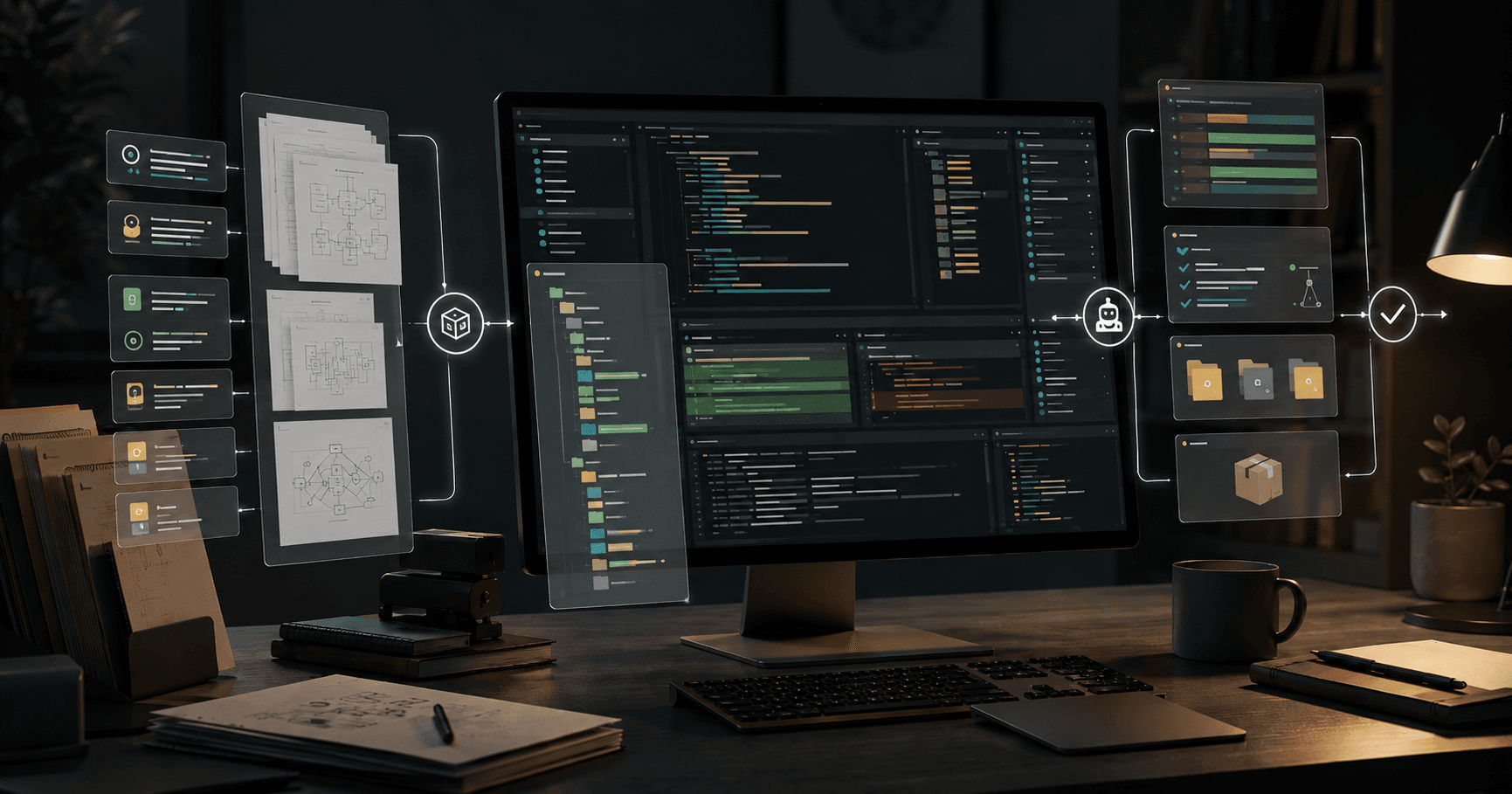
That is why founders, engineering leads, and senior developers should pay attention. Coding agents are becoming credible for production workflows because they now combine four capabilities that previously lived apart: command-line execution, repo-aware context, test/fix loops, and long-running autonomous task handling. When those four pieces work together, the agent is no longer just producing snippets. It is operating against the same feedback loop human engineers use: read, change, run, fail, inspect, patch, repeat.
This post breaks down what changed, why the market cares now, seven workflows you can build immediately, two copyable implementation outlines, recommended model stacks, cheaper fallback models, realistic cost estimates, and the limits that still matter. Cost is not the headline here, but it is the proof layer: if a coding agent saves engineering hours but burns premium tokens on every trivial task, your ROI disappears fast.
💡 Key Takeaway: Claude Code’s real breakthrough is not code generation. It is the operational loop: repo context → terminal action → test result → patch → repeat. That loop turns coding AI from an assistant into an engineering workflow primitive.
What changed with Claude Code
Claude Code is important because it treats coding as an environment interaction problem, not a single-response generation problem. Traditional coding copilots live inside autocomplete, chat, or file-local suggestions. They can help write code, but they usually need a human to orchestrate the broader workflow: find the right files, understand hidden dependencies, run tests, interpret stack traces, and apply follow-up fixes.
The Claude Code approach moves closer to an agentic development environment. The model can work from a command line, inspect files, understand repository structure, invoke build tools, run unit tests, search through code paths, and revise its own work. That makes it especially useful for tasks that have objective feedback: failing tests, type errors, lint errors, migration failures, broken imports, CI logs, and reproducible bugs.
The market cares because software teams are under pressure to ship with smaller headcount, maintain growing codebases, and reduce repetitive engineering work. A chat model that suggests a refactor is helpful. An agent that opens the repo, makes the refactor, runs the test suite, fixes failures, and produces a pull request is an operational lever.
The core change is the quality of the loop:
- Context intake: agent reads relevant files, docs, package manifests, and prior patterns.
- Plan creation: agent proposes a concrete implementation plan.
- Command execution: agent runs shell commands such as tests, grep, type checks, migrations, and build scripts.
- Observation: agent reads tool output, stack traces, and compiler feedback.
- Patch loop: agent modifies code and repeats validation.
- Completion artifact: agent produces a diff, summary, test evidence, and next steps.
This matters most for tasks where correctness can be checked automatically. Coding agents are strongest when they can use deterministic signals: test suites, static typing, linters, formatters, benchmark scripts, and integration checks. They are weakest when success depends on ambiguous product judgment, undocumented business rules, or security-sensitive architecture decisions.
[stat] 10x-50x Coding agents can consume far more tokens than simple chat because they repeatedly read files, run tools, inspect logs, and patch code across multiple turns.
Why coding agents are now operationally credible
Coding agents have crossed a practical threshold because the workflow now maps to how engineering teams actually work. Earlier tools were useful for isolated code generation, but they broke down when asked to operate over a real repository. Real repos have conventions, legacy decisions, generated files, flaky tests, undocumented scripts, dependency quirks, and local setup problems. Useful agents need to navigate that mess.
Claude Code-style agents are credible because they can use the terminal as a source of truth. If the model guesses wrong, tests fail. If imports are broken, type checks fail. If formatting is wrong, linters complain. That feedback reduces the cost of hallucination because the agent is forced through verification.
The second reason is long context. Many modern frontier models now support very large context windows. Claude Opus 5, Claude Fable 5, and Claude Sonnet 5 each list 1,000,000-token context windows, while GPT-5.2 also supports 1,000,000 tokens. Large context does not mean you should paste an entire monorepo into every request, but it changes what is possible: the agent can hold more architecture notes, more code paths, longer logs, and more implementation history during a single task.
The third reason is economic. Premium coding agents are not cheap, but they no longer need to run every step. A practical stack can route complex planning and high-risk patches to a premium model, while using cheaper models for search, summarization, lint triage, test log compression, and simple code edits. That router pattern makes coding agents viable for startups and mid-market teams.
⚠️ Warning: Do not give a coding agent unrestricted production credentials, write access to secrets, or automatic deployment rights. Let it modify code in branches, run tests in sandboxes, and open reviewed pull requests.
Seven practical workflows you can build now
Claude Code-style agents are best treated as workflow components. The strongest use cases have clear inputs, deterministic validation, and a reviewable output. Here are seven workflows founders and engineering teams can deploy now.
1. Autonomous bug reproduction and patching
Give the agent a bug report, stack trace, failing test, or production error log. The agent searches the repo, identifies likely code paths, creates or updates a regression test, runs it, patches the implementation, and reruns the suite. This works especially well for backend bugs, data validation errors, API edge cases, and UI state bugs with reproducible steps.
The key design choice: require the agent to produce a failing test before making the fix. That keeps it from patching symptoms without proving the issue.
2. Test suite expansion for legacy code
Many teams have code that works but lacks coverage. A coding agent can inspect modules, infer behavior from existing usage, add unit tests, run them, and adjust mocks or fixtures. This is high-ROI because test writing is repetitive and has clear validation.
Use premium models for understanding tricky domain logic. Use cheaper models for straightforward test scaffolding once patterns are clear.
3. Dependency upgrade and migration assistant
Dependency upgrades are ideal for agents because they involve repeated build failures and mechanical fixes. The agent can update package versions, run installation, inspect breaking changes, patch imports, adjust config files, and run tests.
Examples include React upgrades, TypeScript configuration changes, Python library migrations, ORM version updates, and Node package security updates. The workflow should always run on a separate branch with lockfile diffs reviewed by humans.
4. CI failure triage and auto-fix
Instead of asking engineers to manually inspect CI logs, route failed jobs to an agent. The agent summarizes the failure, classifies it as flaky/test/code/config, searches recent diffs, applies a fix if safe, and comments on the pull request with evidence.
This is one of the most operationally useful workflows for teams with high PR volume. It reduces context switching and makes CI failures actionable.
5. Repo-aware feature scaffolding
For small product features, the agent can inspect existing patterns and generate the first working implementation: routes, API handlers, UI components, tests, feature flags, and documentation updates. This works best when your codebase has consistent conventions.
The agent should not make final product decisions. Give it a narrow spec, acceptance criteria, and examples of similar features already in the repo.
6. Internal developer tools and scripts
Coding agents are excellent at creating scripts developers need but rarely prioritize: migration checkers, data cleanup utilities, one-off admin tools, log parsers, fixture generators, schema validators, and local setup automation.
These tasks are bounded, testable, and usually low-risk. They are also good candidates for cheaper models like GPT-5 mini, Gemini 2.5 Flash, or DeepSeek V3.2.
7. Documentation that stays tied to code
Instead of asking an LLM to write generic docs, give the agent repo access and ask it to update docs based on actual code paths. It can inspect APIs, CLI flags, config examples, environment variables, and tests, then update README files or internal runbooks.
The best pattern is code-first documentation: the agent cites files changed, commands run, and examples verified locally.
✅ TL;DR: The best coding-agent workflows are not “write me code.” They are “make a change, run the repo’s validation loop, and return a reviewable diff with evidence.”
Workflow outline 1: CI failure triage and auto-fix agent
This workflow is for engineering teams that lose time to broken pull requests, flaky tests, and unclear CI logs. The goal is not to let AI merge code. The goal is to turn CI failures into a diagnosis, suggested patch, and reviewable PR update.
Step 1: Trigger the agent from CI failure events
Connect your GitHub, GitLab, or Buildkite failure event to an agent runner. Pass the agent:
- Repository URL and branch
- Pull request diff
- Failed job name
- Full CI logs or compressed log artifacts
- Test command that failed
- Recent commits
- Relevant package and build files
Keep the initial prompt narrow:
You are a CI triage agent. Diagnose the failing job, identify whether the failure is caused by the current PR, and make the smallest safe patch on this branch. Do not change unrelated files. Run the failing command locally after changes. Return a summary, files changed, and test evidence.
Step 2: Let the agent inspect, not guess
The agent should first run read-only commands:
git diff main...HEADgrepor repository search for failing symbolscat package.json,pyproject.toml, or relevant config- test file inspection
- dependency lockfile inspection
Require an explicit plan before edits. This is where a premium model like Claude Sonnet 5 or Claude Opus 5 is useful because it can connect the CI log, PR diff, and repo conventions.
Step 3: Apply the smallest patch
The agent should edit only files related to the failure. For flaky tests, it can improve test isolation, adjust mocks, or add waits only when justified by logs. For type errors, it can patch signatures or imports. For broken snapshots, require human approval before updating snapshots.
Step 4: Run targeted validation
The agent runs the failed command first, not the entire test suite. If the targeted command passes, it can run broader validation:
- failing test file
- affected package tests
- type check
- linter
- build command
Step 5: Comment with evidence
The final output should include:
- root cause in 2-4 sentences
- patch summary
- commands run
- pass/fail evidence
- files changed
- unresolved risks
Do not allow automatic merge. The agent’s output should be a commit or PR comment for human review.
Cost estimate for this workflow
A moderate CI triage task might use 80,000 input tokens across logs, diffs, and file reads, plus 12,000 output tokens for planning, patches, and explanation.
| Model | Input price / 1M | Output price / 1M | Estimated cost per triage | Cost per 1,000 triages |
|---|---|---|---|---|
| Claude Sonnet 5 | $2 | $10 | $0.28 | $280 |
| Claude Opus 5 | $5 | $25 | $0.70 | $700 |
| GPT-5.2 | $1.75 | $14 | $0.31 | $308 |
| GPT-5 mini | $0.25 | $2 | $0.044 | $44 |
| DeepSeek V3.2 | $0.28 | $0.42 | $0.027 | $27.44 |
Use Claude Sonnet 5 or GPT-5.2 for failures involving architecture, multi-package interactions, or ambiguous test behavior. Use GPT-5 mini or DeepSeek V3.2 for simple type errors, lint failures, and obvious import fixes.
Workflow outline 2: Dependency upgrade agent
Dependency upgrades are painful because they combine mechanical changes with scattered breakages. A coding agent can reduce this to a controlled loop: upgrade, run, fail, patch, repeat.
Step 1: Define the upgrade scope
Do not ask the agent to “modernize dependencies.” Give it a specific target:
Upgrade the project from package X version A to version B. Keep behavior unchanged. Update only files required for the upgrade. Run install, typecheck, unit tests, and build. If tests fail, patch the smallest compatible change. Produce a migration summary and list any manual follow-ups.
Pass release notes or migration docs into context when available. This reduces hallucinated fixes and avoids outdated API assumptions.
Step 2: Create an isolated branch and snapshot baseline
Before the agent edits anything, it should run:
- current test suite or targeted package tests
- current type check
- current build
- dependency tree inspection
- lockfile status check
If baseline is already failing, the agent must report that and stop or isolate the failure. Otherwise, it may “fix” pre-existing problems and hide upgrade risk.
Step 3: Upgrade and inspect breakages
The agent updates the dependency, runs install, and records install errors. Then it runs type checks and tests. The important instruction is to patch in batches and rerun validation after each batch.
Common agent tasks include:
- replacing deprecated imports
- adjusting function signatures
- updating config file formats
- changing test mocks
- fixing generated type changes
- updating build tooling
Step 4: Require evidence and rollback boundaries
The agent should never silently remove tests, skip checks, or pin unrelated packages unless explicitly approved. Every workaround needs a reason.
Final output should include:
- dependency changed
- lockfile changed
- commands run
- files edited
- remaining warnings
- rollback command
- release-note assumptions
Cost estimate for this workflow
A dependency upgrade agent may use 180,000 input tokens and 30,000 output tokens because it reads docs, logs, configs, tests, and repeated failures.
| Model | Estimated cost per upgrade | Cost per 100 upgrades | Best use |
|---|---|---|---|
| Claude Opus 5 | $1.65 | $165 | Complex migrations across many packages |
| Claude Sonnet 5 | $0.66 | $66 | Default choice for production repo upgrades |
| GPT-5.2 | $0.735 | $73.50 | Strong general alternative with large context |
| GPT-5 mini | $0.105 | $10.50 | Simple upgrades and config-only patches |
| DeepSeek V3.2 | $0.063 | $6.30 | Cheap first-pass migration attempts |
📊 Quick Math: If a dependency upgrade normally takes a senior engineer 2 hours, even a $1.65 premium-agent run is economically attractive when it produces a reviewable patch. The real cost is not tokens; it is unreviewed risk.
Model choice and cost
The right coding-agent stack is not one model. It is a routing strategy. Premium models should handle complex reasoning, architecture-sensitive edits, and long-context planning. Cheaper models should handle repetitive tasks, simple patches, summarization, and validation commentary.
Recommended premium stack
Use Claude Opus 5 for the highest-stakes coding-agent tasks: deep refactors, multi-service bugs, ambiguous failures, and migrations where the agent must reason across many files. Claude Opus 5 costs $5 per 1M input tokens and $25 per 1M output tokens, with a 1,000,000-token context window.
Use Claude Sonnet 5 as the default production coding-agent model. It costs $2 per 1M input tokens and $10 per 1M output tokens, also with a 1,000,000-token context window. For most teams, Sonnet is the better default because it balances capability and cost.
Use GPT-5.2 when you want an OpenAI-based large-context alternative. It costs $1.75 per 1M input tokens and $14 per 1M output tokens, with 1,000,000-token context. It is competitive for agent orchestration, code review, and repo-aware tasks.
Cheaper fallback models
Use GPT-5 mini for routine patches, test generation, and low-risk internal scripts. It costs $0.25 per 1M input tokens and $2 per 1M output tokens, with a 500,000-token context window.
Use DeepSeek V3.2 for low-cost first-pass coding tasks. It costs $0.28 per 1M input tokens and $0.42 per 1M output tokens, with 128,000-token context. It is especially attractive for high-volume lint fixes, simple tests, and codebase summarization.
Use Gemini 2.5 Flash for cheap, large-context support tasks. It costs $0.30 per 1M input tokens and $2.50 per 1M output tokens, with a 1,000,000-token context window.
Use Codex Mini for coding-specific OpenAI workflows where a smaller specialized model fits. It costs $1.50 per 1M input tokens and $6 per 1M output tokens, with a 200,000-token context window.
Cost comparison table
For a standard coding-agent task using 100,000 input tokens and 20,000 output tokens, the costs look like this:
| Model | Input / 1M | Output / 1M | Context | Cost per task | Cost per 1,000 tasks |
|---|---|---|---|---|---|
| Claude Opus 5 | $5 | $25 | 1,000,000 | $1.00 | $1,000 |
| Claude Sonnet 5 | $2 | $10 | 1,000,000 | $0.40 | $400 |
| GPT-5.2 | $1.75 | $14 | 1,000,000 | $0.455 | $455 |
| GPT-5 mini | $0.25 | $2 | 500,000 | $0.065 | $65 |
| Gemini 2.5 Flash | $0.30 | $2.50 | 1,000,000 | $0.08 | $80 |
| DeepSeek V3.2 | $0.28 | $0.42 | 128,000 | $0.0364 | $36.40 |
The table shows why premium agents should be routed carefully. Claude Opus 5 can be worth it for deep, ambiguous engineering work, but it is overkill for simple lint failures or boilerplate test generation. A high-volume team running 10,000 coding-agent tasks per month would spend about $10,000 on Claude Opus 5 for this task profile, versus $4000 on Claude Sonnet 5, $650 on GPT-5 mini, or $364 on DeepSeek V3.2.
For broader price exploration, use AI Cost Check to model your own token assumptions. If you are comparing frontier general models for engineering work, the GPT-5 vs Claude Opus 4.6 comparison and GPT-5 vs DeepSeek V3.2 comparison are useful baselines.
Recommended architecture for a production coding agent
A production coding-agent system needs more than a model API call. It needs guardrails, observability, and a workflow boundary.
Core components
Start with a sandboxed runner. The agent should run inside an isolated container or ephemeral VM with repo checkout access, test dependencies, and no production secrets. Give it permission to create branches and commits, not to deploy.
Add a retrieval layer for repo context. Even with million-token models, you do not want to dump the entire repo into every task. Use file search, symbol search, dependency graphs, and recent diff selection. The goal is to retrieve the smallest useful context set.
Add a command policy. Permit safe commands such as tests, type checks, formatters, package installs, grep, and build commands. Restrict network calls, credential access, destructive file operations, and deployment commands.
Add a model router. Send planning and ambiguous patches to Claude Sonnet 5 or Claude Opus 5. Send log summarization, simple edits, and repetitive test generation to GPT-5 mini, Gemini 2.5 Flash, or DeepSeek V3.2.
Add human review gates. The agent can open pull requests, comment on CI failures, and suggest patches. Humans approve merges, production migrations, security-sensitive changes, and customer-facing behavior changes.
Practical prompt contract
Every coding-agent run should follow a stable contract:
Goal:
- Complete the requested engineering task with the smallest safe change.

Rules:
- Inspect the repository before editing.
- State a plan before making changes.
- Do not modify unrelated files.
- Do not remove tests to make the suite pass.
- Run targeted validation after edits.
- If blocked, report the blocker instead of guessing.

Final response:
- Summary
- Files changed
- Commands run
- Test results
- Risks
- Suggested reviewer focus
This contract makes output reviewable. It also reduces the odds that the agent performs impressive-looking but unsafe rewrites.
Risks, limits, and when not to use premium agents
Coding agents are powerful because they can act. That also makes them risky. The biggest failure mode is not a bad snippet; it is a plausible multi-file change that passes shallow tests while breaking an untested business rule.
Do not use premium agents as automatic merge machines. They should produce reviewable diffs, not unreviewed production changes. Even with test/fix loops, models can overfit to visible tests, miss hidden invariants, or choose broad refactors when a narrow patch is safer.
Do not use agents for security-critical changes without expert review. Authentication, authorization, encryption, payment flows, audit logging, and data deletion require human accountability. Agents can assist with tests and static analysis, but they should not own the final design.
Do not use premium models for high-volume trivial work. If the task is “fix formatting,” “update import paths,” “generate basic tests,” or “summarize a CI log,” route it to cheaper models. Premium models are for ambiguity, high context, and hard judgment.
Do not use coding agents on messy repos without validation. If your project has no tests, no type checks, no reliable build command, and no clear conventions, the agent loses its feedback loop. Invest first in baseline scripts: test, lint, typecheck, and build.
Do not let agents access production data by default. If realistic data is needed, create scrubbed fixtures. For database migrations, run against disposable staging snapshots and require human approval before production execution.
⚠️ Warning: A coding agent without tests is a fast code generator, not a reliable engineer. The agent becomes operationally credible only when your repo gives it feedback it can trust.
What founders and engineering leads should do next
If you run a small engineering team, start with CI triage and test generation. These workflows are bounded, easy to evaluate, and do not require giving the agent broad product ownership. Measure time saved per PR, patch acceptance rate, and escaped defects.
If you run a platform or infrastructure team, start with dependency upgrades and internal tooling. These tasks create visible leverage and produce artifacts humans can review. You can also build a migration agent for recurring framework changes across services.
If you are a developer, start with local agent loops. Give the agent one failing test, one bug, or one migration target. Watch whether it reads the repo, runs commands, and produces a minimal diff. The deciding factor is not whether the first answer sounds smart. The deciding factor is whether the agent improves after tool feedback.
A strong rollout plan looks like this:
| Phase | Workflow | Model | Human gate | Success metric |
|---|---|---|---|---|
| 1 | CI log summarization | Gemini 2.5 Flash or DeepSeek V3.2 | PR comment only | Faster diagnosis |
| 2 | Simple test generation | GPT-5 mini or Claude Sonnet 5 | Required review | Test acceptance rate |
| 3 | CI auto-fix branches | Claude Sonnet 5 | Required review | % failures fixed |
| 4 | Dependency upgrades | Claude Sonnet 5 / Opus 5 | Required review | Engineer hours saved |
| 5 | Repo-aware feature scaffolding | Claude Sonnet 5 | Product + code review | Lead time reduction |
The market implication is clear: coding agents are moving from novelty to infrastructure. Teams that standardize validation, sandboxing, and model routing will get leverage. Teams that treat agents like magic developers will create review debt.
Frequently asked questions
What is Claude Code?
Claude Code is Anthropic’s coding-agent experience built around working inside a real development environment. Its key value is the operational loop: reading repo context, running command-line tools, observing test or build failures, editing files, and repeating until it produces a reviewable result.
How much does a coding agent task cost?
A realistic coding-agent task can cost from $0.036 on DeepSeek V3.2 to about $1.00 on Claude Opus 5 for a 100,000 input-token / 20,000 output-token run. Use AI Cost Check to calculate your own cost based on model, token volume, and monthly task count.
Which model should I use for coding agents?
Use Claude Sonnet 5 as the default production coding-agent model because it combines a 1,000,000-token context window with $2 input / $10 output per 1M tokens pricing. Use Claude Opus 5 for the hardest refactors and GPT-5 mini, Gemini 2.5 Flash, or DeepSeek V3.2 for cheaper routine work.
When is a premium coding agent overkill?
A premium coding agent is overkill for formatting fixes, simple import updates, basic test scaffolding, log summarization, and repetitive boilerplate. Route those tasks to lower-cost models like GPT-5 mini, Gemini 2.5 Flash, or DeepSeek V3.2.
Are coding agents safe to run on production codebases?
Coding agents are safe for production codebases when they run in sandboxes, operate on branches, have restricted command permissions, and require human review before merge. They are not safe with unrestricted secrets, production database access, or automatic deployment rights.
Build your coding-agent budget
Claude Code shows that useful coding agents are built around environment feedback, not chat answers. Start with one bounded workflow, give the agent a reliable test loop, and route premium models only where reasoning depth justifies the price.
Use AI Cost Check to estimate coding-agent costs across Claude, GPT, Gemini, DeepSeek, and Mistral models. For model-specific research, compare GPT-5 vs DeepSeek V3.2, review Claude Opus 5, or benchmark a cheaper fallback like GPT-5 mini before you scale to thousands of agent runs per month.
Related Cost Guides
Keep going with the closest pricing and optimization guides in this cluster.
fx.sh v0.0.4: What Tiny Native Coding Agents Make Possible Now
fx.sh v0.0.4 brings a 6.39 MiB Zig coding agent with 10µs cold starts, browser demos, session resume, and model routing.
Claude Code Session Hygiene: How to Get Better Agent Output With Less Token Waste
Anthropic's Claude Code session guidance turns context hygiene into a practical advantage for long-running coding agents.
AX Agent Orchestrator: 6 Production Workflows Founders and Operators Can Build Now
How to use Google's AX agent orchestrator for traceable research, support, coding, data enrichment, and back-office workflows.