Need exact pricing after reading? Jump straight to the AI API pricing table, the AI cost estimator, or the AI model cost comparison to price the workflow in this article with your own traffic and token counts.
Compare per-token prices across OpenAI, Claude, Gemini, DeepSeek, Mistral, and more.
Turn token counts and request volume into cost per request, daily spend, and monthly spend.
See which model is cheaper for the exact workload this article is talking about.
Y Combinator's new QM release matters because it is not another agent demo. YC open-sourced the same multiplayer harness it says it uses across accounting, legal, events, and engineering, and released it under MIT with support for shared team workspaces. QM is cloud-first, built around Slack and web interfaces, and designed so different teams can run agents with scoped memory, files, secrets, and approvals instead of dumping everything into one giant chat.
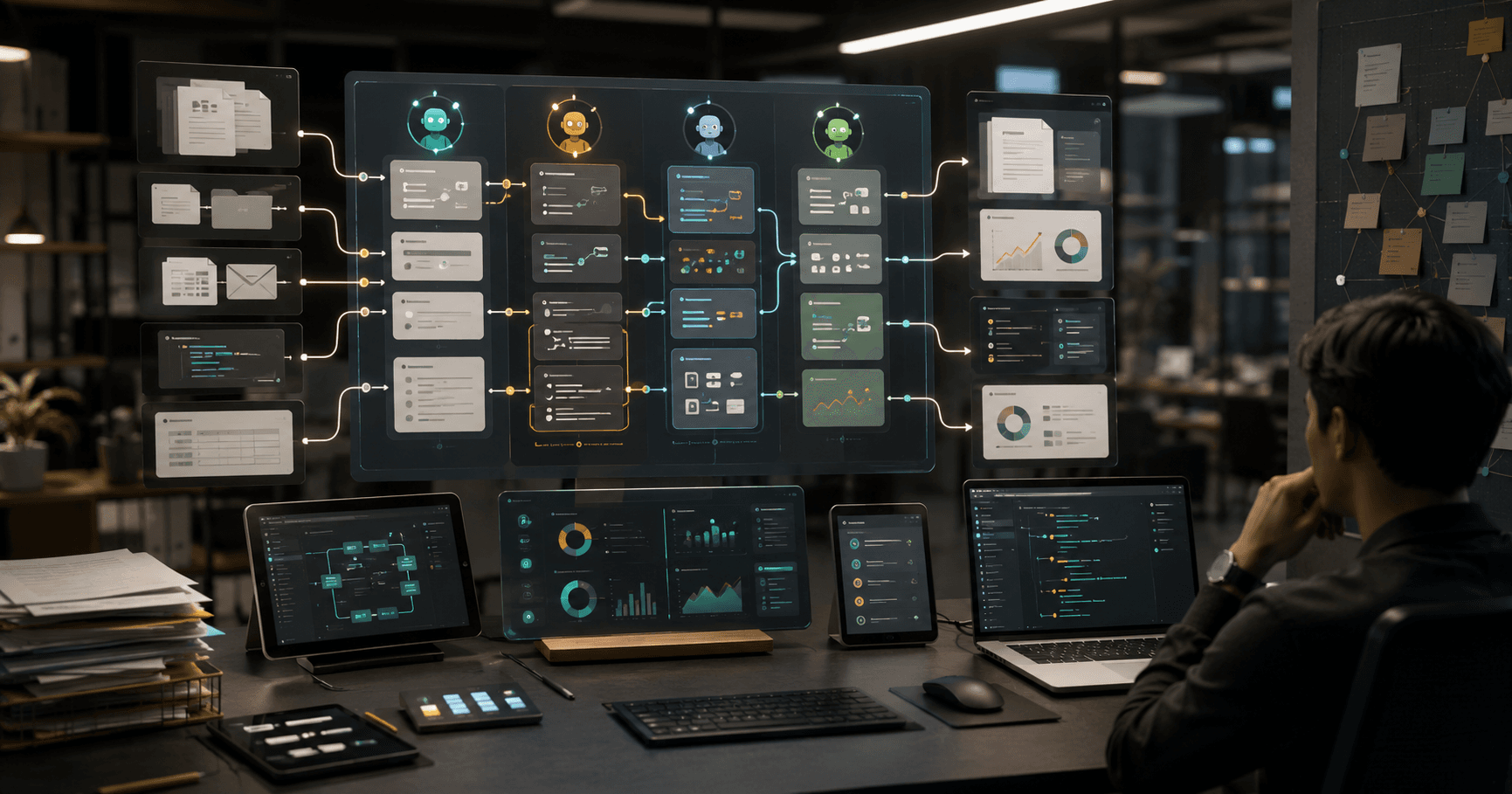
QM is pushing a useful shift in AI agent software: from single-user chat assistants toward multiplayer agent workflows for teams. Instead of one person prompting one model in isolation, teams can coordinate AI agents across shared context, task state, approvals, files, and operational handoffs. That matters because most valuable AI work is not a one-shot answer. It is research becoming a memo, a memo becoming a decision, a decision becoming tickets, and tickets becoming shipped work.
The market cares because every serious AI deployment is running into the same bottleneck: collaboration. A research agent can summarize 40 sources, a coding agent can patch a bug, and a support agent can draft a reply, but the business value appears only when humans can inspect, redirect, approve, and reuse the agent’s work. Multiplayer agent workflows make agents closer to shared teammates than private copilots.
What makes QM specifically interesting is that it is model-agnostic at the harness layer. YC positions it so teams can swap between Pi, OpenCode, Codex, and Claude Code on the same core workflow. That means the real decision moves away from "Which chatbot do we buy?" and toward "Which steps deserve a premium model, which can run on cheap routing, and where should humans approve the work?"
This post breaks down what changed, why it matters now, and what teams can build next. We will cover 7 practical workflows, two copyable implementation outlines, model stack recommendations, realistic cost estimates using current model pricing, cheaper fallbacks, and the limits that decide whether multiplayer agents are worth adopting.
💡 Key Takeaway: QM-style multiplayer agent workflows are not about “more chat.” They are about shared agent workspaces where humans and AI agents can coordinate research, planning, execution, review, and handoff across a team.
What changed: from solo agents to multiplayer workspaces
The first wave of AI agents was mostly single-player. A user assigned a task, the model planned steps, called tools, produced an output, and ended the session. That pattern works for narrow tasks, but it breaks down when work crosses departments or requires checkpoints.
QM is a fresh example of the next pattern. Instead of treating an agent like a private sidekick, it treats the agent as part of a shared operating layer for work. Each person and each room can have its own context, and teams can run scheduled jobs, shared skills, and approval-heavy workflows without forcing everyone into the same session history.
A multiplayer agent workflow adds five capabilities that solo agents usually lack:
- Shared state — the task, context, files, intermediate results, and decisions live in a workspace the team can inspect.
- Role-based participation — product, engineering, support, legal, sales, and operations can each intervene at the right step.
- Persistent agent memory for a project — the agent can build on prior runs instead of restarting from scratch.
- Human approvals and review gates — agents can pause before external actions, code merges, customer replies, or budget-impacting decisions.
- Parallel execution — multiple agents can research, test, draft, classify, or monitor different parts of a workflow simultaneously.
That is the difference between “ask an AI to summarize this call” and “run a team workflow where an agent turns customer calls into product insights, drafts specs, opens engineering tickets, and routes unresolved questions to owners.”
The important part is not the brand name. The important part is the pattern: agent work becomes collaborative, auditable, and operational.
Why teams are adopting this now
Three market forces make multiplayer agents more relevant in 2026.
First, frontier models now have large enough context windows to handle real project artifacts. Models like GPT-5.2, Claude Opus 5, Claude Sonnet 5, Gemini 3 Pro, and Grok 4.20 can process long documents, logs, decision histories, transcripts, code, and plans in a single run or across agent memory layers. Context is no longer limited to a short prompt and a few pasted snippets.
Second, AI usage has moved from experimentation to operations. Teams are asking for repeatable systems: “Can this run every morning?” “Can legal approve before sending?” “Can product managers see what the agent changed?” “Can engineering inspect the evidence behind a recommendation?” A multiplayer workspace directly supports that pattern.
Third, cost pressure is forcing better orchestration. Premium models are powerful, but using them for every step is wasteful. A modern agent stack routes simple classification to cheap models, complex reasoning to premium models, and review to humans. This is where a shared workflow layer becomes valuable: it coordinates both people and model selection.
[stat] 60x The output-token price gap between GPT-5 nano at $0.40/1M output tokens and GPT-5 Pro at $120/1M output tokens
7 practical multiplayer agent workflows teams can build
QM-style multiplayer agent workflows are best for processes with multiple contributors, repeated runs, and clear checkpoints. Here are seven high-value builds.
1. Customer feedback to product roadmap
A feedback agent ingests support tickets, sales call transcripts, customer success notes, and community posts. It clusters themes, identifies revenue impact, extracts representative quotes, and drafts roadmap proposals.
The multiplayer angle is the handoff. Support validates the pain points, sales adds deal impact, product edits the proposal, and engineering adds feasibility. The agent keeps the evidence linked to each recommendation.
Best for: B2B SaaS, marketplaces, developer tools, consumer apps with high feedback volume.
Recommended stack:
- Ingestion: support desk, CRM, call transcript store
- Retrieval: vector database plus metadata filters
- Reasoning model: Claude Sonnet 5 or GPT-5.2
- Cheap clustering fallback: Gemini 2.5 Flash-Lite or DeepSeek V4 Flash
2. Research room for market and competitor intelligence
A team launches a research workspace for a market question: “Which AI customer support tools are gaining traction in mid-market SaaS?” Agents collect sources, summarize evidence, compare claims, flag contradictions, and draft a final briefing.
The workflow becomes multiplayer when analysts, PMMs, executives, and sales leaders can challenge evidence, assign follow-up research, and approve the final narrative.
Best for: strategy teams, product marketing, venture teams, consulting, investor relations.
3. Engineering incident response copilot
During an incident, agents monitor logs, summarize Slack updates, inspect recent deploys, propose hypotheses, draft customer-facing updates, and prepare the postmortem outline.
The multiplayer layer is critical because incident response has strict roles. Engineering investigates, support communicates, leadership monitors impact, and the agent records a timeline. The agent must not take production actions without approval.
Best for: SaaS platforms, fintech, infrastructure, DevOps-heavy teams.
4. Sales deal desk automation
A deal desk agent reads CRM notes, pricing requests, security questionnaires, contract redlines, and past approval patterns. It prepares discount rationale, risk flags, suggested approval path, and a clean handoff to finance or legal.
Sales can add context, finance can approve margin exceptions, legal can review contract terms, and leadership can see the reasoning.
Best for: enterprise sales teams, revenue operations, legal operations.
5. Support escalation triage
A support agent classifies incoming escalations by severity, account value, product area, likely root cause, and response deadline. It drafts replies, finds related bugs, and routes tickets to owners.
The multiplayer element is shared visibility. Support sees suggested replies, engineering sees technical evidence, customer success sees account impact, and managers see bottlenecks.
Best for: high-volume support organizations with technical products.
6. Content operations pipeline
A content team uses agents to research topics, identify search intent, draft outlines, check internal links, generate briefs, edit for brand voice, and prepare CMS-ready drafts. Editors and SMEs collaborate in the same workflow.
This is stronger than a solo writing assistant because the agent can track assignments, comments, source evidence, image direction, SEO requirements, and approvals.
Best for: media teams, SEO teams, developer relations, product marketing.
7. Compliance and policy review queue
A compliance agent reviews vendor documents, marketing claims, data handling changes, product specs, or internal policy exceptions. It flags risky language, missing evidence, and required reviewer roles.
Legal, security, compliance, and product can all inspect the same decision trail. The agent should produce structured recommendations, not autonomous approvals.
Best for: healthcare, finance, HR tech, security, regulated SaaS.
⚠️ Warning: Do not let multiplayer agents create external commitments without review. Customer messages, legal approvals, production actions, contract terms, and financial decisions should use explicit human gates.
Workflow outline 1: Customer feedback to roadmap brief
This workflow turns messy customer signals into a product-ready roadmap recommendation. It is one of the highest-ROI multiplayer agent patterns because it connects support, sales, product, and engineering.
Step 1: Define the workspace schema
Create a shared workspace with the following objects:
| Object | Fields | Owner |
|---|---|---|
| Feedback item | source, account, segment, quote, timestamp, sentiment, product area | Support / CS |
| Theme cluster | title, summary, evidence count, revenue impact, urgency | Agent |
| Roadmap proposal | problem, affected users, evidence, suggested solution, risks | Product |
| Engineering note | feasibility, dependencies, estimate, unknowns | Engineering |
| Decision record | approved, rejected, needs research, owner, date | Product leadership |
The agent needs structured state. Do not store everything as a long chat transcript. Use discrete objects so humans can review and correct the workflow.
Step 2: Ingest sources on a schedule
Pull the last 7 or 14 days of:
- Support tickets
- Churn notes
- Sales call transcripts
- Customer success meeting notes
- Community posts
- NPS comments
- Feature request forms
Start with a weekly run. Daily runs create too much noise until the team trusts the labels.
Step 3: Classify and cluster with a cheaper model
Use a low-cost model for first-pass tagging:
- DeepSeek V4 Flash at $0.14/1M input and $0.28/1M output
- Gemini 2.5 Flash-Lite at $0.10/1M input and $0.40/1M output
- GPT-5 nano at $0.05/1M input and $0.40/1M output
Prompt pattern:
You are classifying customer feedback for a product team.

Return JSON with:
- product_area
- user_segment
- pain_type
- severity: low | medium | high | critical
- evidence_quote
- feature_request
- churn_risk: none | possible | likely
- confidence: 0-1

Use only the provided text. Do not infer account value unless included.
Step 4: Use a stronger model for synthesis
Once feedback is clustered, send the top clusters to a stronger reasoning model such as Claude Sonnet 5, GPT-5.2, or Gemini 3 Pro. Ask it to produce a roadmap brief with evidence, prioritization, and open questions.
Prompt pattern:
You are preparing a roadmap brief for product leadership.

Inputs:
- Theme clusters
- Customer quotes
- Account metadata
- Existing roadmap items
- Engineering constraints

Produce:
1. Executive summary
2. Top 5 customer problems
3. Evidence table
4. Revenue or retention impact
5. Recommended roadmap action
6. Risks and counterarguments
7. Questions for product, engineering, and sales
Step 5: Add team review gates
Route the output through four reviewers:
- Support validates whether the pain is real and current.
- Sales or CS adds revenue context.
- Engineering adds feasibility and dependency notes.
- Product makes the roadmap decision.
The agent should track unresolved questions and rerun targeted research only on the missing areas.
Step 6: Publish a decision record
The final output should not be just a document. Create a decision record:
- Decision: build, defer, reject, research
- Evidence links
- Owner
- Target date
- Follow-up metric
- Next review date
This creates institutional memory and prevents the same debate from restarting every quarter.
✅ TL;DR: Use cheap models for tagging, stronger models for synthesis, and human review gates for roadmap decisions. The value comes from shared evidence and reusable decision records.
Workflow outline 2: Incident response and postmortem agent room
Incident response is ideal for multiplayer agents because the workflow is time-sensitive, cross-functional, and evidence-heavy. The agent should reduce coordination load without taking risky actions.
Step 1: Create incident roles and permissions
Define roles before the incident:
- Incident commander
- Engineering investigator
- Customer communications owner
- Support lead
- Executive observer
- Agent scribe
- Agent hypothesis generator
The agent can summarize, search, correlate, and draft. It should not deploy code, restart infrastructure, modify access controls, or send customer messages without approval.
Step 2: Connect read-only data sources
Connect:
- Logs and traces
- Metrics dashboards
- Deploy history
- Feature flag changes
- Status page drafts
- Support ticket spikes
- Slack or Teams incident channel
- Runbooks
Start with read-only access. Write access can come later for low-risk actions like creating postmortem drafts or opening internal tickets.
Step 3: Run a timeline agent every 5 minutes
The timeline agent maintains a structured incident state:
| Field | Example |
|---|---|
| Start time | 09:42 UTC |
| Affected services | API gateway, billing webhook |
| Current severity | SEV-2 |
| Customer impact | elevated 500s for EU accounts |
| Suspected cause | deploy 2026.08.01.14 |
| Mitigation status | rollback pending approval |
| Open questions | whether webhook retries are draining |
| Next update due | 10:15 UTC |
Use a fast, cheap model for frequent updates. Grok 4.1 Fast, Gemini 2.0 Flash, or Mistral Small 4 are good candidates for repeated summarization.
Step 4: Use a premium model for hypothesis review
When the team needs deeper reasoning, send a compact evidence packet to a premium model:
- Recent deploy diff
- Error rate timeline
- Top stack traces
- Related alerts
- Relevant runbook sections
- Timeline state
Good candidates include GPT-5.2 pro, Claude Opus 5, or o3 for complex diagnosis. Do not send raw logs blindly. Summarize and sample first.
Step 5: Draft communications with approval
The agent drafts:
- Internal update
- Support macro
- Status page update
- Executive summary
- Customer-specific note for enterprise accounts
Every external message must go through the communications owner.
Step 6: Generate the postmortem package
After resolution, the agent compiles:
- Timeline
- Detection gap
- Root cause
- Customer impact
- What went well
- What failed
- Corrective actions
- Ticket drafts
- Follow-up owners
Engineering reviews the root cause. Support reviews customer impact. Leadership reviews commitments.
📊 Quick Math: If an incident room runs 30 summarization updates at 20,000 input tokens and 1,000 output tokens each on Gemini 2.0 Flash, the model cost is about $0.42 total. The expensive part is not summarization; it is repeated premium-model diagnosis on large evidence packets.
Model Choice and Cost
Multiplayer agent workflows are not one model. They are a routing problem. The right stack uses cheaper models for high-volume routine steps and premium models only for synthesis, judgment, or difficult reasoning.
Recommended model tiers
| Tier | Best use | Models | Pricing per 1M tokens |
|---|---|---|---|
| Ultra-cheap classifier | tagging, routing, extraction, dedupe | GPT-5 nano, Gemini 2.5 Flash-Lite, DeepSeek V4 Flash | GPT-5 nano $0.05 in / $0.40 out, Gemini 2.5 Flash-Lite $0.10 / $0.40, DeepSeek V4 Flash $0.14 / $0.28 |
| Fast team assistant | summarization, drafts, status updates | GPT-5 mini, Gemini 3 Flash, Grok 4.1 Fast | GPT-5 mini $0.25 / $2, Gemini 3 Flash $0.50 / $3, Grok 4.1 Fast $0.20 / $0.50 |
| General reasoning | synthesis, plans, tradeoffs | GPT-5.2, Claude Sonnet 5, Gemini 3 Pro | GPT-5.2 $1.75 / $14, Claude Sonnet 5 $2 / $10, Gemini 3 Pro $2 / $12 |
| Premium reasoning | high-stakes analysis, complex code, executive decisions | GPT-5.2 pro, Claude Opus 5, GPT-5 Pro | GPT-5.2 pro $21 / $168, Claude Opus 5 $5 / $25, GPT-5 Pro $15 / $120 |
For most QM-style team workflows, the best default is cheap model for extraction + mid-tier model for synthesis + human approval for decisions. Premium models should be reserved for the 5-10% of tasks where correctness, ambiguity, or reasoning depth materially changes the outcome.
Cost example: weekly customer feedback workflow
Assume a weekly run processes:
- 1,000 feedback items
- Average 1,500 input tokens each
- Average 200 output tokens for tagging
- Synthesis uses 150,000 input tokens and 8,000 output tokens
- Final roadmap brief uses 40,000 input tokens and 4,000 output tokens
First-pass tagging with DeepSeek V4 Flash:
- Input: 1.5M tokens × $0.14 = $0.21
- Output: 0.2M tokens × $0.28 = $0.06
- Tagging total: $0.27
Synthesis with Claude Sonnet 5:
- Input: 0.15M × $2 = $0.30
- Output: 0.008M × $10 = $0.08
- Synthesis total: $0.38
Final brief with GPT-5.2:
- Input: 0.04M × $1.75 = $0.07
- Output: 0.004M × $14 = $0.06
- Final total: $0.13
Total model cost: about $0.78 per weekly run, before platform fees, retrieval infrastructure, storage, and engineering time.
That is the punchline: well-routed agent workflows are often inexpensive at the model layer. Costs explode when teams send full context to premium models repeatedly, allow uncontrolled loops, or rerun the same workflow without caching.
Cost example: 10,000 support escalations per month
Assume:
- 10,000 tickets
- 2,000 input tokens per ticket
- 300 output tokens per ticket
- 10% of tickets escalate to a stronger model with 8,000 input and 1,000 output
Base triage with Gemini 2.5 Flash-Lite:
- Input: 20M × $0.10 = $2.00
- Output: 3M × $0.40 = $1.20
- Base total: $3.20
Escalated reasoning on Claude Sonnet 5:
- Input: 8M × $2 = $16.00
- Output: 1M × $10 = $10.00
- Escalation total: $26.00
Monthly model cost: about $29.20.
If every ticket went directly to Claude Sonnet 5:
- Input: 20M × $2 = $40.00
- Output: 3M × $10 = $30.00
- Total: $70.00
The savings are real, but the larger benefit is operational: the team sees severity, ownership, and evidence consistently.
When premium models are overkill
Do not use premium reasoning models for:
- Basic classification
- Short summaries
- Deduplication
- Sentiment scoring
- Routing to departments
- Extracting fields from structured text
- Rewriting internal updates
- Generating low-risk ticket descriptions
Use premium models for:
- Ambiguous multi-source synthesis
- Executive decision briefs
- Complex incident diagnosis
- Legal or compliance risk analysis
- Code changes that require architectural understanding
- High-value customer communication review
- Strategy work with contradictory evidence
For model-vs-model planning, compare current options on AI Cost Check, or use pages like GPT-5 vs Claude Opus 4.6, GPT-5 vs Gemini 3 Pro, and GPT-5 vs DeepSeek V3.2.
Architecture pattern for multiplayer agent workflows
A reliable multiplayer agent system has six layers.
1. Workspace layer
This is the shared operating surface. It stores tasks, files, comments, assignments, approvals, artifacts, and decision records. The workspace must make agent work visible. Hidden autonomous runs create mistrust and bad handoffs.
2. Context layer
The context layer retrieves the right materials:
- Documents
- Tickets
- CRM records
- Logs
- Prior decisions
- Code files
- Meeting notes
- Policies
Use retrieval filters aggressively. If the task is about EU enterprise churn, do not retrieve all customer data. Retrieve EU enterprise churn evidence.
3. Agent orchestration layer
This layer decides which agent runs next:
- Classifier
- Researcher
- Summarizer
- Critic
- Planner
- Drafter
- Reviewer
- Tool executor
The orchestrator should enforce limits: max tool calls, max tokens, max retries, max runtime, and required approval gates.
4. Model router
The model router chooses the model based on task type, risk, and context size. A simple router can save most of the cost.
Example routing rules:
- Field extraction → GPT-5 nano or DeepSeek V4 Flash
- Long summarization → Gemini 3 Flash or Grok 4.1 Fast
- Roadmap synthesis → Claude Sonnet 5 or GPT-5.2
- Complex diagnosis → Claude Opus 5 or GPT-5.2 pro
- Code implementation → GPT-5.3 Codex, Codex Mini, or Devstral 2
5. Approval layer
The approval layer prevents expensive or risky mistakes. It should support:
- Required approver by action type
- Audit trail
- Diff view
- Evidence links
- Rollback instructions
- Escalation rules
6. Observability layer
Track:
- Cost per workflow
- Cost per team
- Token usage by step
- Model used
- Failure rate
- Human edit distance
- Approval time
- Rework rate
- Outcome metrics
Without observability, teams optimize vibes. With observability, they can replace expensive steps, shorten context, and prove ROI.
⚠️ Warning: The biggest hidden cost in multiplayer agents is not token pricing. It is uncontrolled context growth. If every agent step appends every prior message, costs and latency rise fast while answer quality often gets worse.
How QM-style workflows compare with existing tools
Multiplayer agent workflows sit between chat tools, project management systems, and automation platforms.
| Category | Strength | Weakness | Best use |
|---|---|---|---|
| Chatbot copilots | Fast personal assistance | Poor shared state and weak approvals | Individual drafting, Q&A, brainstorming |
| Automation tools | Reliable triggers and integrations | Limited reasoning and context synthesis | Deterministic operations |
| Project management tools | Ownership and status tracking | Manual updates and weak intelligence | Human task coordination |
| Coding agents | Strong repository execution | Narrow scope outside engineering | Code tasks, tests, patches |
| Multiplayer agent workspaces | Shared AI-human execution | Requires governance and workflow design | Cross-functional, evidence-heavy workflows |
QM’s market angle is strongest when teams already have repeated workflows but lack an AI-native coordination layer. If the task is personal and low-stakes, a chatbot is simpler. If the workflow is deterministic and already well-defined, a traditional automation tool may be cheaper and safer. If the work needs shared evidence, team approvals, and AI-generated artifacts, multiplayer agents are the better fit.
Implementation checklist for teams
Start with one workflow, not a company-wide agent platform. The best first workflow has high volume, clear inputs, measurable output, and low external risk.
Pick the right first use case
Choose a workflow with:
- At least 100 repeated items per month
- Clear source systems
- A human review process already in place
- A measurable output such as faster triage, fewer missed escalations, better briefs, or reduced manual reporting
- Low downside if the agent drafts something imperfect
Good first workflows:
- Support triage
- Customer feedback clustering
- Weekly research briefs
- Sales call summary to CRM update
- Content brief generation
- Internal policy Q&A with citations
Bad first workflows:
- Autonomous contract approval
- Production infrastructure changes
- Medical, legal, or financial advice without expert review
- High-stakes customer commitments
- Open-ended “run the company” agents
Define success metrics
Use concrete metrics:
- Time saved per run
- Cost per completed workflow
- Human edit rate
- Escalation accuracy
- Reviewer satisfaction
- Decision cycle time
- Missed issue rate
- Duplicate work reduction
For example, a support escalation workflow should track whether severity classification matches the final human label. A roadmap workflow should track how often agent-generated themes become accepted roadmap inputs.
Add cost guardrails
Set:
- Max tokens per step
- Max runs per workflow
- Max premium-model calls per day
- Cache reuse rules
- Retrieval limits
- Approval requirements for reruns above a threshold
Use AI Cost Check to model the difference between cheap-first routing and premium-only routing before rolling out to more teams.
Risks and limits
Multiplayer agents solve coordination problems, but they introduce new failure modes.
Context contamination
Shared workspaces can accumulate stale decisions, incorrect comments, outdated documents, or irrelevant files. The agent may treat old information as current. Use timestamps, source ranking, and explicit “current policy” collections.
Diffused accountability
When an agent drafts a recommendation and five people comment, ownership can become unclear. Every workflow needs a human owner for final decisions.
Permission creep
Agents connected to more systems become more useful and more dangerous. Keep write permissions narrow. Add approvals before external actions.
Over-automation
Some workflows need conversation, negotiation, or judgment. If the agent turns every situation into a template, quality drops. Keep humans in the loop where nuance matters.
Cost drift
A cheap workflow can become expensive as teams add more sources, longer context, more retries, and premium reviews. Review token logs weekly during rollout.
Security and privacy exposure
Multiplayer workspaces can expose sensitive customer, employee, legal, or financial information to the wrong participants. Use role-based access and data minimization from day one.
✅ TL;DR: Multiplayer agents are strongest as coordinated drafting, research, triage, and decision-support systems. They are weakest when teams use them as unsupervised actors in high-risk workflows.
Recommended rollout plan
A practical 30-day rollout looks like this.
Week 1: Select the workflow and map the handoffs
Choose one workflow and document:
- Inputs
- Outputs
- Human reviewers
- Approval gates
- Required systems
- Failure modes
- Success metric
Keep scope narrow. “Support escalation triage for enterprise accounts” is better than “AI for support.”
Week 2: Build the read-only prototype
Connect sources in read-only mode. Run the agent on historical data. Compare its outputs against past human decisions. Tune prompts, retrieval filters, and schema.
Use cheap models for extraction first. Upgrade only the synthesis step if the output lacks judgment.
Week 3: Add multiplayer review
Invite the real participants. Let them comment, correct labels, approve drafts, and reject recommendations. Measure edit distance and disagreement areas.
The goal is not full automation. The goal is a faster, clearer workflow.
Week 4: Add scheduled runs and reporting
Run the workflow on a schedule. Add cost tracking, accuracy tracking, and weekly review. Publish a small dashboard:
- Runs completed
- Average cost per run
- Human review time
- Accepted outputs
- Escalations
- Failures
If the workflow saves measurable time and users trust it, expand to adjacent workflows.
Frequently asked questions
What is a multiplayer agent workflow?
A multiplayer agent workflow is a shared workspace where AI agents and humans collaborate on a task across multiple steps. Instead of one user chatting with one model, the team can review evidence, assign owners, approve actions, and preserve decisions. The best first use cases are support triage, research briefs, customer feedback analysis, and incident response.
How much does a QM-style team agent workflow cost?
A well-routed workflow can cost under $1 per run for tasks like weekly feedback synthesis, while high-volume support triage can stay under $50/month in model costs with cheap-first routing. Premium-only designs can cost 10x to 60x more depending on token volume. Use AI Cost Check to estimate your exact model mix.
Which models should teams use for multiplayer agents?
Use cheap models like GPT-5 nano, Gemini 2.5 Flash-Lite, or DeepSeek V4 Flash for classification and extraction. Use Claude Sonnet 5, GPT-5.2, or Gemini 3 Pro for synthesis. Reserve Claude Opus 5 or GPT-5.2 pro for high-stakes reasoning.
When should teams not use multiplayer agents?
Do not use multiplayer agents as unsupervised actors for legal approvals, production changes, medical advice, financial commitments, or customer-facing promises. Use them for drafting, analysis, triage, evidence gathering, and decision support with clear human approval gates.
What is the best first workflow to build?
The best first workflow is support escalation triage or customer feedback clustering because both have repeated inputs, clear reviewers, measurable outcomes, and low-risk drafts. Start with read-only access, add structured outputs, route simple steps to cheap models, and require human approval for external actions.
Build your model stack before you build the workflow
QM-style multiplayer agent workflows are a sign that AI work is becoming team infrastructure. The winning pattern is not “one expensive model everywhere.” It is shared context, structured state, model routing, human approvals, and cost observability.
Before you roll out a team agent, estimate the model layer. Compare premium and fallback options on AI Cost Check, review specific model pages like GPT-5.2, Claude Sonnet 5, and DeepSeek V4 Flash, and benchmark your workflow at 100, 1,000, and 10,000 runs. The teams that win with multiplayer agents will not be the ones with the most automation. They will be the ones with the clearest handoffs, cheapest reliable routing, and strongest review loops.
Related Cost Guides
Keep going with the closest pricing and optimization guides in this cluster.
The VM Layer Behind Mobile AI Agents: How to Build Reliable Agent Workflows Now
Why sandboxed VMs are becoming the control plane for mobile AI agents, QA, support investigations, and coding agents.
Agent Message Boards: The Async Coordination Pattern AI Teams Should Copy Now
How to use an agent message-board pattern for auditable AI workflows across incidents, support, code review, research, and procurement.
Open-World Multi-Agent Research Workflows: What The Station Changes for AI Teams
The Station shows agents can coordinate open-ended research without a central pipeline. Here are workflows, costs, stacks, and risks.