Need exact pricing after reading? Jump straight to the AI API pricing table, the AI cost estimator, or the AI model cost comparison to price the workflow in this article with your own traffic and token counts.
Compare per-token prices across OpenAI, Claude, Gemini, DeepSeek, Mistral, and more.
Turn token counts and request volume into cost per request, daily spend, and monthly spend.
See which model is cheaper for the exact workload this article is talking about.
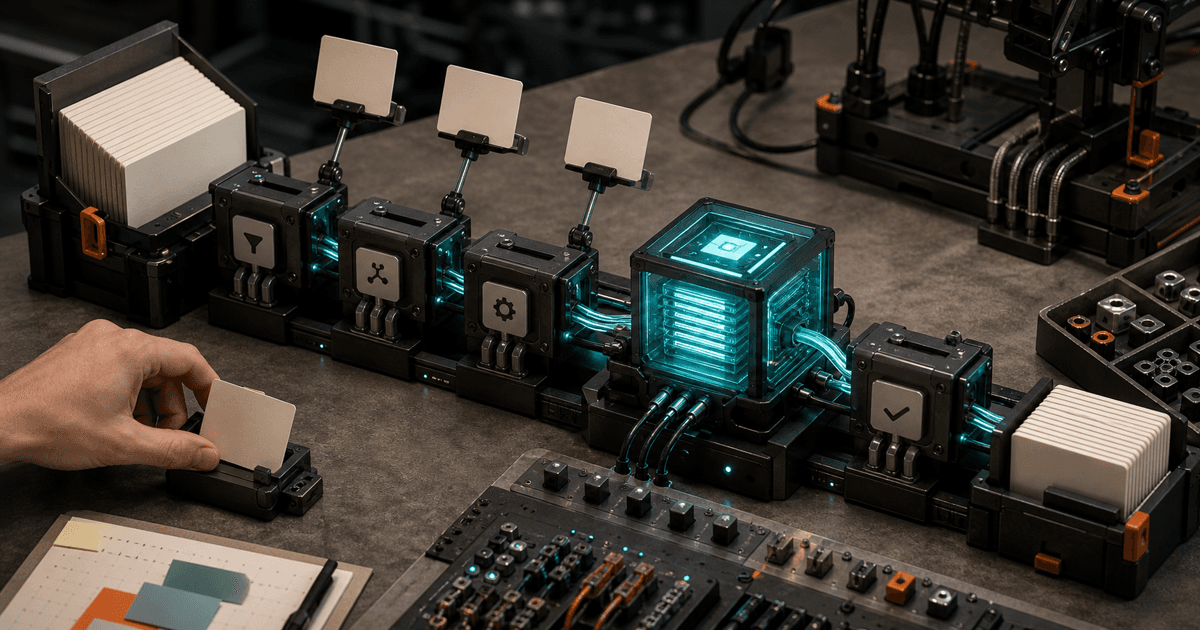
Munder Difflin is interesting because it does not ask teams to abandon the AI tools they already use. The newly surfaced open-source harness sits above existing CLI agents — Codex, Claude Code, Gemini CLI, Cursor, Copilot-style tools, and similar command-line assistants — and turns them into an always-on office of specialized personal and team clones. Instead of one developer prompting one agent in one terminal, a team can route work across multiple agents that triage issues, inspect pull requests, draft follow-ups, audit design systems, and prepare GTM research while humans sleep.
That matters because the AI agent market has moved from “can a model answer this?” to “can a system keep useful work moving without constant human babysitting?” Teams already pay for model subscriptions, coding assistants, and chat tools. Munder Difflin’s pitch is that a local-first multi-agent harness can coordinate those existing seats into repeatable workflows without forcing every task through a brand-new SaaS platform or a single expensive API model.
This post breaks down what is newly possible, how Munder Difflin-style orchestration works, when to use a local-first harness, two copyable workflows, the practical stack, free local versus paid always-on plans, and the model-choice layer. Cost is not the headline here; the real question is whether an always-on agent office can remove enough review, coordination, and research work to justify deployment.
💡 Key Takeaway: Munder Difflin is best understood as an orchestration layer, not a new foundation model. Its value comes from assigning existing CLI agents to team roles, preserving local control, and routing tasks to the cheapest model that can complete each step.
What changed: from single CLI agents to an AI office
CLI coding agents are already useful in isolation. A developer can ask Codex to inspect a failing test, use Claude Code to refactor a module, run Gemini CLI against a large repo, or ask a Cursor/Copilot-style assistant to generate implementation notes. The constraint has been coordination: each agent session is usually human-triggered, context-bound, and disconnected from the rest of the team’s workflow.
Munder Difflin changes the operating model by treating agents as named workers. A team can define roles such as:
- PR triage clone for reviewing pull requests and labeling risk
- Bugfix clone for reproducing and patching low-risk defects
- Design-system auditor for scanning UI changes against component rules
- PM follow-up clone for summarizing tickets and drafting stakeholder updates
- GTM researcher for collecting competitor, pricing, and positioning notes
- Release manager clone for checking changelogs, tests, and deployment readiness
- Team memory clone for maintaining summaries of project decisions and open loops
The difference is persistence. These agents can watch queues, receive work, hand off subtasks, and write artifacts back to GitHub, Linear, Slack, Notion, local markdown, or a task database. A human still approves risky changes, but the machine handles the first pass.
This is why the market cares now. Engineering teams are overloaded with review queues, test flakes, issue backlogs, and release coordination. Product and GTM teams are overloaded with follow-ups, research, and synthesis. A harness that coordinates existing subscriptions turns agent adoption from an individual productivity hack into a team operations layer.
[stat] 10x–50x Agent workflows commonly use far more tokens than simple chat turns because they plan, inspect files, call tools, retry, and accumulate context.
How Munder Difflin-style multi-agent orchestration works
A local-first multi-agent harness generally has five layers: task intake, agent assignment, context packaging, tool execution, and review gates.
1. Task intake
Work enters the system from a queue. That queue can be a GitHub label, a Linear status, a Slack command, a local YAML file, a cron job, or a webhook. For example:
bug:ready-for-agentpr:needs-first-passdesign:auditpm:follow-up-neededresearch:gtm-brief
The harness watches those triggers and creates a task packet. A good task packet includes the objective, constraints, repo or document paths, relevant links, expected output format, approval requirements, and a budget cap.
2. Agent assignment
The harness chooses which CLI agent should handle the task. That decision can be static or routed by task type:
| Task type | Primary agent | Why |
|---|---|---|
| Low-risk code fix | Codex Mini or GPT-5.3 Codex-backed CLI | Code edits, tests, patch generation |
| Complex architecture review | Claude Sonnet 5 or GPT-5.2 | Long-context reasoning and synthesis |
| Large repo scan | Gemini 3 Pro or Gemini 2.5 Pro | Very large context windows |
| Fast classification | GPT-5 nano, GPT-4.1 nano, or Gemini Flash-Lite | Cheap labels and routing |
| Research synthesis | Gemini 3 Flash, GPT-5 mini, or Claude Haiku 4.5 | Balanced cost and summarization |
| Security-sensitive review | GPT-5.6 Cyber or local restricted workflow | Higher scrutiny and guardrails |
The point is not to use the strongest model everywhere. The point is to create a division of labor.
3. Context packaging
The harness gathers the minimum context needed. For a PR review, that might include the diff, changed files, tests, package metadata, style rules, and recent related issues. For a GTM brief, it might include competitor pages, internal positioning docs, sales notes, and customer objections.
Context packaging is where teams save money. Sending an entire repository to a premium model for every task is expensive and often unnecessary. Sending a focused diff plus relevant files is cheaper and produces cleaner output.
4. Tool execution
The assigned agent runs tools: reading files, editing code, running tests, searching docs, generating summaries, or opening a draft PR. A multi-agent harness can also split a job: one agent reproduces a bug, another proposes the fix, another reviews the patch, and a final agent drafts the release note.
5. Review gates
Always-on does not mean auto-merge. Practical deployments set approval gates:
- Auto-label PRs, but require human merge
- Auto-create bugfix branches, but require review
- Auto-comment on design violations, but do not rewrite production UI without approval
- Auto-draft PM updates, but require send approval
- Auto-collect research, but require source review
⚠️ Warning: The fastest way to waste money is letting agents loop without a budget cap. Every task should have a max token budget, max tool-call count, retry limit, and escalation rule.
What teams can build with an always-on agent office
Munder Difflin’s most useful workflows are the repetitive cross-functional loops that require context but not constant senior judgment. Here are seven practical builds.
1. Pull request triage desk
An agent watches new PRs, summarizes the intent, identifies risky files, checks test coverage, labels complexity, and suggests reviewers. It can comment with a concise review packet before a human opens the diff.
Best for teams with more PRs than reviewer attention. Avoid using it as the final authority on security, billing, auth, or data migrations.
2. Overnight bugfix queue
A bugfix clone picks up labeled issues after hours, reproduces the bug, writes a failing test, proposes a patch, runs the test suite, and opens a draft PR. Human engineers review in the morning.
This works best for deterministic bugs with clear reproduction steps. It performs poorly on vague product complaints or deep architectural defects.
3. Design-system audit agent
A UI-focused agent scans changed frontend files for component drift: hardcoded colors, spacing violations, non-standard buttons, missing accessibility labels, and unsupported variants. It can comment on PRs or create tickets for cleanup.
This is ideal for product teams with growing frontend surfaces and inconsistent design enforcement.
4. PM follow-up clone
After a meeting, ticket update, or release, a PM clone drafts stakeholder summaries, identifies unanswered questions, updates acceptance criteria, and prepares next-step messages. It uses the team’s source-of-truth docs rather than scattered chat memory.
The value is not creativity; it is consistency and speed.
5. GTM research pod
A research agent collects competitor updates, pricing changes, messaging claims, customer objections, and relevant market news. A synthesis agent turns the raw notes into a one-page brief for sales, marketing, or product.
This is especially useful for weekly pipeline reviews, launch planning, and positioning updates.
6. Release readiness agent
A release clone checks open blockers, changelog quality, test status, migration notes, feature flags, observability coverage, and rollback instructions. It posts a release-readiness summary before the human release owner signs off.
7. Team memory and handoff agent
A memory clone maintains a running “what changed, what matters, what is blocked” file for each project. New team members and managers can read the latest state without scraping Slack history.
✅ TL;DR: The best Munder Difflin workflows are not fully autonomous moonshots. They are first-pass review, queue clearing, structured research, and handoff automation with human approval at the edge.
Step-by-step workflow 1: overnight bugfix clone
This workflow is the clearest engineering use case: convert a labeled bug into a draft PR before the next standup.
Goal
When an issue is labeled agent:bugfix, the harness should assign a coding agent to reproduce the bug, create a test, implement a minimal fix, run verification, and open a draft PR.
Recommended stack
| Layer | Recommendation |
|---|---|
| Harness | Munder Difflin local runner or always-on hosted runner |
| Task source | GitHub Issues or Linear |
| Code agent | Codex CLI, Claude Code, Gemini CLI, Cursor agent, or Copilot CLI-style agent |
| Primary model | GPT-5.3 Codex for code patches or Claude Sonnet 5 for complex repo reasoning |
| Cheap fallback | GPT-5 mini, DeepSeek V3.2, or Codestral |
| Review gate | Draft PR only; no auto-merge |
| Budget control | Max 80,000 input tokens and 20,000 output tokens per attempt; max 2 attempts |
Step 1: define intake rules
Create a rule that only accepts issues with enough detail. Require:
- Reproduction steps
- Expected behavior
- Actual behavior
- Affected environment
- Test command if known
- Owner approval via label
Reject vague issues automatically and ask for clarification.
Step 2: create the task packet
The harness should package:
- Issue body and comments
- Relevant files from search
- Existing tests near affected files
- Recent commits touching the same area
- Repo instructions, lint rules, and test commands
- Output requirements: failing test, patch, summary, risk notes
This packet should be concise. For a typical bug, target 40,000–80,000 input tokens, not a full repository dump.
Step 3: assign the first agent
Use a code-specialized model for the first attempt. GPT-5.3 Codex costs $1.75 per 1M input tokens and $14 per 1M output tokens, with a 256,000-token context window. That is a strong default for code tasks because the output side includes patches, tests, and explanations.
For a harder bug that requires long reasoning across a large codebase, Claude Sonnet 5 costs $2 per 1M input tokens and $10 per 1M output tokens, with a 1,000,000-token context window. It is a good premium-but-not-extreme choice for complex repo understanding.
Step 4: require a failing test first
The agent should not patch immediately. Require it to:
- Identify the suspected cause
- Add or update a failing test
- Run the test
- Confirm failure
- Implement the minimal fix
- Re-run the targeted test
- Run a broader test command if budget allows
This improves review quality because the human can verify the bug was captured.
Step 5: run a second-agent review
Route the patch to a cheaper reviewer model or a different premium model. For example, use GPT-5 mini at $0.25 input / $2 output per 1M tokens for routine review, or Claude Sonnet 5 for complex changes.
The reviewer should answer:
- Is the fix minimal?
- Are edge cases covered?
- Did the agent modify unrelated files?
- Are tests meaningful?
- What should the human reviewer inspect?
Step 6: open a draft PR
The PR body should include:
- Bug summary
- Reproduction path
- Test added
- Files changed
- Commands run
- Known risks
- Human review checklist
Do not auto-request every senior engineer. Use CODEOWNERS or a reviewer-suggestion rule.
Cost estimate
A typical bugfix attempt with 70,000 input tokens and 12,000 output tokens costs approximately:
| Model | Input cost | Output cost | Estimated task cost |
|---|---|---|---|
| GPT-5.3 Codex | $0.1225 | $0.1680 | $0.2905 |
| Claude Sonnet 5 | $0.1400 | $0.1200 | $0.2600 |
| GPT-5 mini | $0.0175 | $0.0240 | $0.0415 |
| DeepSeek V3.2 | $0.0196 | $0.0050 | $0.0246 |
| Codestral | $0.0210 | $0.0108 | $0.0318 |
At 1,000 bugfix attempts, the same workflow ranges from about $24.60 on DeepSeek V3.2 to $290.50 on GPT-5.3 Codex before tool, hosting, subscription, and retry overhead.
📊 Quick Math: If your team saves 20 minutes of engineer triage on each of 300 monthly bugs, that is 100 engineering hours recovered. Even a premium model budget of $100–$300/month for draft bugfix attempts is small compared with that time.
Step-by-step workflow 2: PR triage and design-system audit
This workflow combines code review, product consistency, and frontend governance. It is ideal for teams where reviewers spend too much time spotting obvious issues.
Goal
When a PR opens, Munder Difflin assigns one agent to summarize technical risk and another to audit design-system compliance. The output is a structured PR comment with labels and reviewer suggestions.
Recommended stack
| Layer | Recommendation |
|---|---|
| Task source | GitHub pull request webhook |
| Technical reviewer | Claude Code, Codex CLI, or Gemini CLI |
| Design auditor | Cursor/Copilot-style frontend agent or custom CLI prompt |
| Primary model | Claude Sonnet 5, GPT-5.2, or Gemini 3 Pro |
| Cheap fallback | Gemini 3 Flash, GPT-5 nano, Mistral Small 4 |
| Output | One PR comment plus labels |
| Review gate | Comment-only, no code edits |
Step 1: classify the PR
Start with a cheap classifier. Use the PR title, description, file list, and diff stats to label:
- Backend / frontend / infra / docs
- Risk level: low, medium, high
- Requires design audit: yes/no
- Requires security review: yes/no
- Suggested model tier for review
For this step, GPT-5 nano is extremely cheap at $0.05 input / $0.40 output per 1M tokens, and Gemini 2.0 Flash-Lite is $0.075 input / $0.30 output per 1M tokens. Using premium models for classification is overkill.
Step 2: package the diff
For the technical reviewer, include:
- PR description
- Full diff if small; summarized diff if large
- Changed files
- Relevant tests
- Existing architecture notes
- Recent related PRs if available
For the design auditor, include:
- Changed UI components
- Design tokens
- Component library rules
- Accessibility checklist
- Screenshots or visual diffs if available
- Existing component examples
Step 3: run parallel agents
Assign one technical reviewer and one design auditor. Parallel execution is the benefit of a harness: the agents do not need to wait for each other unless one depends on the other’s result.
The technical reviewer outputs:
- Summary in 5 bullets
- Risk areas
- Missing tests
- Possible regressions
- Suggested reviewer
- “Blocker vs non-blocker” issues
The design auditor outputs:
- Token violations
- Component misuse
- Accessibility issues
- Responsive layout risks
- Visual regression recommendations
Step 4: merge comments into one useful review packet
A synthesis agent should combine both outputs into a single PR comment. Avoid spamming contributors with five separate agent comments. The ideal format:
- Summary
- Risk label
- Required human checks
- Potential issues
- Design-system notes
- Tests to run
- Suggested reviewers
Step 5: apply labels and escalate
If the PR touches auth, billing, permissions, migrations, or customer data, the harness should apply labels and escalate to human owners. If the PR is low-risk docs or frontend copy, the system can simply comment and move on.
Cost estimate
A PR triage workflow might use 35,000 input tokens and 5,000 output tokens across classifier, reviewer, design auditor, and synthesizer for a moderate PR.
| Model route | Estimated cost per PR | Cost per 1,000 PRs |
|---|---|---|
| GPT-5 nano classifier + GPT-5 mini reviewer | $0.018–$0.030 | $18–$30 |
| Gemini 3 Flash route | $0.0325 | $32.50 |
| Claude Sonnet 5 route | $0.1200 | $120.00 |
| GPT-5.2 route | $0.1313 | $131.25 |
| Gemini 3 Pro route | $0.1300 | $130.00 |
For routine PR triage, the cheaper route is usually enough. Save Claude Sonnet 5, GPT-5.2, or Gemini 3 Pro for large diffs, architectural changes, and high-risk reviews.
Free local option versus paid always-on plans
Munder Difflin’s local-first nature is important. A local setup can run on a developer machine, a spare workstation, or a private server. That gives builders control over credentials, repo access, logs, and task boundaries.
Free local option
The free local option is best for experimentation and small teams. You can run the harness against local repos, connect it to CLI agents you already have, and trigger tasks manually or with lightweight cron jobs.
Use free local when:
- You want to validate workflows before buying hosted orchestration
- Your repos or documents are sensitive
- You already have CLI agent subscriptions
- You only need scheduled tasks, not 24/7 uptime
- A human can restart failed jobs
The downside is reliability. Laptops sleep, local credentials expire, network connections fail, and long-running tasks need supervision. Free local is excellent for proving value, but it is not a production operations layer.
Paid always-on plans
Paid always-on plans make sense when the workflow becomes part of team operations. You pay for uptime, background workers, queue monitoring, logs, access controls, and integrations. The exact plan pricing depends on the provider or deployment model, but the decision framework is straightforward: if agents are handling daily PR review, bug queues, or customer-facing follow-ups, they need reliable infrastructure.
Use paid always-on when:
- Tasks arrive throughout the day or night
- Multiple team members depend on the same agent office
- You need audit logs and permissions
- You need queue retries and failure notifications
- You want agents to hand off work across systems
- The workflow saves more than a few hours per month
A practical rollout is to start local for two weeks, measure accepted outputs, then move only the proven workflows to always-on infrastructure.
Model Choice and Cost
The model-choice layer is where Munder Difflin can either become economical or turn into a runaway bill. The right architecture routes cheap classification and formatting tasks to cheap models, while reserving premium models for hard reasoning, long context, and high-risk code.
Recommended model tiers
| Tier | Models | Best use | Pricing |
|---|---|---|---|
| Ultra-cheap routing | GPT-5 nano, GPT-4.1 nano, Gemini 2.0 Flash-Lite | Labels, routing, small summaries | From $0.05/$0.40 per 1M tokens |
| Cheap execution | DeepSeek V3.2, Mistral Small 4, Gemini 3 Flash | Routine triage, research notes, simple edits | $0.15–$0.50 input per 1M |
| Balanced coding | GPT-5 mini, Codestral, Codex Mini | Code edits, test generation, reviews | $0.25–$1.50 input per 1M |
| Premium reasoning | Claude Sonnet 5, GPT-5.2, Gemini 3 Pro | Complex repo reasoning, synthesis, architecture review | $1.75–$2 input per 1M |
| Specialist premium | GPT-5.6 Cyber, GPT-5.2 pro | Security review, high-stakes reasoning | Up to $21/$168 per 1M |
For general agent offices, the best default stack is:
- GPT-5 nano for classification and routing
- GPT-5 mini or Gemini 3 Flash for routine execution
- Claude Sonnet 5 or GPT-5.2 for complex reasoning
- GPT-5.3 Codex or Codex Mini for code-heavy patch generation
- DeepSeek V3.2 as the low-cost fallback for bulk work
If you need to compare premium defaults, start with GPT-5 vs Claude Sonnet 4.5 and GPT-5 vs Gemini 3 Pro. For cost-sensitive routing, GPT-5 vs DeepSeek V3.2 is the more relevant tradeoff.
Monthly cost examples
Assume a small team runs:
- 400 PR triage tasks per month at 35,000 input / 5,000 output tokens
- 100 bugfix attempts at 70,000 input / 12,000 output tokens
- 80 PM follow-up tasks at 20,000 input / 3,000 output tokens
- 40 GTM research briefs at 60,000 input / 8,000 output tokens
A mixed low-cost route might use GPT-5 nano for routing, DeepSeek V3.2 or Gemini 3 Flash for summaries, and GPT-5 mini for routine code. That can land around $25–$80/month in API-equivalent model usage.
A balanced route using GPT-5 mini for most work and Claude Sonnet 5 or GPT-5.2 for escalations can land around $100–$350/month.
A premium-heavy route using Claude Sonnet 5, GPT-5.2, Gemini 3 Pro, or GPT-5.3 Codex for nearly everything can land around $300–$1,000/month, especially if agents retry, inspect large contexts, or generate long outputs.
These estimates exclude seat subscriptions, hosted harness fees, storage, browser automation, and CI minutes. Use AI Cost Check to plug in your exact token counts and model mix.
When the premium model is overkill
Do not use premium models for:
- Labeling tickets
- Summarizing short PRs
- Drafting routine Slack updates
- Formatting changelogs
- Sorting customer feedback
- Checking simple design-token violations
- Creating first-pass research bullet lists
Use premium models for:
- Multi-file code changes
- Architecture decisions
- Ambiguous bug diagnosis
- Security-sensitive changes
- Large-context synthesis
- Executive-facing recommendations
- Tasks where a bad answer costs more than the model call
💡 Key Takeaway: The winning pattern is “cheap model first, premium model on escalation.” A harness like Munder Difflin is valuable because it can enforce that routing automatically instead of relying on every teammate to choose the right model manually.
Risks, limits, and when not to use Munder Difflin
The main risk is false confidence. A multi-agent system can produce polished summaries, comments, and PRs that look more complete than they are. Teams should treat outputs as structured drafts unless the workflow has strong tests and narrow scope.
Security and credential handling
Local-first does not automatically mean safe. CLI agents may access files, environment variables, package registries, browsers, or internal docs. Define exactly what each agent can read and write. Use scoped tokens, separate service accounts, and repository-level permissions.
Never give a general-purpose agent unrestricted production credentials. Never allow auto-deploy from an unreviewed patch.
Context leakage
If your CLI agents call external APIs, sensitive code and documents may leave your environment. Review each underlying tool’s data policy. A local harness can coordinate agents locally, but the selected model may still process data remotely.
Looping and runaway costs
Agents can get stuck. They may rerun failing tests, rewrite patches, search the repo repeatedly, or call multiple subagents. Set hard limits per task:
- Maximum wall-clock time
- Maximum model calls
- Maximum input/output tokens
- Maximum test retries
- Maximum files changed
- Escalation after failure
Poor fit tasks
Do not use an always-on multi-agent harness for tasks requiring unresolved human judgment, unclear ownership, or high legal risk. Examples include compensation decisions, final security approvals, pricing commitments, medical advice, and customer promises.
Maintenance overhead
An agent office needs management. Prompts drift, repositories change, design systems evolve, and integrations break. Assign an owner. Review outputs weekly. Track acceptance rate, reverted changes, human time saved, and incidents.
Deployment checklist for builders
Start with one workflow, not seven. The best first deployment is usually PR triage because it is comment-only, visible, and easy to evaluate.
Use this rollout plan:
- Pick one queue. Choose PR triage, bugfix drafts, PM follow-ups, or GTM research.
- Define acceptance criteria. For PR triage, measure whether the comment saves reviewer time.
- Set permissions. Comment-only first; draft PR second; auto-merge never at launch.
- Choose a cheap default model. Use GPT-5 nano, Gemini Flash-Lite, DeepSeek V3.2, or GPT-5 mini for first-pass work.
- Add escalation rules. Route high-risk tasks to Claude Sonnet 5, GPT-5.2, Gemini 3 Pro, or a specialist model.
- Cap budgets. Set max tokens, max retries, and max tool calls.
- Log everything. Store prompts, inputs, outputs, commands run, and approval status.
- Review weekly. Keep workflows with high acceptance and delete noisy agents.
The strongest signal is accepted output rate. If humans accept or lightly edit 60%+ of outputs, the workflow is likely worth expanding. If outputs are ignored, the agent is adding noise.
Frequently asked questions
What is Munder Difflin?
Munder Difflin is an open-source multi-agent harness that coordinates existing CLI agents such as Codex, Claude Code, Gemini CLI, Cursor, Copilot-style tools, and other command-line assistants. Its practical value is turning individual AI tools into named always-on agents for PR triage, bugfixing, design audits, PM follow-ups, and research.
How much does a Munder Difflin workflow cost to run?
A routine PR triage workflow can cost about $0.02–$0.13 per PR depending on model choice, while a bugfix draft can cost about $0.02–$0.30 per attempt using the token assumptions in this guide. Teams should model their own usage in AI Cost Check because retries, long diffs, and tool loops can multiply usage.
Should I run Munder Difflin locally or use an always-on plan?
Run locally for experiments, sensitive repos, and low-volume workflows. Use an always-on plan when agents monitor shared queues, run overnight, need audit logs, or support multiple teammates. A practical path is two weeks local, then productionize only the workflows with high acceptance rates.
Which models should I use with a multi-agent harness?
Use cheap models like GPT-5 nano, Gemini 2.0 Flash-Lite, or DeepSeek V3.2 for routing and first-pass summaries. Use Claude Sonnet 5, GPT-5.2, Gemini 3 Pro, or GPT-5.3 Codex for complex code, long-context reasoning, and high-risk reviews.
What should teams avoid automating with always-on agents?
Avoid final approvals for security, billing, auth, production deployments, legal commitments, and customer promises. Munder Difflin is strongest as a first-pass worker and handoff system, not as an unsupervised decision-maker for high-risk work.
Next steps
If you want to test Munder Difflin-style orchestration, start with one low-risk queue: PR triage, design-system audits, or PM follow-ups. Define the agent role, set a hard budget, use a cheap default model, and escalate only when the task requires premium reasoning.
Use AI Cost Check to estimate your exact monthly spend across GPT, Claude, Gemini, DeepSeek, Mistral, and other models. For model selection, compare GPT-5 vs DeepSeek V3.2, GPT-5 vs Gemini 3 Pro, and review individual model pages like Claude Sonnet 5 and GPT-5.3 Codex before committing your agent office to a default stack.
Related Cost Guides
Keep going with the closest pricing and optimization guides in this cluster.
fx.sh v0.0.4: What Tiny Native Coding Agents Make Possible Now
fx.sh v0.0.4 brings a 6.39 MiB Zig coding agent with 10µs cold starts, browser demos, session resume, and model routing.
AX Agent Orchestrator: 6 Production Workflows Founders and Operators Can Build Now
How to use Google's AX agent orchestrator for traceable research, support, coding, data enrichment, and back-office workflows.
What Gemini 3.8 Live Makes Possible: 6 Real-Time Multimodal Workflows to Build Now
Gemini 3.8 Live pricing and workflow guide for voice-and-screen AI in support, sales, incidents, meetings, and QA with practical cost estimates.