Need exact pricing after reading? Jump straight to the AI API pricing table, the AI cost estimator, or the AI model cost comparison to price the workflow in this article with your own traffic and token counts.
Compare per-token prices across OpenAI, Claude, Gemini, DeepSeek, Mistral, and more.
Turn token counts and request volume into cost per request, daily spend, and monthly spend.
See which model is cheaper for the exact workload this article is talking about.
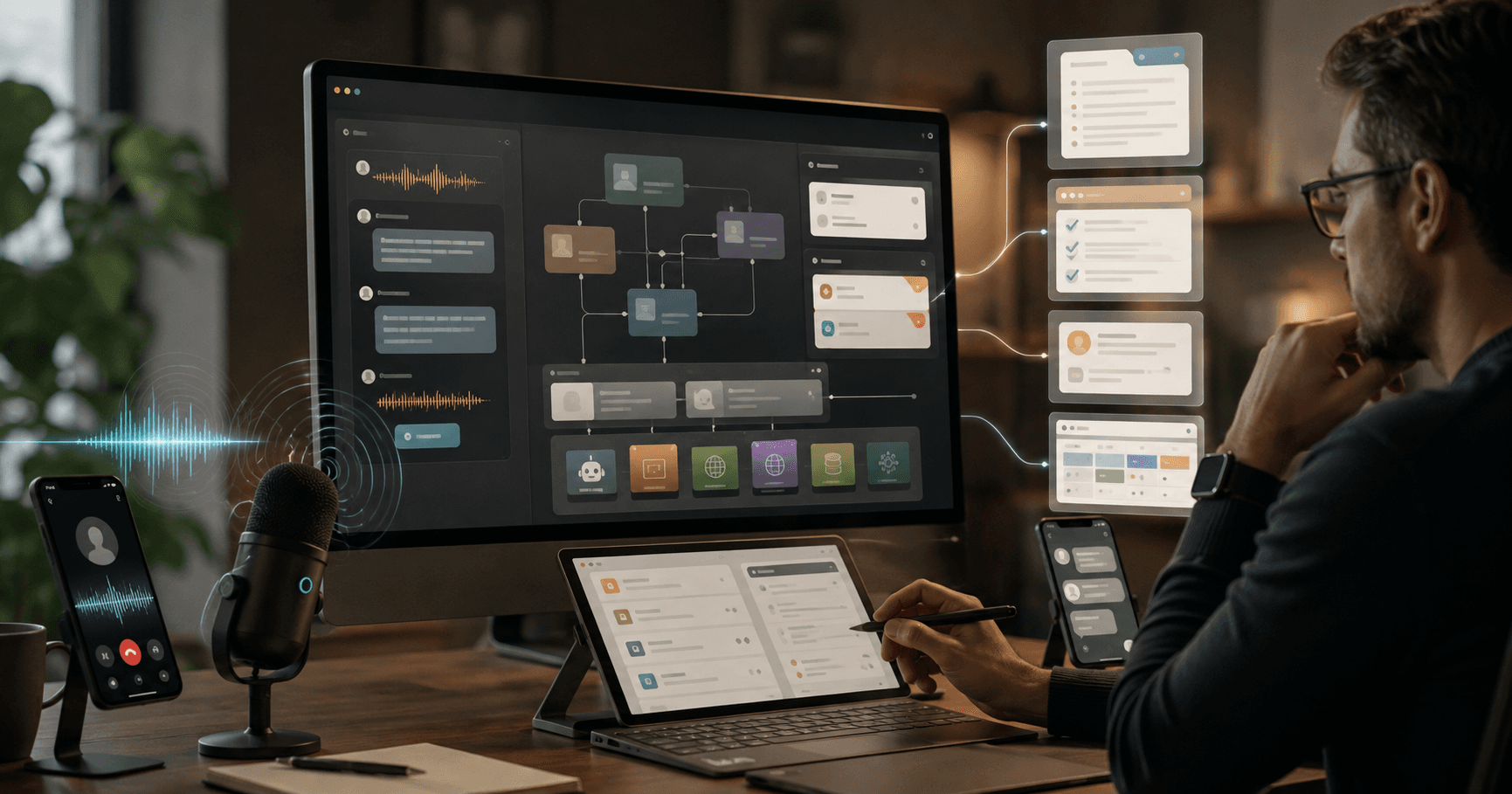
OpenAI’s August 3, 2026 GPT Live update changes voice agents from “turn-based phone trees with better language models” into something much closer to a live teammate. The headline features are full-duplex speech, async delegation to GPT-5.5, and faster session startup. In practice, that means users can interrupt, clarify, speak naturally over the agent, and still get answers backed by a stronger reasoning model running in the background.
This matters because most production voice bots fail at the same moment: when the conversation stops being linear. Customers interrupt. Sales prospects jump between topics. Field workers speak while doing another task. Accessibility users need the agent to listen continuously without forcing rigid push-to-talk behavior. GPT Live’s update is important because it targets the latency, interruption, and background reasoning problems that kept voice agents out of serious workflows.
This post breaks down what changed, what founders and operators can build next, and where GPT Live still should not be used. We’ll cover 7 practical workflows, two step-by-step implementation outlines, recommended model stacks, cheaper fallback models, and realistic cost estimates using current AI API pricing from AI Cost Check.
💡 Key Takeaway: GPT Live is not just a better voice interface. The useful pattern is a low-latency live voice layer paired with async delegation to a stronger model such as GPT-5.5 for reasoning, retrieval, summarization, and decisions.
What changed in the August 3 GPT Live update
The update introduces three market-facing improvements that builders should care about immediately.
1. Full-duplex speech makes conversations feel live
Traditional voice agents usually follow a half-duplex pattern: user speaks, system detects silence, model processes, agent speaks. That works for scripted IVR replacement, but it breaks in real customer conversations.
Full-duplex interaction allows simultaneous listening and speaking. The user can interrupt while the agent is talking. The agent can acknowledge short confirmations without dropping context. It can handle backchannels like “yeah,” “wait,” “not that account,” or “actually I meant the other shipment.”
For support, sales, and accessibility, this is the difference between a demo and a deployable product. A live agent must survive corrections, overlapping speech, and messy human timing.
2. Async GPT-5.5 delegation separates conversation from deep work
The second major change is async delegation. GPT Live can keep the conversation flowing while delegating heavier tasks to a stronger backend model such as GPT-5.5, GPT-5.5 Pro, or a cheaper alternative depending on the workflow.
That enables a two-lane architecture:
| Layer | Job | Model type | Success metric |
|---|---|---|---|
| Live voice layer | Listen, respond, clarify, route | Low-latency voice model | Turn latency, interruption handling |
| Async reasoning layer | Search, analyze, summarize, decide | GPT-5.5, GPT-5.4, Claude, Gemini | Accuracy, groundedness, workflow completion |
| Tool layer | CRM, ticketing, calendar, database, browser | APIs and internal services | Successful action rate |
| Memory/audit layer | Transcript, decisions, citations | Storage + summarizer | Compliance and replayability |
This architecture is the core reason the update matters. A voice agent no longer has to choose between being fast and being smart. It can be fast in the foreground and smart in the background.
3. Faster session startup improves conversion
Voice workflows are highly sensitive to startup delay. A chatbot can take two seconds to load and still feel normal. A voice agent that takes two seconds before listening feels broken.
Faster session startup helps with three categories of products:
- Website sales agents that start when a visitor clicks “talk to us”
- In-app copilots that need to respond immediately
- Field and accessibility tools where waiting creates friction or safety issues
[stat] 1 second The practical target for perceived voice responsiveness. If session startup or first acknowledgment feels slower than a human pause, users start repeating themselves or abandon the interaction.
Why the market cares now
Voice AI has been “almost ready” for years. The missing pieces were not vocabulary or speech synthesis quality. The missing pieces were interruption handling, low startup latency, and the ability to perform real work while staying conversational.
The August 2026 GPT Live update lands at the same time teams are trying to reduce labor-heavy operational queues without degrading customer experience. Founders want voice agents that qualify leads before a sales rep joins. Support leaders want first-contact triage that does not create angry escalations. Product teams want user research interviews that scale beyond a calendar full of Zoom calls. Operations teams want hands-free copilots for people who are not sitting at desks.
The best use cases share three traits:
- The user benefits from speaking instead of typing.
- The workflow needs real-time clarification.
- The agent can complete or prepare a structured action.
That excludes generic “talk to your app” gimmicks. It includes support intake, sales qualification, research interviews, field reporting, accessibility, training, and desktop copilots.
⚠️ Warning: Do not deploy GPT Live as a fully autonomous decision-maker for refunds, medical guidance, hiring decisions, legal advice, safety-critical field instructions, or financial transactions. Use it to collect information, explain options, prepare actions, and escalate with a human approval step.
7 GPT Live workflows teams can build now
1. Customer support triage that actually understands interruptions
Support triage is the most immediate GPT Live workflow. The agent answers the call or in-app voice session, identifies the user, classifies the issue, asks missing questions, searches the knowledge base, and either resolves the case or escalates with a complete summary.
What changes with full-duplex voice is the ability to handle frustration and correction. If the agent says, “I found your order from July 28,” and the customer interrupts with “No, the August order,” the session can update instantly instead of forcing the customer through another turn.
Recommended stack:
- GPT Live for conversation
- GPT-5.5 for escalation summary and policy reasoning
- GPT-5 mini or GPT-5.4 nano for classification
- Help desk tools: Zendesk, Intercom, Freshdesk, Salesforce Service Cloud
- Retrieval from policy docs, order data, and previous tickets
Best first deployment: tier-1 intake and routing, not autonomous refunds.
2. Sales qualification calls before human handoff
A GPT Live sales agent can greet inbound leads, ask qualification questions, capture budget and timeline, answer basic product questions, and book a meeting with the correct account executive.
The important upgrade is conversational pacing. Sales prospects rarely follow a form. They ask pricing, security, integrations, and competitor questions in the middle of qualification. GPT Live can keep the call moving while async GPT-5.5 checks docs, CRM notes, or pricing rules in the background.
Use this for:
- Demo request follow-up within seconds
- Event booth lead capture
- Website “talk to sales” buttons
- SMB qualification before routing to sales reps
- After-hours lead response
Cheaper fallback: use GPT-5 mini for qualification and GPT-5.5 only for complex pricing, security, or enterprise procurement questions.
3. Desktop copilots for operators
Desktop copilots are a strong fit because operators often need voice while switching between tools. A live copilot can listen to the operator, inspect current app context, draft replies, summarize tabs, trigger macros, and prepare structured updates.
Examples:
- Support rep says, “Summarize this customer’s last three tickets and draft a response.”
- Recruiter says, “Compare this candidate against the role scorecard.”
- Finance analyst says, “Read me the variance drivers and flag anything above 10%.”
- Customer success manager says, “Prepare a renewal risk note from this account history.”
The voice layer should not click destructive buttons by default. It should prepare actions and ask for confirmation.
4. User research interviews at scale
GPT Live can conduct moderated user interviews with more natural pacing than form-based surveys or text chat. It can ask follow-up questions, probe vague answers, and adapt the script based on participant responses.
The async model can classify themes during the conversation, flag interesting quotes, and generate a post-interview summary.
Use this when:
- You need 50 to 500 qualitative interviews
- The questions are semi-structured
- You can disclose AI moderation clearly
- You want consistent coverage across participants
Do not use it for sensitive research populations or emotionally intense topics without human moderation.
5. Field operations reporting
Field teams need hands-free workflows. GPT Live can capture job notes, checklists, incident reports, equipment readings, and customer sign-off summaries while workers are moving.
Examples:
- HVAC technician dictates findings and gets a repair summary
- Warehouse lead reports a damaged shipment
- Construction supervisor logs site observations
- Home healthcare coordinator records non-clinical visit notes
- Delivery driver reports failed delivery details
The agent can ask clarifying questions live: “Was the seal broken before unloading?” or “Do you want to attach this photo to the incident report?”
6. Accessibility-first app control
Full-duplex voice is especially valuable for users who rely on speech as a primary interface. Accessibility workflows benefit from continuous listening, natural interruption, and low startup delay.
Practical builds include:
- Voice navigation for SaaS dashboards
- Document reading and summarization
- Form completion with confirmation
- Email and calendar control
- Screen state explanation
- Hands-free coding or writing assistance
The product requirement is stricter than normal voice UX: confirmations must be explicit, destructive actions must be reversible, and the agent must never punish non-standard speech patterns.
7. Training and simulation agents
GPT Live can simulate sales calls, support escalations, compliance conversations, or operational drills. The full-duplex update matters because trainees interrupt, hesitate, and correct themselves just like in real conversations.
Use cases:
- New support rep roleplay
- Sales objection handling
- Manager coaching simulations
- Safety procedure walkthroughs
- Healthcare admin intake training
- Financial services compliance practice
For training, the async model can grade performance after the session and produce a rubric-based coaching report.
✅ TL;DR: The best GPT Live workflows are not generic voice chat. They are workflows where live conversation gathers messy information, async reasoning converts it into structured output, and tools complete the task with auditability.
Workflow outline 1: Customer support triage agent
This is the safest high-ROI starting point for most companies because the agent can create structured tickets and escalate instead of making final decisions.
Step 1: Define the triage boundary
Start with 5 to 10 issue categories:
| Category | Agent can resolve? | Human escalation trigger |
|---|---|---|
| Order status | Yes | Missing identity match |
| Password reset | Yes | Account takeover risk |
| Billing question | Partial | Refund request over threshold |
| Bug report | No | Production outage keywords |
| Cancellation | Partial | Retention policy required |
| Shipping issue | Partial | Lost package or fraud signal |
Give GPT Live a strict role: collect facts, answer approved knowledge base questions, and prepare escalation. Do not let it improvise policy.
Step 2: Build the live prompt
Use a short foreground prompt for the live layer:
You are a support triage voice agent. Keep responses under 2 sentences unless the user asks for detail.
Listen for corrections and update the case facts immediately.
Your goals are:
1. Identify the customer and affected product/order.
2. Classify the issue.
3. Ask only missing questions.
4. Search approved help content when needed.
5. Resolve simple issues or create an escalation summary.
Never approve refunds, credits, cancellations, or account changes without tool confirmation and human policy approval.
The foreground prompt should optimize for pacing. Heavy reasoning belongs in async calls.
Step 3: Add async classification and retrieval
After each meaningful user segment, send a compact transcript window to a cheaper classifier such as GPT-5 mini, GPT-5.4 nano, or Gemini 2.5 Flash-Lite. The classifier returns:
{
  "issue_type": "shipping_delay",
  "urgency": "medium",
  "missing_fields": ["order_id"],
  "sentiment": "frustrated",
  "recommended_next_action": "ask_for_order_id"
}
When the user asks a policy-heavy question, delegate to GPT-5.5 with retrieved policy snippets.
Step 4: Create the ticket summary
At the end of the call, generate a structured summary:
{
  "customer": "verified",
  "issue": "August order delayed after carrier scan stopped",
  "facts_collected": ["order_id", "shipping address", "carrier", "last scan date"],
  "attempted_resolution": "checked order status and policy",
  "recommended_action": "human review for replacement shipment",
  "risk_flags": ["customer frustrated", "possible lost package"],
  "transcript_link": "..."
}
Use GPT-5.5 for the final summary when the issue is complex. Use GPT-5 mini for simple tickets.
Step 5: Measure operational metrics
Track:
- Containment rate
- Escalation quality score
- Average handle time
- Recontact rate
- User interruption rate
- Human correction rate
- Cost per resolved or triaged issue
A support triage agent is successful when it reduces repetitive intake without increasing recontacts.
Workflow outline 2: Sales qualification and booking agent
Sales qualification is a strong GPT Live use case because speed-to-lead matters and qualification calls are structured enough to automate safely.
Step 1: Define the qualification rubric
Use a simple rubric such as:
| Field | Required? | Example |
|---|---|---|
| Company size | Yes | 200 employees |
| Use case | Yes | Automating support intake |
| Timeline | Yes | This quarter |
| Budget range | Optional | $25k-$50k |
| Current tools | Yes | Zendesk and Salesforce |
| Decision process | Optional | VP Support owns budget |
| Security needs | Conditional | SOC 2, SSO, data retention |
Do not ask all questions mechanically. GPT Live should infer what it can and ask only what is missing.
Step 2: Connect CRM and calendar tools
The agent needs tool access for:
- Lead lookup
- Account matching
- Meeting availability
- Sales territory routing
- CRM note creation
- Email confirmation
Require explicit confirmation before booking: “I found a 2:30 PM slot with Maya tomorrow. Should I book that?”
Step 3: Use async GPT-5.5 for complex answers
When the prospect asks, “How do you handle data retention for EU customers?” the live layer should acknowledge immediately:
“Good question — I’m checking the current security details so I don’t give you a stale answer.”
Then delegate to GPT-5.5 with security docs and return a concise answer with a follow-up offer.
Step 4: Score and route the lead
At the end, generate:
{
  "qualification_score": 82,
  "segment": "mid-market",
  "pain": "support volume and slow triage",
  "timeline": "Q4 rollout",
  "recommended_owner": "AE - Support Automation",
  "next_step": "demo booked",
  "crm_note": "Prospect wants voice support intake integrated with Zendesk..."
}
Step 5: Add fallback paths
If the user is angry, asks for legal commitments, negotiates pricing, or discusses sensitive data processing terms, the agent should route to a human. The goal is qualified pipeline, not autonomous contracting.
📊 Quick Math: If a sales qualification call uses 25,000 input tokens and 4,000 output tokens in GPT-5.5 async processing, the text-model portion costs about $0.245 per call at $5 input and $30 output per 1M tokens. At 10,000 calls/month, that is $2,450/month before voice transport, transcription, and tool infrastructure.
Model choice and cost
GPT Live pricing may include voice-specific session, audio, or real-time transport charges depending on implementation. For planning, teams should separate two budgets:
- Live voice/session layer: audio streaming, speech handling, session startup, interruption handling.
- Text reasoning layer: async model calls to classify, retrieve, summarize, decide, and write records.
The second budget is easier to estimate because token pricing is public across models. Here are current text model prices relevant to GPT Live architectures.
| Model | Best role in voice workflow | Input / Output per 1M tokens | Context |
|---|---|---|---|
| GPT-5.5 | Premium async reasoning and summaries | $5 / $30 | 1,050,000 |
| GPT-5.5 Pro | High-stakes complex reasoning | $30 / $180 | 1,050,000 |
| GPT-5.4 mini | Mid-cost routing and summarization | $0.75 / $4.50 | 1,050,000 |
| GPT-5 mini | Cheap qualification and classification | $0.25 / $2 | 500,000 |
| GPT-5 nano | Ultra-cheap labels and extraction | $0.05 / $0.40 | 128,000 |
| Gemini 2.5 Flash-Lite | Low-cost fallback extraction | $0.10 / $0.40 | 1,000,000 |
| DeepSeek V4 Flash | Low-cost summarization fallback | $0.14 / $0.28 | 1,000,000 |
| Claude Sonnet 5 | Strong alternative for summaries | $2 / $10 | 1,000,000 |
For most teams, the best architecture is not “GPT-5.5 everywhere.” Use a router:
- GPT Live for the live voice session
- GPT-5 nano for intent labels and field extraction
- GPT-5 mini or GPT-5.4 mini for routine summaries
- GPT-5.5 for policy-heavy, reasoning-heavy, or customer-facing final responses
- GPT-5.5 Pro only for rare escalations where the cost is justified
Estimated costs by workflow
These estimates cover the text reasoning layer, not any voice-specific session fees.
| Workflow | Typical text tokens per run | Recommended model mix | Estimated text cost per run | Cost per 1,000 runs |
|---|---|---|---|---|
| Support triage, simple | 12k input / 2k output | GPT-5 nano + GPT-5 mini | $0.004-$0.007 | $4-$7 |
| Support triage, complex | 35k input / 5k output | GPT-5 mini + GPT-5.5 | $0.08-$0.33 | $80-$330 |
| Sales qualification | 25k input / 4k output | GPT-5 mini + GPT-5.5 | $0.04-$0.25 | $40-$250 |
| User research interview | 60k input / 8k output | GPT-5.4 mini + GPT-5.5 summary | $0.25-$0.55 | $250-$550 |
| Desktop copilot command | 8k input / 1k output | GPT-5 nano + GPT-5 mini | $0.002-$0.004 | $2-$4 |
| Field ops report | 15k input / 2k output | GPT-5 mini | $0.00775 | $7.75 |
| Training simulation report | 40k input / 6k output | GPT-5.4 mini or GPT-5.5 | $0.057-$0.38 | $57-$380 |
Use AI Cost Check to model your exact token mix across OpenAI, Anthropic, Google, DeepSeek, Mistral, Meta, xAI, and Cohere models.
When GPT-5.5 is overkill
Use a cheaper model when the task is structured, low-risk, and easy to validate. Examples:
- Intent classification
- Extracting order IDs, dates, names, and product SKUs
- Sentiment labels
- Call disposition tags
- CRM field formatting
- Short summaries for human review
- FAQ retrieval answer drafts
Recommended cheaper fallbacks:
- GPT-5 mini for most production extraction and summaries
- GPT-5 nano for labels and routing
- Gemini 2.5 Flash-Lite for low-cost long-context extraction
- DeepSeek V4 Flash for very cheap summarization
- Claude Sonnet 5 when you want a strong non-OpenAI alternative
Use GPT-5.5 when the answer is customer-facing, policy-sensitive, multi-document, or requires careful reasoning. Use GPT-5.5 Pro only for high-value enterprise workflows, complex disputes, or internal expert review where a 10x+ model cost increase is acceptable.
For broader model tradeoffs, compare GPT-5 vs GPT-5 mini, GPT-5 vs Gemini 3 Pro, and GPT-5 vs DeepSeek V3.2.
Recommended GPT Live architecture
A production GPT Live system should be designed around event streams, not single prompts.
Core components
| Component | Purpose | Recommendation |
|---|---|---|
| Voice session manager | Starts and maintains live session | Keep warm pools for high-traffic entry points |
| Interruption handler | Detects barge-in and corrections | Treat user interruption as high-priority input |
| Transcript buffer | Stores rolling context | Segment by topic and speaker |
| Async task queue | Runs background reasoning | Use job IDs and status callbacks |
| Tool gateway | Controls API actions | Require permissions and confirmations |
| Policy engine | Blocks unsafe actions | Hard-code rules outside the model |
| Human handoff | Escalates with context | Include transcript, summary, and next best action |
| Cost logger | Tracks token and session spend | Log per workflow, customer, and outcome |
Routing pattern
A strong default routing policy:
- GPT Live handles greeting, pacing, and clarification.
- GPT-5 nano labels intents continuously.
- GPT-5 mini extracts fields and updates the workflow state.
- GPT-5.5 answers complex questions using retrieved context.
- GPT-5.4 mini or GPT-5.5 generates the final record.
- Human approval is required for irreversible actions.
This routing pattern keeps latency low and cost controlled.
💡 Key Takeaway: The winning GPT Live architecture uses specialized models by step. Premium reasoning should be reserved for moments where a wrong answer is expensive, visible, or hard to reverse.
Risks, limits, and failure modes
GPT Live unlocks better voice workflows, but live agents introduce operational risks that text chatbots avoid.
Interruption errors
Full-duplex speech improves barge-in handling, but interruption is still a source of mistakes. The system may treat a background voice as the user or misread a correction.
Mitigation:
- Confirm critical fields
- Use speaker detection where available
- Display live transcript in high-stakes workflows
- Ask “Did I get that right?” before submitting
Over-automation
The biggest business risk is letting the agent do too much. Voice feels personal, so users may trust it more than they should. Do not let a live voice agent approve credits, modify contracts, cancel accounts, or provide regulated advice without controls.
Mitigation:
- Separate “prepare” from “execute”
- Add confirmation gates
- Maintain audit logs
- Use human approval for sensitive categories
Cost creep from background reasoning
Async delegation can quietly become expensive if every conversational turn triggers GPT-5.5. A 15-minute interview can produce many background calls.
Mitigation:
- Batch transcript segments
- Use cheap classifiers first
- Trigger GPT-5.5 only on complexity thresholds
- Cache policy and retrieval results
- Track cost per resolved outcome, not just cost per token
Privacy and consent
Voice sessions create sensitive recordings and transcripts. Teams must disclose AI usage, recording behavior, retention policies, and escalation practices.
Mitigation:
- Announce AI agent status clearly
- Offer human transfer
- Minimize retained audio
- Redact sensitive data
- Store transcripts with access controls
Latency from tools
Even if GPT Live is fast, CRM, ticketing, search, and calendar APIs can slow the experience. The voice agent should acknowledge background work instead of going silent.
Good response: “I’m checking the shipment record now. While that loads, can you confirm the delivery ZIP code?”
Bad response: silence for six seconds.
When not to use GPT Live
Do not use GPT Live when voice is not the best interface. Many workflows are faster, cheaper, and more accurate as forms, chat, or background automation.
Avoid GPT Live for:
- High-volume, simple status checks where a button is better
- Regulated advice without licensed human review
- Noisy environments where speech recognition fails
- Workflows requiring exact visual comparison
- Users who need private interaction in public spaces
- Destructive account actions without explicit confirmation
- Complex negotiations or legal commitments
- Medical, financial, employment, or safety-critical decisions
Use GPT Live when the user needs hands-free interaction, real-time clarification, or a more natural way to provide unstructured information.
Implementation checklist for builders
Before launching a GPT Live workflow, ship these controls:
| Requirement | Why it matters |
|---|---|
| Clear AI disclosure | Builds trust and supports compliance |
| Human handoff | Prevents dead ends and risky automation |
| Transcript review | Enables QA and dispute resolution |
| Tool permission scopes | Limits blast radius |
| Cost logging | Prevents hidden async spend |
| Model routing | Keeps premium usage targeted |
| Evaluation set | Measures accuracy before launch |
| Red-team interruptions | Tests full-duplex edge cases |
| Confirmation gates | Protects user accounts and business rules |
| Fallback channel | Lets users switch to chat, form, or human |
For evaluation, create 50 to 100 realistic conversations per workflow. Include interruptions, corrections, angry users, ambiguous requests, background noise, and edge cases. Score the agent on task completion, escalation quality, policy compliance, latency, and cost.
Frequently asked questions
What is GPT Live?
GPT Live is OpenAI’s live voice interaction layer for real-time AI conversations. The August 3, 2026 update added more natural full-duplex speech, async delegation to models such as GPT-5.5, and faster session startup, making it practical for support, sales, research, desktop, field, and accessibility workflows.
How much does a GPT Live workflow cost?
Plan separately for voice session fees and text reasoning costs. The text reasoning layer can range from $0.002 per simple desktop command using GPT-5 nano or GPT-5 mini to $0.25-$0.55 per user research interview using GPT-5.4 mini and GPT-5.5. Use AI Cost Check to calculate your model mix.
Which model should I pair with GPT Live?
Use GPT Live for the conversation layer, GPT-5 mini for routine extraction and summaries, and GPT-5.5 for complex customer-facing reasoning. Add GPT-5 nano for ultra-cheap routing and labels.
Can GPT Live replace human support agents?
GPT Live can replace repetitive intake, routing, and simple FAQ handling, but it should not replace humans for refunds, cancellations, legal commitments, regulated advice, or angry escalations. The best production pattern is AI triage plus human handoff with a complete summary.
What are the best first workflows to build with GPT Live?
Start with customer support triage, sales qualification, user research interviews, field operations reporting, desktop copilots, accessibility controls, or training simulations. Support triage and sales qualification are the best first deployments because they have clear scripts, measurable outcomes, and safe escalation paths.
Build your GPT Live cost model
GPT Live makes voice agents feel much closer to live operators, but the business case still comes down to routing, escalation quality, and cost per completed workflow. Start with one bounded use case, route cheap tasks to cheaper models, reserve GPT-5.5 for complex reasoning, and measure cost per outcome from day one.
Use the AI Cost Check calculator to compare GPT-5.5, GPT-5 mini, GPT-5 nano, Claude Sonnet, Gemini Flash, and DeepSeek fallbacks. For related planning, review GPT-5 vs GPT-5 mini, GPT-5 vs DeepSeek V3.2, and the GPT-5.5 model page before choosing your production stack.
Related Cost Guides
Keep going with the closest pricing and optimization guides in this cluster.
OpenAI Research Acceleration Workflows: Turn Papers, Evals, and Logs Into AI Roadmaps
Build AI research acceleration workflows that convert papers, evals, and experiment logs into production-ready roadmaps.
GPT-5.6 in Kiro: Agentic Coding Workflows Teams Can Ship Now
OpenAI GPT-5.6 Sol, Terra, and Luna are now in AWS Kiro. Build spec-driven coding agents with routing, tests, and cost controls.
OpenAI Enterprise Signals: 7 Agentic Workflows Teams Should Copy Before the Frontier Gap Widens
OpenAI's August 12 enterprise report shows AI moving from assistance to execution. Here are 7 workflows, model picks, and cost bands teams can copy.