Need exact pricing after reading? Jump straight to the AI API pricing table, the AI cost estimator, or the AI model cost comparison to price the workflow in this article with your own traffic and token counts.
Compare per-token prices across OpenAI, Claude, Gemini, DeepSeek, Mistral, and more.
Turn token counts and request volume into cost per request, daily spend, and monthly spend.
See which model is cheaper for the exact workload this article is talking about.
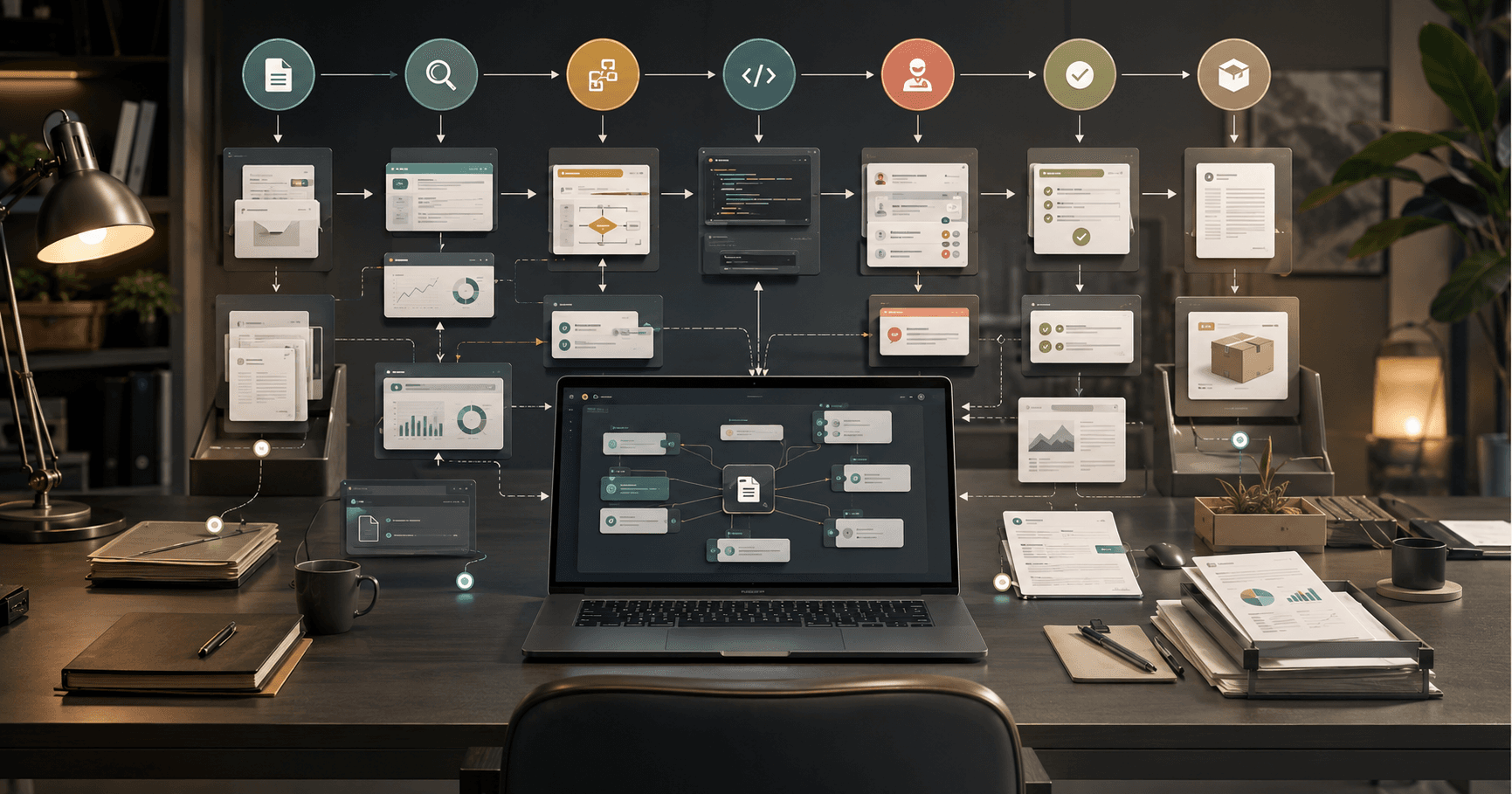
OpenAI’s new ChatGPT Work changes the ChatGPT mental model from “ask a question, get an answer” to “assign a project, supervise the work.” Powered by Codex and GPT-5.6, the agent can take action across apps and files, stay attached to a project for hours, and convert a business goal into finished work instead of a draft response. For founders, operators, marketers, developers, and agencies, that is the part that matters: less copy-pasting between tools, more delegated execution.
The market cares because the bottleneck in AI adoption has moved. Most teams already know how to use chat for brainstorming, summarizing, and rewriting. The new bottleneck is operational: turning AI output into shipped artifacts, updated spreadsheets, code changes, client reports, QA notes, tickets, briefs, dashboards, landing pages, and follow-up tasks. ChatGPT Work is OpenAI’s answer to that gap: an agent that can coordinate long-running work across files and connected apps rather than sitting in a single chat window.
This article breaks down what changed, the 7 workflows ChatGPT Work unlocks right now, how to implement two of them step by step, which model stack to use, when full agent mode is overkill, and how to estimate costs with current API pricing. We’ll use OpenAI’s GPT-5.6 family, Codex-oriented models, and cheaper fallbacks like GPT-5 mini, GPT-5 nano, Gemini 2.5 Flash, DeepSeek V4 Flash, and Mistral Small 4 where the premium agent is unnecessary.
💡 Key Takeaway: ChatGPT Work is not just a better chatbot. Its value is in multi-step execution: reading files, planning work, taking actions in apps, checking results, and staying with a project long enough to produce finished deliverables.
What changed with ChatGPT Work
The important shift is persistence plus action. Earlier AI workflows often required a human to break a project into prompts: analyze this doc, summarize this spreadsheet, write this email, update this ticket, generate this code, check this result. ChatGPT Work is designed to take a higher-level goal and maintain context over a longer job.
That matters because real business work is rarely a single model call. A useful agency report might involve reviewing analytics exports, reading client notes, finding anomalies, writing commentary, generating slides, drafting a follow-up email, and creating tasks for the next sprint. A developer migration might involve reading a repository, identifying affected modules, editing code, running tests, debugging failures, updating docs, and preparing a pull request. A founder’s investor update might require pulling metrics, comparing against plan, identifying risks, writing the narrative, and formatting the final document.
ChatGPT Work is OpenAI’s attempt to make those loops native. The agent is powered by Codex for code and software tasks, plus GPT-5.6 for general reasoning, planning, writing, and multimodal business work. In the API pricing set currently listed on AI Cost Check, relevant OpenAI models include:
| Model | Input price | Output price | Context window | Best use |
|---|---|---|---|---|
| GPT-5.6 Sol | $5 / 1M | $30 / 1M | 1,050,000 | Premium agent planning, complex execution, high-stakes work |
| GPT-5.6 Terra | $2.50 / 1M | $15 / 1M | 1,050,000 | Strong default for business workflows |
| GPT-5.6 Luna | $1 / 1M | $6 / 1M | 1,050,000 | Lower-cost long-context work and drafts |
| GPT-5.3 Codex | $1.75 / 1M | $14 / 1M | 256,000 | Code edits, repo tasks, PR preparation |
| Codex Mini | $1.50 / 1M | $6 / 1M | 200,000 | Budget coding agent loops |
| GPT-5 mini | $0.25 / 1M | $2 / 1M | 500,000 | Routing, classification, extraction, low-risk automation |
The headline is not just “OpenAI released another agent.” The practical change is that teams can start designing work around AI-owned project phases. Instead of assigning a human operator to move data between systems, teams can assign ChatGPT Work to perform a bounded job, produce artifacts, and ask for approval at control points.
[stat] 1,050,000 tokens The context window on GPT-5.6 Sol, Terra, and Luna — enough room for large project briefs, file packs, transcripts, docs, and working memory in one agent workflow.
The 7 workflows ChatGPT Work unlocks right now
ChatGPT Work is most useful when the job has multiple steps, multiple files, and a clear definition of done. The following workflows are practical for founders, operators, marketers, developers, and agencies because they turn scattered inputs into shipped outputs.
1. Founder weekly operating review
A founder can point ChatGPT Work at CRM exports, product analytics, support tickets, cash metrics, team updates, and last week’s goals. The agent can identify changes, create a written operating review, update a KPI sheet, draft investor or team notes, and generate follow-up tasks.
Best use case: early-stage companies where the founder or COO spends every Friday stitching together numbers from Stripe, HubSpot, Linear, Notion, GA4, and support tools.
Deliverables:
- One-page executive summary
- KPI movement table
- Risks and blockers
- Department-specific follow-up tasks
- Investor-update-ready narrative
Recommended model: GPT-5.6 Terra for most teams; GPT-5.6 Sol if the review affects fundraising, board reporting, or major strategic decisions. Cheaper fallback: GPT-5.6 Luna or GPT-5 mini for extraction and first-pass summaries.
2. Agency client report generator
Agencies can use ChatGPT Work to turn analytics exports, ad account notes, campaign briefs, search console data, call transcripts, and task history into client-ready reports. The agent can produce an account summary, list wins and losses, propose next actions, draft slides, and prepare the client email.
Best use case: marketing agencies producing weekly or monthly reporting across SEO, paid media, content, CRO, and lifecycle campaigns.
Deliverables:
- Client-facing report
- Internal account manager notes
- Recommended next experiments
- Budget allocation suggestions
- Draft email for client approval
Recommended model: GPT-5.6 Terra for the report writer; GPT-5 mini or Gemini 2.5 Flash for cheap preprocessing; DeepSeek V4 Flash for low-cost bulk classification.
3. Developer issue-to-pull-request assistant
For software teams, the Codex side of ChatGPT Work is the most obvious unlock. The agent can read an issue, inspect the repo, identify affected files, make changes, run tests, fix errors, update docs, and prepare a pull request summary.
Best use case: small fixes, test coverage, migrations, refactors, documentation updates, API client changes, and UI bug fixes with clear acceptance criteria.
Deliverables:
- Code changes
- Test updates
- PR description
- Risk notes
- Reviewer checklist
Recommended model: GPT-5.3 Codex for serious code changes; Codex Mini for routine edits; GPT-5.6 Sol only for ambiguous architecture-heavy tasks.
4. Marketing campaign builder
A marketer can give ChatGPT Work a product page, ICP notes, competitor links, past campaign performance, brand voice docs, and a launch goal. The agent can create a campaign brief, segment audiences, draft landing-page copy, write ad variants, generate email sequences, and build a testing plan.
Best use case: teams shipping product launches, webinar campaigns, newsletter promotions, or agency campaign packages.
Deliverables:
- Campaign strategy
- Landing page outline
- Paid ad variants
- Email sequence
- Creative brief
- Measurement plan
Recommended model: GPT-5.6 Luna for drafting and variations; GPT-5.6 Terra for strategic planning; GPT-5 nano for tagging, scoring, and deduplication.
5. Sales ops account research and prep
Sales teams can use ChatGPT Work to prepare account plans before calls. The agent can review CRM notes, company pages, public filings, support history, prior emails, product usage, and call transcripts. It can then produce a call brief, identify expansion triggers, draft tailored outreach, and update CRM fields.
Best use case: B2B teams with complex accounts where reps waste time gathering context before discovery, renewal, or expansion calls.
Deliverables:
- Account brief
- Stakeholder map
- Pain hypothesis
- Suggested discovery questions
- Follow-up email draft
- CRM update recommendations
Recommended model: GPT-5.6 Terra when synthesizing many sources; GPT-5 mini for CRM field extraction and enrichment; Command R for low-cost retrieval-heavy enterprise search workflows.
6. Support escalation investigator
Support and success teams can hand ChatGPT Work a customer complaint, logs, ticket history, docs, release notes, and internal runbooks. The agent can reconstruct the timeline, identify likely causes, draft the customer response, and create engineering tickets with evidence.
Best use case: B2B SaaS companies where escalations require support, product, and engineering context.
Deliverables:
- Incident timeline
- Root cause hypothesis
- Customer-safe explanation
- Engineering ticket
- Suggested docs update
- Follow-up checklist
Recommended model: GPT-5.6 Terra for synthesis; GPT-5 mini or Mistral Small 4 for triage; GPT-5.3 Codex if log analysis leads to code investigation.
7. Document decision system for finance, legal, and operations
Operators can use ChatGPT Work to review document packets: vendor contracts, procurement requests, invoices, onboarding docs, policy exceptions, or RFP responses. The agent can extract obligations, compare terms against policy, flag risks, generate approval memos, and route exceptions.
Best use case: repeatable document-heavy approvals where humans need a decision packet, not raw extraction.
Deliverables:
- Structured extraction
- Policy comparison
- Risk flags
- Approval recommendation
- Exception memo
- Audit trail
Recommended model: GPT-5.6 Sol for high-stakes review; GPT-5.6 Terra for standard approvals; Gemini 3 Flash or GPT-5 mini for bulk extraction.
⚠️ Warning: Do not give an autonomous agent unrestricted write access to production systems, billing tools, CRM automation, code deployment, or client communications on day one. Start with draft-only mode, require approval checkpoints, and log every action.
Workflow 1: Build a weekly operating review agent
The weekly operating review is one of the highest-ROI ChatGPT Work deployments because it is repetitive, cross-functional, and measurable. The goal is not to replace the founder or COO. The goal is to remove the manual assembly work so leadership spends time deciding, not gathering.
Step 1: Define the finished artifact
Create a fixed template before connecting tools. A strong operating review should include:
- Executive summary in 5 bullets
- KPI table with current value, prior period, target, and status
- Revenue, acquisition, activation, retention, support, and product notes
- Top 3 risks
- Top 5 decisions needed
- Owner-specific follow-up tasks
- Draft Slack or email update
Give ChatGPT Work the template and tell it that every run must produce the same structure. Consistency makes the output easier to trust and easier to compare week over week.
Step 2: Connect the minimum viable data sources
Start with 4-6 sources, not every tool in the company. For a SaaS startup, use:
| Source | Data to provide | Agent action |
|---|---|---|
| Stripe or billing export | MRR, churn, expansion, failed payments | Summarize revenue movement |
| CRM export | pipeline, new opps, closed deals | Identify sales changes |
| Product analytics | activation, retention, usage | Flag product behavior shifts |
| Support tickets | volume, themes, escalations | Detect customer pain |
| Project tracker | completed and blocked work | Compare execution vs plan |
| Last review doc | prior commitments | Check follow-through |
The agent should read these files, normalize metric names, and cite which file each claim came from.
Step 3: Add a project instruction file
Create a persistent instruction file such as operating-review-agent.md:
- Company context: product, ICP, pricing, current goals
- Definitions: MRR, active user, activation, churn, expansion
- Thresholds: what counts as green, yellow, red
- Voice: direct, concise, no cheerleading
- Rules: cite sources, separate facts from interpretations, never invent missing metrics
- Approval: draft tasks but do not assign them without human review
This reduces prompt drift and keeps the agent from rewriting your operating cadence each week.
Step 4: Run in draft-only mode for three cycles
For the first three weekly reviews, ChatGPT Work should produce a draft and a change log. A human reviewer should mark:
- Correct metrics
- Incorrect metrics
- Missing context
- Bad assumptions
- Useful insights
- Repeated hallucination patterns
By week four, the agent should handle most data assembly and first-pass narrative. Human leadership still owns judgment, prioritization, and sensitive messaging.
Step 5: Add action permissions slowly
Once the report quality is stable, allow the agent to draft follow-up tasks in Linear, Asana, Jira, or Notion. Keep task creation behind approval. After another few cycles, allow low-risk actions like updating a KPI sheet or posting the approved summary to a private leadership channel.
Cost estimate for this workflow
Assume a weekly run uses 250,000 input tokens across files and prior notes, plus 20,000 output tokens for the report, tasks, and summaries.
| Model | Per-run estimate | 1,000 runs |
|---|---|---|
| GPT-5.6 Sol | $1.85 | $1,850 |
| GPT-5.6 Terra | $0.925 | $925 |
| GPT-5.6 Luna | $0.37 | $370 |
| GPT-5 mini | $0.1025 | $102.50 |
| DeepSeek V4 Flash | $0.0406 | $40.60 |
For most startups, GPT-5.6 Terra is the best default for the final synthesis. Use GPT-5 mini or DeepSeek V4 Flash to preprocess support tickets, classify CRM notes, or summarize long exports before the premium agent sees them.
📊 Quick Math: A weekly operating review on GPT-5.6 Terra at 250K input and 20K output tokens costs about $0.925 per run. Running it every week for a year is roughly $48.10, before tool/platform fees.
Workflow 2: Build an agency client reporting agent
Client reporting is painful because it combines analysis, narrative, formatting, and account management. ChatGPT Work is well-suited here because the job has a recurring structure and clear deliverables, but still needs judgment.
Step 1: Standardize the client report format
Use a repeatable structure:
- Performance summary
- KPI movement
- What changed this period
- Channel-by-channel analysis
- Tests completed
- Recommended next tests
- Budget or priority changes
- Questions for the client
- Draft email from account manager
This template matters more than the model. Without it, an agent may produce a beautiful but inconsistent report that is hard for clients to compare month to month.
Step 2: Prepare a client context folder
Create a folder per client with:
- Contract scope
- Brand voice guide
- Target audience
- Offer and positioning notes
- Historical reports
- Current goals
- Campaign calendar
- Known constraints
- Approved terminology
Tell the agent to treat this folder as the source of truth for client-specific language and priorities.
Step 3: Feed structured exports
For an SEO or performance marketing report, provide:
| File | Example fields | How the agent uses it |
|---|---|---|
| GA4 export | sessions, conversions, source, landing page | Traffic and conversion analysis |
| Search Console export | queries, clicks, impressions, CTR | SEO opportunity analysis |
| Ads export | spend, CPA, ROAS, campaign, ad group | Budget and performance analysis |
| CRM export | leads, SQLs, revenue, source | Funnel quality analysis |
| Task tracker export | completed work, blockers | Accountability and next steps |
| Prior report | last month’s claims | Continuity and follow-through |
Require the agent to cite file names and metric rows for important claims. That one rule prevents many vague “performance improved” statements.
Step 4: Split analysis and writing into two passes
First pass: analysis only. The agent should produce a metric table, anomalies, hypotheses, and questions.
Second pass: client-facing narrative. The agent should convert approved analysis into polished commentary and recommendations.
This two-pass structure improves reliability because it separates quantitative reasoning from persuasive writing.
Step 5: Add human approval before client delivery
Never let the agent send reports directly to clients during rollout. The account manager should approve:
- Metrics
- Recommendations
- Budget comments
- Any mention of underperformance
- Any strategic commitment
- Tone and expectation-setting
After trust is established, the agent can prepare the email draft and upload the report, but final send should remain human-approved for client-facing work.
Cost estimate for this workflow
Assume a monthly client report uses 400,000 input tokens across exports, notes, and prior reports, plus 35,000 output tokens for analysis, report copy, and email drafts.
| Model | Per-report estimate | 100 client reports |
|---|---|---|
| GPT-5.6 Sol | $3.05 | $305 |
| GPT-5.6 Terra | $1.525 | $152.50 |
| GPT-5.6 Luna | $0.61 | $61 |
| Gemini 2.5 Flash | $0.2075 | $20.75 |
| GPT-5 mini | $0.17 | $17 |
The best agency setup is model routing: cheap models preprocess and normalize exports; GPT-5.6 Terra writes the final report; a human approves the send. Agencies producing hundreds of reports can save real money by avoiding premium models for simple extraction and classification.
Recommended model and tool stack
The right ChatGPT Work stack depends on whether the job is business synthesis, code execution, or high-volume operations. The expensive mistake is using a premium agent for every subtask. Most workflows should route work across a small set of models.
Stack for founders and operators
Use GPT-5.6 Terra as the main agent for operating reviews, planning, dashboards, and cross-functional summaries. It has a 1,050,000-token context window and costs $2.50 / 1M input tokens and $15 / 1M output tokens, making it a strong balance between capability and cost.
Use GPT-5.6 Sol for board materials, fundraising documents, complex strategy, high-stakes approvals, and ambiguous analysis where errors are expensive. At $5 / 1M input and $30 / 1M output, Sol is still affordable per run for important work, but it is wasteful for bulk tagging or routine summaries.
Use GPT-5 mini for extraction, classification, deduplication, and converting messy notes into structured JSON. At $0.25 / 1M input and $2 / 1M output, it is a practical helper model for thousands of small steps.
Stack for developers
Use GPT-5.3 Codex for serious code modifications. It costs $1.75 / 1M input and $14 / 1M output with a 256,000-token context window. That is a good fit for repository inspection, code edits, test generation, and pull request preparation.
Use Codex Mini for cheaper routine coding loops. At $1.50 / 1M input and $6 / 1M output, it is better for small fixes, doc updates, and repetitive refactors where full reasoning depth is unnecessary.
Use GPT-5.6 Sol only for architecture decisions, cross-service migrations, security-sensitive design, or unclear tasks requiring deep planning. Compare options like GPT-5 vs Claude Opus 4.6 if your engineering team is choosing between flagship agent models.
Stack for agencies and marketers
Use GPT-5.6 Luna for campaign drafts, ad variants, content briefs, and first-pass strategy. At $1 / 1M input and $6 / 1M output, Luna is cost-effective for large amounts of writing and planning.
Use GPT-5.6 Terra for final synthesis, client strategy, executive narratives, and complex campaign planning.
Use Gemini 2.5 Flash or DeepSeek V4 Flash for preprocessing. Gemini 2.5 Flash is $0.30 / 1M input and $2.50 / 1M output. DeepSeek V4 Flash is $0.14 / 1M input and $0.28 / 1M output, making it extremely cheap for classification and summarization where premium writing quality is not needed.
Stack for support and document workflows
Use GPT-5.6 Terra for escalation summaries, decision memos, and multi-source reasoning. Use GPT-5 mini or Mistral Small 4 for triage. Mistral Small 4 costs $0.15 / 1M input and $0.60 / 1M output, which is attractive for high-volume ticket classification.
For long-context document packets, consider Gemini 3 Pro with 2,000,000 tokens of context at $2 / 1M input and $12 / 1M output, especially if the workflow is mostly document synthesis rather than tool-heavy app action. See GPT-5 vs Gemini 3 Pro for broader model tradeoffs.
Model Choice and Cost
The cost of ChatGPT Work-style workflows is driven by four factors: input context, output length, number of tool loops, and retries. Agents use more tokens than chat because they plan, inspect, act, observe, revise, and summarize. A single project may contain dozens of intermediate steps.
Here are realistic task-level estimates using current model prices:
| Workflow | Input tokens | Output tokens | Recommended model | Estimated cost |
|---|---|---|---|---|
| Founder weekly review | 250K | 20K | GPT-5.6 Terra | $0.925 |
| Agency client report | 400K | 35K | GPT-5.6 Terra | $1.525 |
| Campaign builder | 180K | 40K | GPT-5.6 Luna | $0.42 |
| Sales account prep | 120K | 12K | GPT-5 mini + Terra final | ~$0.25-$0.40 |
| Support escalation | 180K | 18K | GPT-5.6 Terra | $0.72 |
| Code issue to PR | 220K | 30K | GPT-5.3 Codex | $0.805 |
| Bulk ticket triage | 20K | 2K | Mistral Small 4 | $0.0042 |
These numbers exclude platform subscription fees, connector fees, storage, vector search, browser automation infrastructure, and human review time. They still show the main point: token costs are usually low enough for high-value business workflows, but routing matters at scale.
A company running 1,000 agency reports per month on GPT-5.6 Terra would spend about $1,525 in model usage for the report generation layer. Running the same workload entirely on GPT-5.6 Sol would cost $3,050. Running preprocessing on GPT-5 mini and reserving Terra for final synthesis can cut that materially.
For simple classification, premium agent mode is overkill. If the task is “tag these tickets,” “extract fields from these invoices,” “summarize this transcript,” or “rewrite these product descriptions,” use cheaper models first. GPT-5 nano costs $0.05 / 1M input and $0.40 / 1M output, making it suitable for tiny structured tasks. DeepSeek V4 Flash is similarly compelling for bulk operations at $0.14 / 1M input and $0.28 / 1M output.
Use premium agent mode when the work includes multiple systems, ambiguous objectives, expensive mistakes, or high-value deliverables. Use cheap models when the task is narrow, repeatable, and easy to validate.
✅ TL;DR: Use GPT-5.6 Terra as the default ChatGPT Work-style business agent, GPT-5.3 Codex for code, GPT-5 mini for preprocessing, and GPT-5.6 Sol only when strategic judgment or error cost justifies the premium.
Rollout plan: how to adopt ChatGPT Work without chaos
The safest rollout pattern is to start with one recurring workflow, one owner, and one approval gate. Do not connect every app on day one. Do not let the agent send messages, change production settings, or create customer-facing commitments until it has proven reliability.
Phase 1: Observation mode
Let the agent read files and produce recommendations. No writes. No external messages. No task creation. The goal is to measure output quality and identify missing context.
Good first workflows:
- Weekly operating review
- Client report draft
- Support escalation summary
- Sales call prep
- Codebase documentation audit
Phase 2: Draft mode
Allow the agent to draft artifacts but require human approval. It can draft tasks, emails, reports, PR descriptions, CRM updates, and docs. A human clicks publish, send, merge, or assign.
This is the best default for most teams. It captures 60-80% of the time savings while limiting downside.
Phase 3: Controlled action mode
Allow writes in low-risk systems. Examples:
- Updating an internal KPI sheet
- Creating draft tasks
- Labeling tickets
- Filing non-urgent issues
- Updating internal docs
- Preparing a pull request branch
Every action should be logged. Every workflow should have an owner. Every automation should have an off switch.
Phase 4: Autonomous bounded workflows
Only after repeated success should the agent complete bounded jobs without approval. Good candidates are internal, reversible, and easy to audit: tagging, routing, summarizing, filing, formatting, and status updates.
Bad candidates are irreversible, external, financial, legal, or reputation-sensitive: sending client reports, approving refunds, changing billing, deploying code, signing contracts, or making HR decisions.
Risks and limits before you roll it out
ChatGPT Work expands what AI can do, but it also expands the blast radius of mistakes. The more apps and permissions an agent has, the more governance matters.
Tool access creates real operational risk
A chatbot hallucination is annoying. An agent with write access can create bad tasks, overwrite files, update CRM records incorrectly, send confusing messages, or make code changes that pass superficial tests but break edge cases. Start with read-only access and add write permissions gradually.
Long-running context can drift
Agents that work for hours may accumulate stale assumptions. Require intermediate checkpoints: plan approval, data summary approval, draft approval, and final approval. For complex work, ask the agent to restate its current objective and known constraints before major actions.
Business data needs boundaries
Do not connect sensitive systems without access controls. Finance, HR, legal, customer data, and production logs require explicit policies. Use least-privilege access. Keep customer data handling aligned with your security and compliance obligations.
Evaluation needs to be workflow-specific
Generic model benchmarks do not tell you whether an agent can prepare your client reports or handle your support escalations. Build a small test set of real historical tasks with known good outputs. Score the agent on factual accuracy, completeness, tone, action quality, and time saved.
Agents still need human judgment
ChatGPT Work can assemble evidence and produce recommendations. It should not own strategy, accountability, or final decisions. The best deployments treat AI as a project analyst and execution assistant, not an executive.
⚠️ Warning: The biggest cost of a failed agent rollout is rarely token spend. It is bad data in business systems, client confusion, broken workflows, and time spent cleaning up actions the agent should not have been allowed to take.
When not to use ChatGPT Work
Do not use full agent mode for small one-shot tasks. If you need a headline rewrite, a simple summary, a category label, or a structured extraction from one document, a normal API call to GPT-5 mini, GPT-5 nano, Mistral Small 4, Gemini Flash, or DeepSeek V4 Flash is cheaper and easier to monitor.
Do not use it where the success criteria are vague. “Improve our marketing” is a bad agent goal. “Review these three campaign exports, identify the five worst-performing segments, draft a budget reallocation memo, and cite the source rows” is a good one.
Do not use it for high-stakes external actions without approval. Legal, medical, financial, HR, security, and customer-facing decisions need human sign-off. The agent can prepare the packet; the human owns the decision.
Do not use it without logging. Every action should be inspectable: what the agent read, what it decided, what it changed, and why. This matters for debugging, compliance, and trust.
What to do next
If you are a founder, start with a weekly operating review. If you are an agency, start with client reporting. If you are a developer, start with issue-to-PR for low-risk tasks. If you are in support, start with escalation summaries. These workflows have repeatable inputs, clear outputs, and obvious time savings.
The strongest pattern is not “replace the team with agents.” It is “give every team a reliable project assistant that can read the context, do the busywork, draft the deliverable, and ask for approval before anything risky happens.” ChatGPT Work makes that pattern more realistic because it combines long-running project context, app actions, file work, Codex coding capabilities, and GPT-5.6-level reasoning.
For cost control, design every workflow with model routing from the start. Use cheap models for extraction and classification, use GPT-5.6 Terra or Codex for the main work, and reserve GPT-5.6 Sol for high-value judgment. Run your own scenarios in AI Cost Check, compare model pages like GPT-5.6 Terra and GPT-5.3 Codex, and benchmark against alternatives such as GPT-5 vs DeepSeek V3.2 when cost is the main constraint.
Frequently asked questions
What is ChatGPT Work?
ChatGPT Work is OpenAI’s new ChatGPT agent experience powered by Codex and GPT-5.6. It is designed to take action across apps and files, stay with a project for hours, and turn a goal into finished work such as reports, code changes, campaign plans, decision memos, or operational updates.
How much does ChatGPT Work-style agent execution cost?
A realistic business workflow can cost from under $0.10 to about $3.00 in model usage depending on context size, output length, and model choice. For example, a weekly operating review with 250K input tokens and 20K output tokens costs about $0.925 on GPT-5.6 Terra, while a larger agency report with 400K input and 35K output costs about $1.525. Use AI Cost Check to model your own token volume.
Which model should I use for ChatGPT Work workflows?
Use GPT-5.6 Terra as the default for business workflows, GPT-5.3 Codex for code changes, GPT-5.6 Luna for lower-cost drafts, and GPT-5 mini for preprocessing. Use GPT-5.6 Sol when the work is high-stakes, ambiguous, or strategic enough to justify premium pricing.
When is full agent mode overkill?
Full agent mode is overkill for one-shot summaries, simple extraction, tagging, rewriting, and other narrow tasks. Use cheaper models like GPT-5 mini, GPT-5 nano, DeepSeek V4 Flash, Gemini 2.5 Flash, or Mistral Small 4 for those jobs, then route only the final synthesis or decision memo to a stronger model.
What permissions should I give ChatGPT Work first?
Start with read-only access and draft-only outputs. After the agent performs reliably for several cycles, allow low-risk writes such as creating draft tasks, updating internal docs, or preparing pull requests. Keep client emails, production deployments, billing changes, contracts, and HR actions behind human approval.
Related Cost Guides
Keep going with the closest pricing and optimization guides in this cluster.
OpenAI Enterprise Signals: 7 Agentic Workflows Teams Should Copy Before the Frontier Gap Widens
OpenAI's August 12 enterprise report shows AI moving from assistance to execution. Here are 7 workflows, model picks, and cost bands teams can copy.
ChatGPT Work: 7 Agent Workflows Founders and Operators Can Build Now
OpenAI's ChatGPT Work turns goals into multi-hour action across apps and files. Here are 7 workflows, stacks, costs, and rollout risks.
What Gemini 3.8 Live Makes Possible: 6 Real-Time Multimodal Workflows to Build Now
Gemini 3.8 Live pricing and workflow guide for voice-and-screen AI in support, sales, incidents, meetings, and QA with practical cost estimates.