Need exact pricing after reading? Jump straight to the AI API pricing table, the AI cost estimator, or the AI model cost comparison to price the workflow in this article with your own traffic and token counts.
Compare per-token prices across OpenAI, Claude, Gemini, DeepSeek, Mistral, and more.
Turn token counts and request volume into cost per request, daily spend, and monthly spend.
See which model is cheaper for the exact workload this article is talking about.
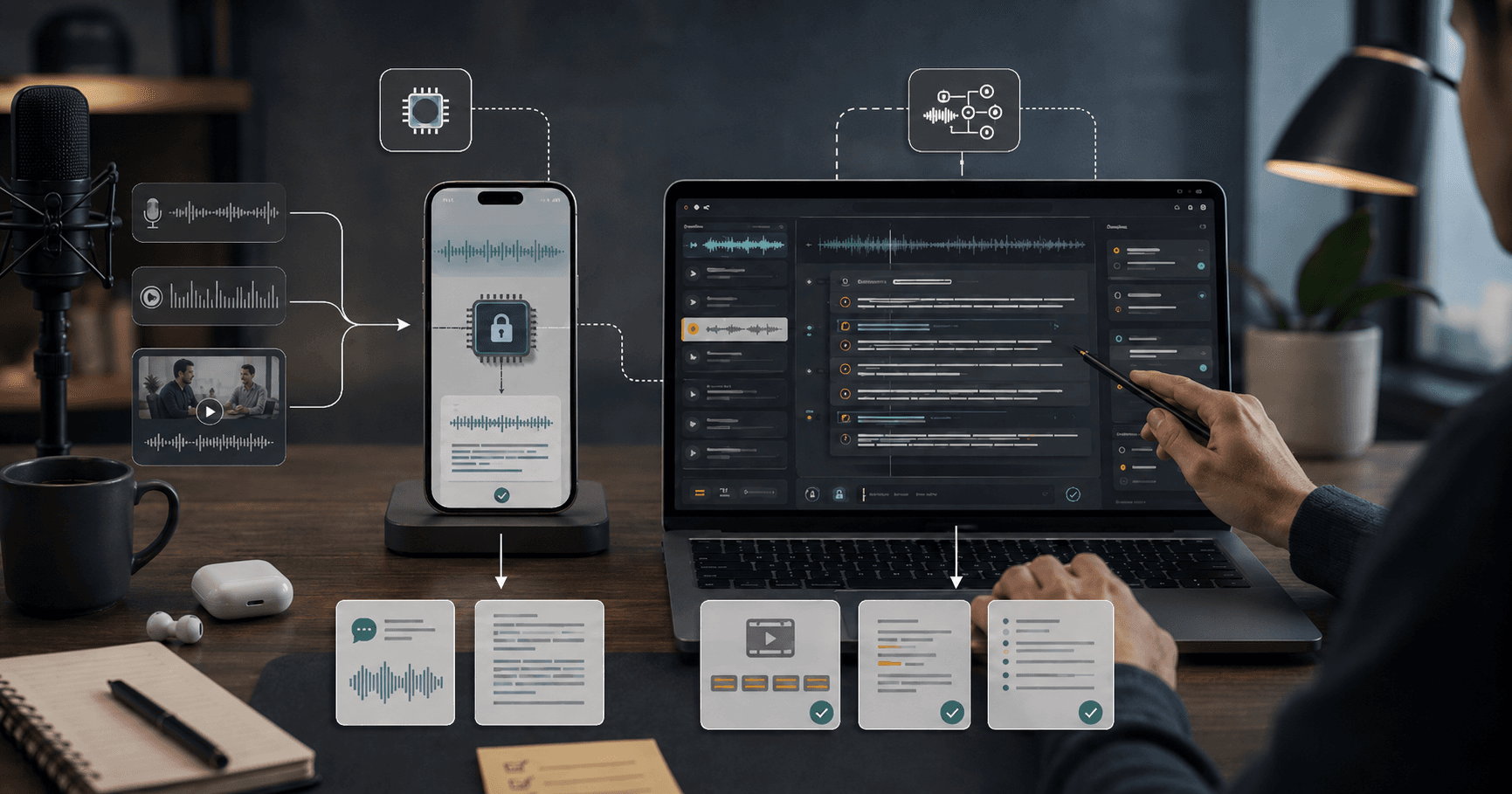
Apple’s SpeechAnalyzer changes the transcription conversation from “which cloud ASR API should we call?” to “how much of this workflow can run privately on the user’s device before any model bill starts?” That matters because transcription has moved beyond meeting notes. Product teams now want live captions, voice search, field reporting, clinical dictation, call QA, creator clipping, multilingual note capture, and agentic follow-up actions triggered from speech.
Whisper made high-quality speech recognition broadly accessible, especially for batch transcription and developer prototypes. SpeechAnalyzer pushes in a different direction: on-device transcription as a platform primitive inside Apple apps and third-party workflows. The market cares because the best transcription product in 2026 is not just the most accurate transcript. It is the fastest, most private, most battery-aware, lowest-latency path from spoken audio to structured action.
This guide compares Apple SpeechAnalyzer and Whisper from a builder’s perspective, then turns the comparison into practical workflows you can copy. We’ll cover what changed, what you can build, when on-device transcription wins, when Whisper-style cloud or server transcription still makes sense, and how to pair speech recognition with LLMs like GPT-5 mini, GPT-5, Claude Sonnet 5, Gemini 3 Flash, or DeepSeek V4 Flash for summaries, routing, QA, and searchable knowledge bases.
💡 Key Takeaway: SpeechAnalyzer is not just a cheaper transcription option. It changes the architecture: capture and transcribe locally, send only the useful text or extracted fields to an LLM, and avoid uploading raw audio unless the workflow truly needs server-side processing.
What changed: transcription moved closer to the user
The important shift is location. Whisper popularized robust speech-to-text that developers could run locally, self-host, or use through hosted APIs. But many production apps still treat transcription as a backend task: record audio, upload it, transcribe it, then pass text into summarization or analytics.
Apple SpeechAnalyzer makes on-device transcription a first-class workflow component for Apple platforms. That unlocks three practical advantages.
First, latency drops because the app can stream partial transcript text while the speaker is still talking. For note-taking, accessibility, voice commands, and field data entry, the user sees value immediately instead of waiting for a post-upload job.
Second, privacy posture improves because raw audio can stay on device. That is especially valuable for healthcare, legal, education, enterprise field operations, and consumer apps where users do not want every recording uploaded.
Third, LLM cost becomes optional instead of automatic. If the device can produce the transcript, your paid API call can focus on higher-value tasks: extracting action items, classifying intent, generating CRM notes, detecting risk language, or converting messy speech into structured JSON.
This is where the SpeechAnalyzer vs Whisper debate gets interesting. Whisper remains a strong option when you need cross-platform support, server-side batch jobs, non-Apple deployment, centralized quality control, or custom hosting. SpeechAnalyzer is strongest when you are building for iPhone, iPad, Mac, Vision Pro, or Apple-first enterprise fleets and want transcription embedded directly into the user experience.
[stat] 100% raw-audio avoidance is possible For Apple-first workflows, SpeechAnalyzer can let you keep raw recordings on device and send only text snippets, summaries, or structured fields to downstream models.
SpeechAnalyzer vs Whisper: the practical builder comparison
The right choice depends on workflow shape. A meeting recorder, a live captioning tool, a call-center QA pipeline, and a mobile inspection app have different requirements. Use this table as the starting point.
| Dimension | Apple SpeechAnalyzer | Whisper-style transcription |
|---|---|---|
| Best fit | Apple-native apps, live transcription, privacy-sensitive capture | Cross-platform apps, batch transcription, backend media processing |
| Raw audio handling | Can stay on device | Usually uploaded or processed on a server unless locally hosted |
| Latency | Strong for live/streaming UX | Strong locally, variable through hosted APIs |
| Platform reach | Apple ecosystem | Broad: web, Linux, Windows, mobile, servers |
| Cost model | Device compute plus optional downstream LLM calls | Hosting/API/transcription infrastructure plus downstream LLM calls |
| Developer control | Platform-integrated behavior | More control over model hosting, tuning, batching, and pipelines |
| Offline potential | Strong for device-first workflows | Strong only if bundled or self-hosted locally |
| Best downstream pairing | Summarization, extraction, commands, searchable notes | Batch summarization, archives, media indexing, multilingual datasets |
Whisper is a model family and ecosystem pattern: a transcription model you can use across platforms. SpeechAnalyzer is closer to an operating-system capability: a way to embed speech analysis into Apple experiences with less infrastructure. The difference matters because infrastructure drives product scope.
If you are building a Mac app that turns voice memos into project tasks, SpeechAnalyzer should be your default transcription layer. If you are processing 40,000 podcast episodes in a backend archive, Whisper-style server processing is still the more natural architecture. If you are building a field reporting app used by technicians on iPhones, SpeechAnalyzer gives you lower latency and a cleaner privacy story.
7 practical workflows SpeechAnalyzer makes easier
SpeechAnalyzer matters because it changes what you can build without making the backend the center of gravity. Here are seven workflows that become more practical.
1. Private voice notes with local transcript and selective AI cleanup
A user records a note on iPhone. SpeechAnalyzer creates the transcript locally. The app highlights uncertain segments, lets the user edit, and sends only the final text to an LLM for cleanup. This is ideal for founders, journalists, therapists, lawyers, product managers, and students who want AI structure without uploading raw audio.
A typical LLM cleanup call might use 2,000 input tokens and 600 output tokens. With GPT-5 mini at $0.25/M input and $2/M output, the cleanup costs about $0.0017 per note. At 10,000 notes/month, that is roughly $17 in model spend.
2. Field inspection reports from spoken observations
Technicians, insurance adjusters, safety auditors, and construction managers often capture messy field notes. SpeechAnalyzer can transcribe locally in the app, then an LLM converts the transcript into structured fields: issue type, severity, location, asset ID, follow-up action, photo references, and confidence.
This workflow saves time because the user does not need to type on site. It also reduces cost because only the transcript and metadata go to the model, not long audio files.
3. Live meeting captions with after-call action extraction
For Apple-native meeting tools, SpeechAnalyzer can provide live captions and a running transcript. After the meeting, the app sends the transcript to a stronger model for action items, decisions, objections, blockers, and owners.
The premium model is useful only at the final reasoning step. The live transcription path should stay local. Use Claude Sonnet 5 or GPT-5 when the transcript contains ambiguous decisions, multiple speakers, or high-stakes summaries. Use DeepSeek V4 Flash for low-cost routine extraction.
4. Voice-driven CRM updates for sales teams
A salesperson finishes a call, opens the mobile app, and says: “Update Acme. Budget confirmed at 90K. Legal review next week. Send security packet. Follow up Friday.” SpeechAnalyzer transcribes locally, then an LLM maps the text into CRM fields and tasks.
This is a strong SpeechAnalyzer use case because the audio is short, interactive, and privacy-sensitive. The LLM payload is small, and the output is structured. You do not need a premium reasoning model for every update; Gemini 3 Flash at $0.50/M input and $3/M output is enough for many CRM updates.
5. Creator clipping and searchable spoken content
Creators can record voiceover, interviews, or rough commentary on Mac or iPhone. SpeechAnalyzer generates the transcript locally. The app then sends chunks to an LLM to identify hooks, chapter titles, short-form clips, and search metadata.
For long-form video, Whisper-style backend processing still has a role, especially when files come from many platforms. But for Apple-native creator apps, local first is faster and more private.
6. Accessibility overlays and voice command layers
SpeechAnalyzer can power live captions, custom voice commands, command palettes, and dictation flows. The LLM should not be in the loop for every token because that adds latency and cost. Instead, use local transcript events to trigger deterministic commands, and call an LLM only when the user asks for interpretation: “turn what I just said into a professional email” or “summarize the last five minutes.”
7. Compliance-friendly document dictation
In regulated workflows, raw audio often creates retention and security problems. A SpeechAnalyzer-first app can transcribe on device, discard audio, store the corrected transcript, and send only approved text to a model for formatting. That architecture is easier to explain to compliance teams than “we upload every recording to a third-party transcription endpoint.”
⚠️ Warning: Do not send raw audio to the cloud by default if your product can accomplish the task with local transcript text. Audio is harder to redact, harder to inspect, and more sensitive than the final structured fields most workflows actually need.
Workflow 1: build a private voice-note app with AI cleanup
This is the simplest workflow to copy and the clearest example of SpeechAnalyzer’s architectural advantage. The goal is a voice-note app where raw audio never leaves the device, but users still get polished notes, titles, tags, and tasks.
Step 1: capture audio and create the local transcript
Record audio in the app and stream it to SpeechAnalyzer. Show partial transcript text as the user speaks. Store timestamps for each sentence or phrase so the user can jump back to the original audio locally if they want to correct a phrase.
Implementation pattern:
- Start a local recording session.
- Stream audio frames to SpeechAnalyzer.
- Render partial transcript text in the note editor.
- Save final transcript with timestamp ranges.
- Keep raw audio local by default or delete after transcript confirmation.
Step 2: let the user approve the transcript before AI processing
This is a product detail that saves money and prevents bad summaries. Give the user a transcript preview with quick correction tools. Let them mark names, companies, and domain terms before sending text to an LLM.
Suggested UI:
- Transcript pane
- “Fix names” chip
- “Remove filler words” toggle
- “Extract tasks” checkbox
- “Generate title” checkbox
- “Send to AI” button
Step 3: send only text to the LLM
Use a small or mid-tier model for cleanup. A reliable prompt looks like this:
You are cleaning a private voice note transcript.

Return JSON with:
- title: short descriptive title
- cleaned_note: lightly edited prose, preserving meaning
- bullets: 3-7 key points
- tasks: array of {task, owner_if_mentioned, due_date_if_mentioned}
- tags: 3-5 lowercase tags

Rules:
- Do not invent facts.
- Preserve uncertain names as written.
- If a task is implied but not explicit, put it in bullets, not tasks.
Transcript:
{{transcript}}
For most notes, GPT-5 mini, Gemini 3 Flash, or DeepSeek V4 Flash is enough. Use GPT-5 only when the note is long, technical, or needs careful reasoning.
Step 4: estimate cost per note
Assume a 10-minute voice note produces roughly 1,500-2,000 words, which often maps to about 2,200-3,000 tokens of transcript. Add prompt overhead and output, and a typical cleanup run lands near 3,000 input tokens and 800 output tokens.
| Model | Input / output price per 1M tokens | Estimated cost per note | Cost for 10,000 notes |
|---|---|---|---|
| DeepSeek V4 Flash | $0.14 / $0.28 | $0.00064 | $6.44 |
| GPT-5 mini | $0.25 / $2.00 | $0.00235 | $23.50 |
| Gemini 3 Flash | $0.50 / $3.00 | $0.00390 | $39.00 |
| GPT-5 | $1.25 / $10.00 | $0.01175 | $117.50 |
| Claude Sonnet 5 | $3.00 / $15.00 | $0.02100 | $210.00 |
Step 5: add routing rules
Use a cheap model by default. Escalate only when the note matches a high-value pattern:
- More than 8,000 transcript tokens
- Contains code, contracts, medical details, or financial decisions
- User asks for a formal memo or client-ready output
- The cheap model returns invalid JSON twice
- The note includes multiple conflicting decisions
For personal productivity, DeepSeek V4 Flash or GPT-5 mini should be the default. Premium models are overkill for filler-word removal, title generation, simple tags, and basic tasks.
📊 Quick Math: A SpeechAnalyzer-first voice-note app using GPT-5 mini for cleanup can process 10,000 notes for about $23.50 in LLM cost, assuming 3,000 input tokens and 800 output tokens per note.
Workflow 2: build a field inspection report generator
Field reporting is where on-device transcription becomes operationally valuable. The user may be in a basement, on a roof, inside a factory, at a construction site, or in a vehicle. Connectivity may be poor. Typing may be unsafe or inconvenient. Raw audio may include private conversations or site-sensitive details.
Step 1: define the report schema before recording
Do not start with “summarize this.” Start with the final data structure your business needs.
Example inspection schema:
{
  "site": "",
  "asset_id": "",
  "inspection_type": "",
  "observations": [],
  "hazards": [],
  "severity": "low|medium|high|critical",
  "recommended_action": "",
  "parts_needed": [],
  "follow_up_date": "",
  "confidence": "low|medium|high",
  "missing_information": []
}
This schema makes the model’s job measurable. You can validate required fields, flag missing data, and route incomplete reports back to the technician before submission.
Step 2: transcribe locally during the inspection
Use SpeechAnalyzer to capture the technician’s spoken notes in real time. Attach transcript segments to photos, GPS coordinates, QR scans, or asset IDs. The transcript becomes the bridge between unstructured speech and structured operations data.
Recommended local metadata:
- Timestamp
- Photo IDs captured within 30 seconds
- Asset ID or scanned QR code
- GPS or site zone
- User ID
- Offline sync status
- Transcript confidence or uncertainty markers if available
Step 3: run a local completeness check
Before using an LLM, check whether the transcript mentions core fields. If the report is missing the asset ID, location, severity, or recommended action, ask the user a follow-up question immediately.
Example app prompts:
- “What asset ID should this report attach to?”
- “What severity should we mark: low, medium, high, or critical?”
- “What follow-up action is required?”
- “Should this create a work order?”
This reduces LLM retries and improves final data quality.
Step 4: send the transcript and schema to an LLM
Use a model that is good at structured extraction. For most field reports, Gemini 3 Flash, GPT-5 mini, or Mistral Small 4 is enough. For high-risk safety, legal, or insurance workflows, route flagged reports to GPT-5 or Claude Sonnet 5.
Prompt pattern:
Convert this field inspection transcript into the required JSON schema.

Rules:
- Use only information in the transcript and metadata.
- If a required field is missing, add it to missing_information.
- Choose exactly one severity.
- Do not create parts_needed unless explicitly mentioned.
- Keep observations factual and concise.

Metadata:
{{metadata}}

Schema:
{{schema}}

Transcript:
{{transcript}}
Step 5: validate, review, and sync
After the LLM returns JSON, validate it in code. If required fields are missing, ask the technician. If severity is high or critical, trigger a supervisor review. Sync the final report when the device has connectivity.
Cost estimate for a field report with 2,000 input tokens and 700 output tokens:
| Model | Input / output price per 1M tokens | Cost per report | Cost for 50,000 reports |
|---|---|---|---|
| Mistral Small 4 | $0.15 / $0.60 | $0.00072 | $36.00 |
| DeepSeek V4 Flash | $0.14 / $0.28 | $0.00048 | $23.80 |
| GPT-5 mini | $0.25 / $2.00 | $0.00190 | $95.00 |
| Gemini 3 Flash | $0.50 / $3.00 | $0.00310 | $155.00 |
| Claude Sonnet 5 | $3.00 / $15.00 | $0.01650 | $825.00 |
The biggest savings come from not using a premium model for every report. Use rules to escalate only critical, ambiguous, or customer-facing reports.
✅ TL;DR: For field reporting, use SpeechAnalyzer for local capture, a cheap model for structured extraction, and premium models only for critical severity or supervisor-ready narratives.
Model choice and cost: transcription is local, intelligence is metered
SpeechAnalyzer itself changes the cost center. Instead of paying for every minute of audio transcription through a cloud API, you pay mainly for downstream AI tasks: cleanup, extraction, summarization, classification, routing, and knowledge-base indexing.
The right stack has three layers.
Layer 1: transcription layer
Use SpeechAnalyzer when:
- The app is Apple-native
- Raw audio privacy matters
- Users need live captions or immediate feedback
- The workflow works offline or in poor connectivity
- You only need downstream LLM processing after transcript approval
Use Whisper-style processing when:
- You need cross-platform transcription
- You process uploaded media from many sources
- You need backend batch jobs
- You need centralized transcription infrastructure
- You need consistent behavior across non-Apple clients
Layer 2: cheap extraction and formatting model
Use low-cost models for routine JSON extraction, cleanup, tagging, and short summaries.
Strong budget choices from current pricing:
| Model | Price per 1M input / output tokens | Best use |
|---|---|---|
| DeepSeek V4 Flash | $0.14 / $0.28 | Cheapest routine extraction and tagging |
| Mistral Small 4 | $0.15 / $0.60 | Lightweight structured output and classification |
| GPT-5 mini | $0.25 / $2.00 | Reliable cleanup, tasks, summaries |
| Gemini 3 Flash | $0.50 / $3.00 | Fast summarization and extraction at scale |
| Claude Haiku 4.5 | $1.00 / $5.00 | Polished text cleanup with Anthropic stack |
For a 3,000 input / 800 output token cleanup job, DeepSeek V4 Flash is about $0.00064, while GPT-5 mini is about $0.00235. That difference matters at millions of notes, but not for a small internal tool. Use the cheaper model when output quality is easy to validate. Use GPT-5 mini when bad formatting or weak instruction-following creates support burden.
Layer 3: premium reasoning or writing model
Use premium models when the transcript contains nuance: decisions, disagreement, legal language, medical information, multi-party negotiations, technical incidents, or customer-facing summaries.
Premium choices:
| Model | Price per 1M input / output tokens | Best use |
|---|---|---|
| GPT-5 | $1.25 / $10.00 | Strong general reasoning and structured outputs |
| Claude Sonnet 5 | $3.00 / $15.00 | Careful writing, analysis, summaries |
| Claude Fable 5 | $10.00 / $50.00 | High-end agentic writing and complex workflows |
| GPT-5.6 Luna | $1.00 / $6.00 | Long-context workflows with lower cost |
| Gemini 3 Pro | $2.00 / $12.00 | Long-context analysis with 2,000,000-token context |
Premium is overkill for:
- Raw transcription
- Filler-word removal
- Simple note titles
- Basic tags
- CRM field extraction
- Meeting action items with clear wording
- Voice commands with deterministic intents
Premium is justified for:
- Board meeting summaries
- Legal deposition notes
- Clinical documentation drafts
- Incident postmortems
- Contract negotiation recaps
- Multi-hour research interviews
- High-value sales call analysis
If you want to test your own volumes, run the transcript token counts through AI Cost Check. For broader model tradeoffs, compare GPT-5 vs Gemini 3 Pro, GPT-5 vs DeepSeek V3.2, or GPT-5 vs GPT-5 mini.
Architecture patterns that work in production
The best SpeechAnalyzer workflows share the same pattern: local first, selective cloud, validated output. Here are the production patterns worth copying.
Pattern A: local transcript, cloud summary
This is the default for voice notes, meeting tools, and creator workflows.
- Transcribe with SpeechAnalyzer.
- Store transcript locally.
- User reviews or approves.
- Send text to a model for summary.
- Store summary and structured fields.
- Keep or delete raw audio according to user settings.
This pattern minimizes privacy risk and model spend.
Pattern B: local transcript, local command router, cloud fallback
For voice interfaces, do not send every utterance to an LLM. Build a deterministic command router first.
Examples:
- “New note”
- “Start inspection”
- “Add photo”
- “Mark high severity”
- “Create follow-up task”
- “Send summary”
Only call an LLM for ambiguous commands like “turn that into something client-ready” or “make this a maintenance ticket.”
Pattern C: chunked transcript with escalation
For long recordings, split the transcript into chunks. Use a cheap model to summarize each chunk, then use a stronger model for the final synthesis only if needed.
Example:
- 90-minute meeting transcript
- Chunk into 8,000-token sections
- Summarize chunks with GPT-5 mini
- Merge with GPT-5 or Claude Sonnet 5
- Store decisions, risks, and action items separately
This avoids sending a huge transcript repeatedly to a premium model.
Pattern D: user-approved redaction before model calls
For sensitive workflows, let users redact names, account numbers, patient identifiers, or private remarks before cloud processing. This is much easier with text than audio.
A strong redaction UX includes:
- Highlight detected names and numbers
- Let users approve replacements
- Keep a local-only mapping if needed
- Send redacted transcript to LLM
- Store structured output without raw audio
Risks, limits, and when not to use SpeechAnalyzer-first
SpeechAnalyzer-first is powerful, but it is not the right architecture for every use case.
Do not use it as the only transcription layer when your product must support Android, Windows, browser-only users, or server-side media ingestion. You will need a cross-platform transcription strategy, and Whisper-style processing is a better baseline.
Do not rely on local transcription alone when your business requires centralized audit logs of the exact audio. Some compliance workflows need original recordings, not only transcripts. In those cases, SpeechAnalyzer can still provide live UX, but you must design retention, encryption, and upload controls carefully.
Do not send unreviewed transcripts into irreversible automations. Speech recognition errors can create bad CRM updates, wrong work orders, or incorrect medical drafts. Put validation between transcript and action. For high-impact workflows, require user confirmation before submitting structured data.
Battery and device performance also matter. Long live transcription sessions can affect device resources. Give users clear controls: pause, resume, low-power mode, Wi-Fi-only sync, and delete audio after processing.
⚠️ Warning: The dangerous failure mode is not a slightly wrong transcript. It is a wrong transcript that automatically creates a task, updates a record, or sends a customer-facing message without review.
Recommended stacks by use case
Here are practical model stacks for the most common SpeechAnalyzer workflows.
| Use case | Transcription | Default LLM | Premium escalation | Cheaper fallback |
|---|---|---|---|---|
| Personal voice notes | SpeechAnalyzer | GPT-5 mini | GPT-5 | DeepSeek V4 Flash |
| Field inspections | SpeechAnalyzer | Gemini 3 Flash | Claude Sonnet 5 | Mistral Small 4 |
| CRM updates | SpeechAnalyzer | GPT-5 mini | GPT-5 | DeepSeek V4 Flash |
| Meeting summaries | SpeechAnalyzer or Whisper-style backend | GPT-5 mini | Claude Sonnet 5 | Gemini 3 Flash |
| Creator clips | SpeechAnalyzer for Apple apps; Whisper-style for uploaded media | Gemini 3 Flash | GPT-5 | DeepSeek V4 Flash |
| Compliance dictation | SpeechAnalyzer | GPT-5 | Claude Sonnet 5 | GPT-5 mini |
| Cross-platform archives | Whisper-style backend | Gemini 3 Flash | Gemini 3 Pro | DeepSeek V4 Flash |
For Apple-first apps, start with SpeechAnalyzer. For server media products, start with Whisper-style transcription. For hybrid products, use both: SpeechAnalyzer for interactive Apple capture, backend transcription for uploaded files and non-Apple clients.
Implementation checklist for teams shipping in 2026
If you are adding SpeechAnalyzer to a product this quarter, use this checklist.
- Decide audio retention rules. Default to local-only audio unless the user or business workflow requires upload.
- Design transcript review. Let users correct names, numbers, and domain terms before AI processing.
- Define structured outputs. Use JSON schemas for tasks, reports, summaries, tickets, and CRM updates.
- Route by risk. Cheap models for routine extraction; premium models for high-stakes reasoning.
- Validate model output in code. Required fields, allowed enums, date formats, and confidence flags should be checked before save.
- Add human confirmation. Any workflow that creates external effects needs user approval.
- Measure tokens per workflow. Track input and output tokens by feature, not only by model.
- Cache and reuse. Do not re-summarize the same transcript unless the user edits it.
- Redact before cloud calls. Give users control over sensitive identifiers.
- Run cost scenarios. Use AI Cost Check for monthly estimates at expected volume.
The teams that win will not simply replace Whisper with SpeechAnalyzer. They will redesign the workflow around local capture, selective intelligence, and user-controlled automation.
Frequently asked questions
What is Apple SpeechAnalyzer?
Apple SpeechAnalyzer is an Apple-platform speech analysis capability that lets developers build transcription-centered workflows closer to the device. For Apple-native apps, the main advantage is local transcript generation before any cloud LLM call, which can reduce latency, improve privacy, and lower model usage.
Is SpeechAnalyzer better than Whisper?
SpeechAnalyzer is better for Apple-native, live, privacy-sensitive transcription workflows. Whisper-style transcription is better for cross-platform apps, backend media archives, uploaded audio, and server-side batch processing. The strongest production strategy is to use SpeechAnalyzer for interactive Apple capture and Whisper-style processing for non-Apple or backend workloads.
How much does an on-device transcription workflow cost?
The transcription portion can be handled on device, so the main API cost is downstream text processing. A typical voice-note cleanup with 3,000 input tokens and 800 output tokens costs about $0.00064 on DeepSeek V4 Flash, $0.00235 on GPT-5 mini, or $0.01175 on GPT-5. Use AI Cost Check to model your own token volumes.
Which model should I use after SpeechAnalyzer?
Use GPT-5 mini for reliable note cleanup, task extraction, and CRM updates. Use DeepSeek V4 Flash or Mistral Small 4 when cost matters and the output is easy to validate. Use GPT-5 or Claude Sonnet 5 for high-stakes summaries, legal or clinical drafts, incident reports, and complex meeting synthesis.
When should I still use Whisper-style transcription?
Use Whisper-style transcription when you need Android, Windows, browser, Linux, backend batch jobs, or centralized processing for uploaded media. SpeechAnalyzer is strongest inside Apple-first interactive apps; Whisper-style infrastructure remains the better default for cross-platform transcription products and large media archives.
Build the cost model before you ship
SpeechAnalyzer makes transcription feel “free” from an API perspective, but the downstream LLM workflow still needs a budget. Estimate transcript size, output size, retries, escalation rate, and monthly volume before choosing a model.
Start with the AI Cost Check calculator, then compare model options like GPT-5 vs GPT-5 mini or GPT-5 vs Gemini 3 Pro. If your workflow is Apple-native, design it local-first: transcribe on device, review text, redact sensitive data, and call premium models only when the transcript deserves premium reasoning.
Related Cost Guides
Keep going with the closest pricing and optimization guides in this cluster.
Apple SpeechAnalyzer vs Whisper: On-Device Transcription Workflows Builders Can Ship Now
Apple SpeechAnalyzer changes transcription architecture: private on-device audio first, cloud LLM cleanup only when needed.
GPT Live Voice Workflows: What OpenAI's August 2026 Update Makes Possible
GPT Live adds full-duplex voice, async GPT-5.5 delegation, and faster startup. Here are 7 workflows teams can build now.
GPT-5.6 Is Now the Preferred Model in Microsoft 365 Copilot: What Teams Should Do Next
GPT-5.6 in Microsoft 365 Copilot changes Word, Excel, PowerPoint, Chat, and Cowork workflows. See use cases, rollout patterns, and costs.